Grave Driving Unblocked
The game loads when you press the "Play" button.
The game loads when you press the "Play" button.
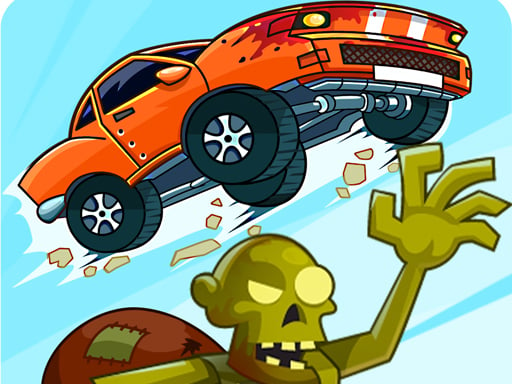
Grave Driving Unblocked offers a lively mix of racing and chaos, all set in a spooky yet cartoony graveyard filled with zombies. This free browser game is great for players who enjoy fast-paced driving combined with a humorous undead theme. If you like revving your engine and showing off your drifting skills while avoiding hordes of zombies, Grave Driving Unblocked is definitely worth trying. Its simple controls make it accessible for all ages, and the challenge of mastering each level keeps players coming back.
In this game, your main goal is to navigate through increasingly tricky levels by driving a car and dodging or drifting past zombies. With no weapons available, your driving skill is your only defense. As you progress, the obstacles get harder, turns become sharper, and zombie hordes more aggressive, demanding quick reflexes and precise control. The gameplay loop is straightforward, making it easy to jump right in, but getting the hang of drifting mechanics and timing is what will really improve your performance. Grave Driving Unblocked is designed for quick sessions, perfect for a break or a lazy afternoon of zombie-chasing fun.
Playing Grave Driving Unblocked is about mastering driving under pressure. Each level features a different layout with straightaways, sharp turns, and obstacles, all while zombies shuffle toward you. Your task is to drive through these courses as fast as possible, drifting around corners to keep control and avoid crashes. Improving your drifting technique is key to completing levels efficiently and earning higher scores. As you go further, levels tend to get more complex, with tighter turns and more zombies blocking your way, so quick thinking and good steering are essential.
Most sessions involve a series of levels that get tougher as you go. You’ll start with simpler courses to get comfortable with the controls and drifting, then move on to more complicated tracks. The game doesn’t have different modes but offers a continuous challenge to beat your previous scores or finish all the levels. Once you get comfortable with the controls, it becomes a matter of balancing speed with control—pushing your car to drift perfectly around corners while zombies close in from all sides. The fun comes from trying different routes and getting as close as possible to the zombies without crashing, aiming for that perfect drift to boost your score.
Visually, Grave Driving Unblocked has a charming cartoon style that makes the zombie apocalypse feel more funny than frightening. Bright colors and exaggerated character designs create a playful atmosphere that appeals to many ages. The simple, vibrant visuals keep the focus on gameplay, with obstacles and zombies that are easy to spot, adding a lively touch to each level. The soundtrack matches the frantic driving with upbeat tunes, making every run energetic and fun. This style makes the game inviting and encourages players to keep going, even if they stumble a few times.
One of the main attractions of Grave Driving Unblocked is its replay value. The game includes a scoring system that rewards drifting skill, speed, and avoiding zombies. This setup encourages players to replay levels, trying to beat their high scores and improve their driving. As you complete more levels, unlockable challenges and bonus objectives appear, adding more layers for those who want to push their limits. With multiple tracks and a focus on perfecting drifting, players can enjoy hours of gameplay, whether trying to improve their technique or beat their best scores. The straightforward mechanics and increasing difficulty make it a good choice for casual players and racing fans alike.
To get the most out of Grave Driving Unblocked, focus on timing and control. Here are some tips to help you improve:
How beginner-friendly is Grave Driving Unblocked?
The game starts off simple but gets tougher quickly with sharper turns and more zombies. Focusing on mastering drifting early on helps keep pace with the more challenging levels.
What if I get stuck on a level?
Try practicing the tricky sections. Look for chances to drift around corners more smoothly, and take your time to memorize zombie movements. Replaying levels helps improve your control and awareness.
Can I play Grave Driving Unblocked on mobile?
Yes, the game works well on mobile browsers, making it easy to enjoy on tablets or smartphones. Its simple controls translate nicely to touch screens, so you can chase zombies wherever you are.
Grave Driving Unblocked offers a fun, frantic racing experience with a undead twist that keeps players coming back. Whether you’re trying to beat your high score or just enjoy the chaos of zombie chasing, it provides plenty of replay value. Practice your drifting, sharpen your skills, and see if you can become the drift king in this zombie-filled graveyard!
Related games: you can also try Race street of crash and Skater Boy, or browse all other games in the Racing category.
Drive through levels by steering and drifting around zombies, avoiding crashes, and completing courses as fast as possible to earn high scores.
Arrow keys or WASD to steer, Space to drift, Mouse for controls if applicable.