TENX – Wooden Number Puzzle Game
The game loads when you press the "Play" button.
The game loads when you press the "Play" button.
Step into the soothing, tactile world of puzzles with TENX – Wooden Number Puzzle Game. This browser-based game combines classic logic with a minimalist, handcrafted look that immediately draws you in. Designed as a casual yet addictive puzzle experience, TENX invites players to move wooden number blocks on a clean, grid-based board, aiming to create lines or columns that sum to exactly 10. It’s a game that feels simple at first but quickly tests your strategic thinking as the levels grow more challenging. Whether you’re after a quick mental break or a satisfying brain workout, TENX – Wooden Number Puzzle Game offers something for anyone looking for a relaxing yet stimulating puzzle.
The first thing that catches your eye about TENX – Wooden Number Puzzle Game is its warm, inviting design. The game’s aesthetic features beautifully crafted wooden blocks with smooth textures and a variety of skins to personalize your experience. This tactile, natural look makes every move feel tangible, almost like stacking physical blocks on a real wooden table—adding an extra layer of satisfaction to each successful combination. The minimalistic interface keeps distractions at bay, helping you focus on the logic puzzles ahead. It creates a calm, focused environment that makes it easy to keep playing without feeling overwhelmed.
What makes TENX stand out from many other puzzle games is its fresh approach to a familiar concept. Instead of complex mechanics or flashy graphics, it depends on pure logic and strategic planning. The gameplay is straightforward: drag the number blocks onto the grid, combine them thoughtfully, and aim for rows or columns that total 10. The scoring system rewards clever placements and efficient use of the grid, encouraging you to get better with each round. When the puzzle gets tricky, the magic hat feature gives you a helpful boost—adding confidence and making the game accessible even for newcomers. Its gentle difficulty curve and rewarding mechanics make it easy to keep coming back for more.
Beyond its core gameplay, TENX offers a nice variety of skins for the number blocks, letting players customize how it looks. Whether you prefer classic wood, vibrant colors, or playful themes, these options keep the game feeling fresh. Clearing lines to hit that perfect total of 10 is satisfying and makes for a good quick play or a longer puzzle session. The calming soundtrack and smooth animations help create an atmosphere that’s relaxing and engaging. Once you start playing, it’s easy to lose track of time, caught up in stacking and matching.
If you want to improve at TENX – Wooden Number Puzzle Game, here are some tips that might help:
What is the difficulty level of TENX – Wooden Number Puzzle Game?
The game begins quite accessible for newcomers but gradually introduces more complex setups, making it a good choice for casual players and puzzle fans alike. It’s easy to get started but offers enough challenge to keep you engaged as you progress.
How long does a typical session last?
Sessions can be short, around five minutes, perfect for a quick break, or longer, taking up 15 to 30 minutes if you want to focus more. The game’s design supports both quick plays and longer problem-solving sessions depending on your mood.
Is TENX – Wooden Number Puzzle Game good for mobile or offline play?
Since it’s browser-based, you can play it on any device with an internet connection. It’s optimized for desktop, and an active connection helps ensure the best experience. Offline play isn’t an option, but its simple mechanics make it easy to pick up and put down as needed.
Related games: you can also try Halloween Monster Shooter and Trading Fidget Master, or browse all other games in the Puzzle category.
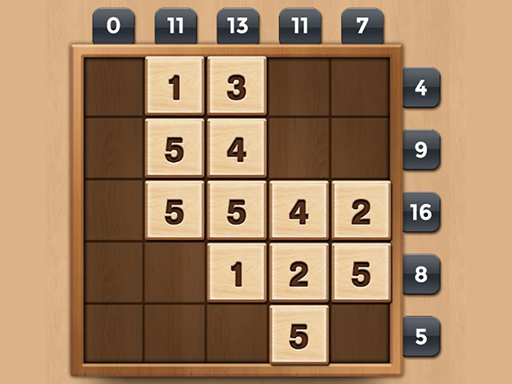
Drag wooden number blocks onto the grid to form rows or columns that sum to exactly 10. Strategically place and combine blocks to clear lines and earn points, aiming for efficient use of the space.
Click and drag with the mouse to move and place blocks.