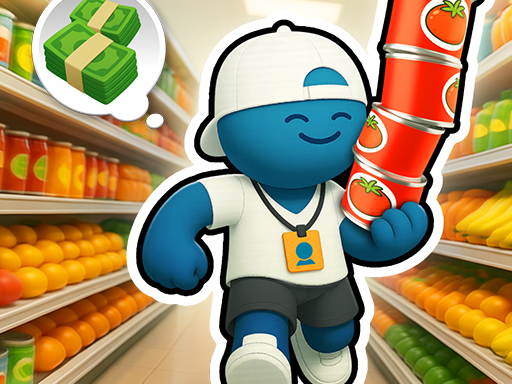
My Tiny Market
The game loads when you press the "Play" button.
The game loads when you press the "Play" button.
My Tiny Market is a charming hypercasual game that puts you in charge of your very own supermarket. It’s a delightful mix of resource management and timing that appeals to players who enjoy quick, satisfying gameplay with a bit of strategic planning. Whether you’re after a relaxing way to pass the time or like honing your multitasking skills, My Tiny Market offers a simple but engaging experience that can be enjoyed in short bursts or longer sessions.
Starting with a modest shop, the game invites you to grow your tiny grocery store step by step. Bright visuals, colorful icons, and lively animations create a welcoming atmosphere that keeps players coming back. Its mechanics are easy to pick up, and the adorable style makes it accessible for all ages, while the management aspect offers enough depth to keep dedicated players interested. The gameplay balances relaxing moments with small challenges, making it a good pick for anyone looking for a light-hearted online experience.
The visual style really stands out. The bright, cartoonish graphics give the game a friendly, inviting feel. Every item, from fresh produce to busy customers, is rendered with a colorful touch that instantly lifts your mood. This approach not only makes the game appealing but also helps you quickly recognize tasks and items, which is useful in a fast-paced management game.
What keeps players engaged is the satisfying gameplay loop. Managing a small supermarket involves tasks like restocking shelves, feeding chickens, and serving customers at the checkout. Balancing these duties requires good timing and efficiency, encouraging you to think ahead and prioritize. As you grow your store and hire employees, the game adds layers of complexity that motivate continued progress. Watching your tiny market evolve from a simple stall into a bustling store offers a surprisingly addictive experience.
The relaxing atmosphere combined with a sense of achievement keeps players coming back. There are no strict time limits or high stakes; instead, the game rewards careful planning and resource management. Upgrading your store and expanding gradually gives a feeling of ongoing progress. Whether you’re restocking shelves or managing checkout lines, the flow stays smooth and satisfying, encouraging multiple plays and trying out different strategies.
To make the most of your time in My Tiny Market, these tips might help you progress more smoothly:
Is My Tiny Market difficult for new players?
The game is designed to be accessible, with simple mechanics and a gentle learning curve. Beginners can enjoy managing their store without feeling overwhelmed, but there’s enough depth to keep more experienced players interested as they optimize their supermarket.
How long does a typical gaming session last?
My Tiny Market is great for quick play sessions—around 10-15 minutes—making it perfect for a quick break. If you want, you can also spend longer expanding and upgrading your store to get more involved in its management aspects.
Can I play My Tiny Market on mobile or offline?
This game is meant to be played online via your browser on any device, including desktops and phones. It generally needs an internet connection, and offline play isn’t supported. Still, its simple mechanics make it easy to pick up and put down whenever you have a few free moments.
If you’re after a fun, light management game that’s great for quick sessions, give My Tiny Market a try. Its charming visuals, satisfying gameplay, and steady progress make it a good choice for fans of casual browser games. Start small, grow your store, and see how much your tiny market can become—this game is ready for you to take charge!
Related games: you can also try Car Jump Game and Treatsy, or browse all other games in the Hypercasual category.
Manage your supermarket by restocking shelves, serving customers, and expanding your store. Complete tasks efficiently to grow your business and keep customers happy.
Click and drag with mouse to interact, or tap if on mobile.