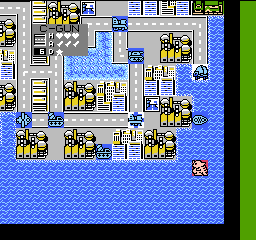
Daikaijuu Deburas (Japan)
0 31 31
Daikaijuu Deburas (Japan) is a classic NES game that offers a simple but quirky experience rooted in the console’s early 8-bit era. Its pixel art has a straightforward charm, and the gameplay leans toward action with a touch of humor, typical of many Japanese titles from the late 80s and early 90s. Playing it on this site as a browser emulation makes it accessible without any hassle, inviting both nostalgic players and curious newcomers to explore a piece of NES history.
What makes Daikaijuu Deburas worth exploring isn’t just its vintage appeal but its offbeat atmosphere. The visuals, while primitive by today’s standards, are full of character, with exaggerated sprite animations and colorful backgrounds that capture the playful yet bizarre tone. The game’s music is minimal but effective, complementing its quirky aesthetic and keeping players engaged. Its straightforward mechanics make it easy for newcomers to pick up, but the oddball design and occasional challenge keep veterans coming back for a few quick sessions of light-hearted action.
Why Daikaijuu Deburas Is Worth Playing
This NES classic stands out because of its distinctive style and approachable gameplay. It’s not a game that demands complex strategies or long hours; instead, it rewards players who enjoy simple, fast-paced fun. The visuals may be limited, but they are expressive enough to convey the game’s bizarre tone, with imaginative enemy designs and humorous sprite animations. The sound design is sparse but adds to the quirky vibe, making each encounter feel lively despite the simplicity.
One of the game’s strengths is its ability to deliver quick bursts of entertainment. Since sessions tend to be short due to its difficulty and straightforward objectives, it’s perfect for casual players seeking a nostalgic throwback or anyone wanting to test their reflexes without a huge time commitment. The game’s odd humor and unique aesthetic create a memorable experience that sticks with players, especially those who enjoy offbeat titles from the NES era.
Tips to Get Ahead
To make your run in Daikaijuu Deburas smoother, keep these tips in mind:
- Pay attention to enemy patterns to avoid unnecessary damage.
- Collect power-ups when available to increase your chances of survival.
- Stay mobile—standing still makes you an easy target for attacks.
- Learn the timing for jumps and attacks to maximize damage output.
- Practice patience; rushing can lead to quick deaths.
- Use the environment to your advantage, especially in tight spots.
Things to Know Before You Start
Question?
Is Daikaijuu Deburas difficult for new players?
Answer.
The game has a moderate difficulty typical of NES titles, with some trial-and-error needed, but it’s accessible enough for players with some platforming experience.
Question?
How long does a typical session last?
Daikaijuu Deburas is designed for short, quick sessions. Most playthroughs can be completed in under an hour, though it can take longer if you’re aiming for high scores or perfect runs.
Question?
Is this game suitable for casual players or only dedicated fans?
It suits casual players who enjoy light action and quirky visuals, but its challenge level also appeals to NES enthusiasts looking for a quick, nostalgic fix.
Give daikaijuu deburas a try
Whether you’re a seasoned retro gamer or new to NES titles, Daikaijuu Deburas offers a distinctive, no-frills experience that’s easy to pick up and fun to play. Its oddball charm and straightforward gameplay make it worth a few minutes of your time—so go ahead and try it right in your browser. See how far you can get in this quirky little adventure.
Related games: you can also try Castlevania III – Dracula's Curse (Europe) and Cadillac (Japan) [En by Gil Galad+Steve Martin v1.0], or browse all other games in the NES category.
How to Play Daikaijuu Deburas (Japan)?
Move your character to avoid enemies and obstacles, collect power-ups, and defeat enemies to progress through levels. Keep moving and timing your jumps and attacks to survive longer.
Game Controls
Arrow keys act as the D-pad; Enter is Start; action buttons are mapped to on-screen keys.
You may be interested in:
-
![Zombie Hunter (Japan) [En by KingMike v1.01]](https://www.playf2p.com/wp-content/uploads/zombie-hunter-japan-en-by-kingmike-v1-01-200x120.png) NES
♥ 2
Zombie Hunter (Japan) [En by KingMike v1.01]
NES
♥ 2
Zombie Hunter (Japan) [En by KingMike v1.01] -
 NES
♥ 1
Zombie Hunter (Japan)
NES
♥ 1
Zombie Hunter (Japan) -
 NES
♥ 1
Zoids Mokushiroku (Japan)
NES
♥ 1
Zoids Mokushiroku (Japan) -
 NES
♥ 2
Zoids 2 – Zenebas no Gyakushuu (Japan)
NES
♥ 2
Zoids 2 – Zenebas no Gyakushuu (Japan) -
 NES
♥ 1
Zoids – Chuuou Tairiku no Tatakai (Japan)
NES
♥ 1
Zoids – Chuuou Tairiku no Tatakai (Japan) -
 NES
♥ 11
Zippy Race (Japan)
NES
♥ 11
Zippy Race (Japan) -
 NES
♥ 1
Zhen Ben Xi You Ji (Asia) (Unl)
NES
♥ 1
Zhen Ben Xi You Ji (Asia) (Unl) -
 NES
♥ 1
Zenbei!! Pro Basket (Japan)
NES
♥ 1
Zenbei!! Pro Basket (Japan)
Comments (0)
No comments yet. Be the first to comment!