Bridges 3D
The game loads when you press the "Play" button.
The game loads when you press the "Play" button.
Bridges 3D is a puzzle game that challenges your creativity and engineering skills within a lively, three-dimensional setting. Whether you’re looking for a relaxing way to pass the time or enjoy solving tricky problems, this game can keep you entertained for hours. Its bright visuals, simple mechanics, and strategic challenges make it appealing to anyone who likes designing structures and overcoming obstacles in a playful way.
In the game, your task is to build bridges that are strong enough to help characters cross difficult terrains. Each level introduces a new scenario with different landscapes, obstacles, and goals—like reaching a specific point or working with limited resources. The gameplay involves analyzing the environment, choosing suitable materials, designing your bridge, and testing its durability. If your structure collapses, you can tweak your design and try again. The game encourages learning from mistakes and experimenting with different approaches, all wrapped up in a colorful, approachable style.
When you start playing, you’ll work through levels where your goal is to connect two points with a bridge that spans various terrains. The main activity involves selecting materials—such as beams, cables, or other structural elements—and placing them carefully to create a stable crossing. As you move forward, levels introduce new challenges like uneven ground, limited resources, or additional characters needing safe passage. This variety keeps the game fresh and encourages creative thinking about your designs.
Most players begin with simple levels to get familiar with the mechanics. Once comfortable, the puzzles become more complex, requiring smarter planning—like making the best use of materials or creating more detailed structures. The game runs directly in your browser, so there’s no need to download anything. Whether you have a few minutes or want to spend longer perfecting your bridges, it adapts to your schedule. Each level invites you to experiment—adjust designs, test stability, and learn from failures. Over time, you’ll better understand how different structures and materials behave under weight and stress, making your future bridges stronger and more efficient.
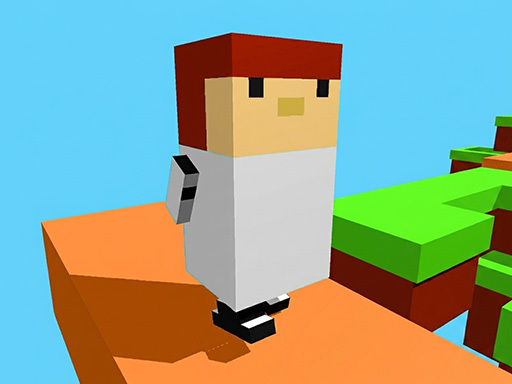
The visuals of Bridges 3D are one of its most appealing aspects. Bright, colorful graphics combined with a charming 3D environment make each level feel inviting and easy to navigate. The design strikes a good balance between simplicity and clarity, helping players focus on building without confusion. Clear indicators and intuitive controls make it easy for beginners to understand how to create and test their bridges, while still offering enough challenge to keep puzzle lovers engaged.
The game’s progression is smooth, gradually increasing in difficulty to test your engineering skills. As you unlock new levels, you’ll face more complex terrains and constraints, encouraging you to try different building techniques. Players often revisit earlier levels to improve their designs or explore alternative solutions. The variety of challenges and the freedom to experiment keep the game interesting. Whether you’re aiming for the most efficient design or just exploring what you can create, Bridges 3D offers a lively, colorful world to explore.
To get the most out of Bridges 3D, it helps to plan carefully and try out different ideas. Here are some tips:
How do I get started with Bridges 3D if I’ve never played a puzzle game like this?
Follow the in-game instructions and start with the early levels. They’re designed to introduce you gradually to building techniques. Take your time to learn how to place materials and help characters cross safely.
What’s a common mistake beginners make in Bridges 3D?
Many new players jump into building without testing their designs or considering the strength of their materials. Taking the time to test and refine makes a big difference in success.
Can I play Bridges 3D on mobile or touch screens?
Yes, the game works well on mobile browsers, allowing you to build and solve puzzles using touch controls. It’s great for quick sessions or relaxing breaks on the go.
All in all, Bridges 3D offers a colorful, engaging puzzle experience that combines creativity, strategy, and physics. Whether you’re building your first crossing or refining complex structures, it invites experimentation and learning with each level. Dive into its world and see how many clever, sturdy bridges you can create!
Related games: you can also try Attack Hole Game and Hidden Object Time Travel, or browse all other games in the Puzzle category.
Build and test bridges by selecting and placing materials to help characters cross challenging terrains. Adjust your design based on stability and resource limits to complete each level.
Use mouse to select and place materials, click to test, and drag to adjust structures.