Game Party (Japan)
0 2 0
Game Party (Japan) is a classic NES game that features a collection of mini-games designed for quick, competitive fun. As part of the NES library, it appeals to players who enjoy simple, arcade-style challenges that can be played in short bursts or with friends. The straightforward mechanics and lighthearted themes make it accessible to players of all ages, especially those with nostalgia for titles from the 8-bit era. Thanks to browser emulation, you can start playing instantly—no downloads or setups needed.
Getting Into Game Party
The game centers around a series of mini-games where players compete one after another. The main idea is to select a mini-game and try to outperform opponents or reach a goal within that challenge. Each round features a handful of these mini-games, with players earning points or wins based on how well they do. You can practice solo or jump into multiplayer with friends, making each game session lively and unpredictable.
Most mini-games are quick to pick up but require good timing and skill to do well. The game shifts between different types of challenges — from reflex tests to simple puzzles — which keeps things interesting. Its design encourages replay, whether you’re aiming to beat your own high scores or challenge friends to do better. Since rounds are short, it’s perfect for quick gaming sessions or casual get-togethers.
Standout Features
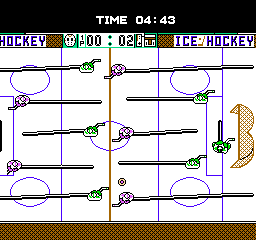
Looks-wise, Game Party sticks with the NES’s pixel art style, showing colorful sprites and backgrounds that remind you of the console’s early days. The visuals are simple but clear, helping players stay aware of game states and objectives during each mini-game. It doesn’t rely on flashy effects but focuses on clean graphics that support fast-paced gameplay.
Progression comes from winning mini-games and setting high scores, with no elaborate story or unlockables. This simplicity adds to its replay value, encouraging players to challenge themselves or others in different ways. The variety of challenges means no two sessions are exactly the same, prompting you to improve your skills or try different strategies each time.
Strategy and Tips
Getting started is easy, but keeping consistent helps you get better. Practice each mini-game to understand the mechanics and timing—familiarity can lead to higher scores.
- Watch for visual cues and timing signals to react faster during reflex challenges.
- Memorize patterns or common sequences in puzzles to respond more quickly.
- If playing with friends, communicate or assign roles to handle different challenges more smoothly.
- Don’t get discouraged if you lose early; each game is a chance to learn and improve.
- Try to perform well across all mini-games rather than focusing on just one.
Quick Questions
How do I start a game session on this site?
Pick a mini-game or a set of challenges, and it loads right in your browser—no extra steps needed.
What’s a common mistake beginners make?
Many rush through moves without paying attention to visual cues, which can lead to missed opportunities or mistakes in reflex-based tasks.
Can I play Game Party on mobile or touchscreen devices?
Since it runs directly in your browser, it works on mobile devices with touch screens, though controls might not be as precise as with a keyboard or controller.
Game Party offers a simple, fun experience rooted in classic NES gameplay. Its focus on quick mini-games makes it great for casual play, whether alone or with friends. It’s a game that feels ready whenever you are, and it tends to stay enjoyable through repeated sessions in a browser environment.
Related games: you can also try Ferrari – Grand Prix Challenge (Europe) and Chip 'n Dale Rescue Rangers 2 (Europe), or browse all other games in the NES category.
How to Play Game Party (Japan)?
Select a mini-game and try to beat your score or opponent within a short time. Switch between challenges to earn points and improve your performance.
Game Controls
Arrow keys for movement; Enter or space for actions; keyboard controls emulate the NES gamepad.
You may be interested in:
-
![Zombie Hunter (Japan) [En by KingMike v1.01]](https://www.playf2p.com/wp-content/uploads/zombie-hunter-japan-en-by-kingmike-v1-01-200x120.png) NES
♥ 2
Zombie Hunter (Japan) [En by KingMike v1.01]
NES
♥ 2
Zombie Hunter (Japan) [En by KingMike v1.01] -
 NES
♥ 1
Zombie Hunter (Japan)
NES
♥ 1
Zombie Hunter (Japan) -
 NES
♥ 1
Zoids Mokushiroku (Japan)
NES
♥ 1
Zoids Mokushiroku (Japan) -
 NES
♥ 2
Zoids 2 – Zenebas no Gyakushuu (Japan)
NES
♥ 2
Zoids 2 – Zenebas no Gyakushuu (Japan) -
 NES
♥ 1
Zoids – Chuuou Tairiku no Tatakai (Japan)
NES
♥ 1
Zoids – Chuuou Tairiku no Tatakai (Japan) -
 NES
♥ 11
Zippy Race (Japan)
NES
♥ 11
Zippy Race (Japan) -
 NES
♥ 1
Zhen Ben Xi You Ji (Asia) (Unl)
NES
♥ 1
Zhen Ben Xi You Ji (Asia) (Unl) -
 NES
♥ 1
Zenbei!! Pro Basket (Japan)
NES
♥ 1
Zenbei!! Pro Basket (Japan)
Comments (0)
No comments yet. Be the first to comment!