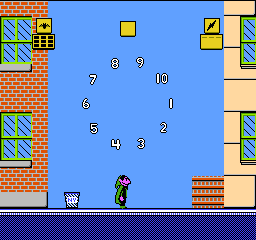
Sesame Street Countdown (USA)
0 2 2
Sesame Street Countdown (USA) is a classic NES educational game that takes players into a colorful, kid-friendly environment filled with counting exercises and simple puzzles. Designed for young learners, it combines familiar Sesame Street characters with straightforward gameplay that promotes early numeracy skills. As a nostalgic NES title, it offers a gentle challenge suitable for children and parents looking for a light, educational experience on this vintage console. The bright visuals and cheerful tunes create an inviting atmosphere that keeps young players engaged without feeling overwhelming.
Why Sesame Street Countdown Is Worth Playing
This NES game stands out because of its bright, simple visuals that reflect the warm, approachable style of Sesame Street. The graphics are intentionally uncomplicated, focusing on clarity rather than complexity, making it easy for young players to follow. The soundtrack features cheerful, looping tunes that create a positive learning environment, making the game feel friendly rather than frustrating. Its core gameplay involves counting, pattern recognition, and basic problem-solving, all presented through familiar characters and themes that connect with early childhood education. For parents, it’s reassuring to find a game that emphasizes learning without the bells and whistles of more action-oriented titles.
What keeps players coming back is its straightforward approach and gentle challenge. There are no complex mechanics or in-game penalties—just a series of small, manageable tasks that reinforce fundamental skills. The game’s pace allows for repeated practice without fatigue, making it perfect for short sessions or a quick break from more demanding titles. Its nostalgia factor for those who grew up with the NES adds an extra layer of charm, but its design also makes it accessible for new players introducing their children to classic gaming. The mix of educational content and timeless presentation makes Sesame Street Countdown a worthwhile experience for young learners and nostalgic parents alike.
Tips to Get Ahead
Start by recognizing patterns quickly and be patient with simple puzzles. Practice helps improve pattern recognition. Use visual cues from Sesame Street characters to guide your choices. Don’t rush—taking your time can improve accuracy. If you get stuck on a counting challenge, taking a short break can help reset your focus. Remember, the game rewards consistent effort rather than speed, so keep steady and enjoy the learning process.
Things to Know Before You Start
Question?
Is Sesame Street Countdown difficult for young children?
It’s designed to be accessible, with simple tasks suitable for early learners. The difficulty level is gentle, making it appropriate for children just starting with counting.
Question?
How long does a typical session last?
A session usually lasts around 10 to 15 minutes, making it ideal for short, educational play periods or quick breaks during other activities.
Question?
Can I play Sesame Street Countdown casually or does it require dedicated focus?
Its simple, non-frustrating gameplay makes it suitable for casual play, especially for introducing young children to the NES or educational gaming.
Give Sesame Street Countdown a try. Its cheerful, relaxed gameplay makes it a good choice for young learners or nostalgic parents wanting to revisit a piece of childhood while teaching basic skills. Playing this NES classic in your browser is easy and fun, encouraging a gentle, educational experience that’s hard to beat in today’s fast-paced gaming scene.
Related games: you can also try Shatterhand (USA) and Family Trainer 1 – Athletic World (Japan), or browse all other games in the NES category.
How to Play Sesame Street Countdown (USA)?
Help Sesame Street characters count and solve simple puzzles by recognizing patterns and numbers. Complete tasks at your own pace to reinforce early math skills and enjoy cheerful visuals.
Game Controls
Arrow keys act as the D-pad; Enter is Start; on-screen mapped keys handle the action buttons.
You may be interested in:
-
![Zombie Hunter (Japan) [En by KingMike v1.01]](https://www.playf2p.com/wp-content/uploads/zombie-hunter-japan-en-by-kingmike-v1-01-200x120.png) NES
♥ 2
Zombie Hunter (Japan) [En by KingMike v1.01]
NES
♥ 2
Zombie Hunter (Japan) [En by KingMike v1.01] -
 NES
♥ 1
Zombie Hunter (Japan)
NES
♥ 1
Zombie Hunter (Japan) -
 NES
♥ 1
Zoids Mokushiroku (Japan)
NES
♥ 1
Zoids Mokushiroku (Japan) -
 NES
♥ 2
Zoids 2 – Zenebas no Gyakushuu (Japan)
NES
♥ 2
Zoids 2 – Zenebas no Gyakushuu (Japan) -
 NES
♥ 1
Zoids – Chuuou Tairiku no Tatakai (Japan)
NES
♥ 1
Zoids – Chuuou Tairiku no Tatakai (Japan) -
 NES
♥ 11
Zippy Race (Japan)
NES
♥ 11
Zippy Race (Japan) -
 NES
♥ 1
Zhen Ben Xi You Ji (Asia) (Unl)
NES
♥ 1
Zhen Ben Xi You Ji (Asia) (Unl) -
 NES
♥ 1
Zenbei!! Pro Basket (Japan)
NES
♥ 1
Zenbei!! Pro Basket (Japan)
Comments (0)
No comments yet. Be the first to comment!