Winter Games (USA) (Rev A)
0 3 1
Winter Games (USA) (Rev A) is a classic NES sports game that captures the excitement of winter Olympic events. Designed for fans of action and sports genres, it offers a straightforward way to compete in various winter disciplines right in your browser. If you enjoy competitive gameplay with a focus on timing and precision, this game provides a nostalgic look at the NES era’s approach to sports titles.
Getting Into Winter Games
The game features multiple events, each with its own controls and strategies. Players pick an event—like skiing, ice skating, or snowboarding—and then compete against the clock or other players, depending on the mode. The core gameplay involves timing your inputs just right; for example, during skiing, pressing buttons at the right moments helps you keep your speed and balance. The game usually offers single-player and multiplayer modes, making quick sessions easy and fun.
Usually, you start by choosing an event and setting your difficulty. Then, you try to beat your previous scores or challenge friends if multiplayer is available. The mechanics are simple enough to jump in quickly, but mastering each event takes practice—timing really matters if you want higher scores or faster times. Each event has limited attempts, so early on, you can get a feel for the controls and improve through repetition.
Standout Features
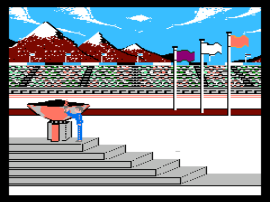
The visuals in Winter Games are simple but clear, with sprites and backgrounds that evoke the winter sports atmosphere. The animations are practical, emphasizing gameplay clarity over flashy effects, which fits the NES’s hardware. Progression depends on your performance; as you improve, you unlock higher difficulty levels or new challenges, giving you reason to keep playing.
The game offers replay value through its variety of events and the challenge of beating your own scores or those of others. Each event tests different skills—timing, rhythm, endurance—so players are encouraged to refine their techniques across disciplines. Since it runs directly in your browser without extra downloads or setup, it’s easy to try again and again.
Strategy and Tips
Getting high scores depends on understanding each event’s rhythm and practicing your timing. Consistency can really help improve across different disciplines.
- Learn the timing of your button presses early, since precision makes a big difference.
- Watch for visual cues and listen for sound prompts that tell you when to press.
- Practice each event multiple times to build muscle memory, especially in tricky, time-sensitive parts.
- Adjust your approach depending on the mechanics—what works in skiing might not be the same for ice skating.
- If available, use the pause feature to review your mistakes and plan your next move.
- Focus on small improvements; even slight gains add up over time.
Quick Questions
How do I get started with Winter Games?
Just pick an event and press start—no complicated setup needed. The game runs instantly in your browser.
What’s a common mistake beginners make?
Many press buttons too early or too late, missing timing cues. Concentrating on rhythm and patience helps you improve fast.
Can I play Winter Games on a mobile device or touch screen?
Yes, it works in your browser and supports touch controls, so you can play on smartphones and tablets without extra software.
Winter Games offers a straightforward, competitive experience that captures the essence of winter sports. Its simple controls and variety of events make it accessible and engaging, with enough challenge to keep players coming back from your browser.
Related games: you can also try Mega Man 4 (USA) (Rev A) [Hack by Insectduel v1.0] (~Megaman Showdown IV – Hard) (Boss Mode) and Lupin Sansei – Pandora no Isan (Japan) [En by Vice v1.0] (~Lupin The 3rd – Pandora's Legacy), or browse all other games in the NES category.
How to Play Winter Games (USA) (Rev A)?
Choose an event, then time your button presses accurately to complete the winter sports challenges and beat your best scores or compete against others.
Game Controls
Arrow keys or WASD control movement; specific action buttons are mapped to keyboard keys.
You may be interested in:
-
![Zombie Hunter (Japan) [En by KingMike v1.01]](https://www.playf2p.com/wp-content/uploads/zombie-hunter-japan-en-by-kingmike-v1-01-200x120.png) NES
♥ 2
Zombie Hunter (Japan) [En by KingMike v1.01]
NES
♥ 2
Zombie Hunter (Japan) [En by KingMike v1.01] -
 NES
♥ 1
Zombie Hunter (Japan)
NES
♥ 1
Zombie Hunter (Japan) -
 NES
♥ 1
Zoids Mokushiroku (Japan)
NES
♥ 1
Zoids Mokushiroku (Japan) -
 NES
♥ 2
Zoids 2 – Zenebas no Gyakushuu (Japan)
NES
♥ 2
Zoids 2 – Zenebas no Gyakushuu (Japan) -
 NES
♥ 1
Zoids – Chuuou Tairiku no Tatakai (Japan)
NES
♥ 1
Zoids – Chuuou Tairiku no Tatakai (Japan) -
 NES
♥ 11
Zippy Race (Japan)
NES
♥ 11
Zippy Race (Japan) -
 NES
♥ 1
Zhen Ben Xi You Ji (Asia) (Unl)
NES
♥ 1
Zhen Ben Xi You Ji (Asia) (Unl) -
 NES
♥ 1
Zenbei!! Pro Basket (Japan)
NES
♥ 1
Zenbei!! Pro Basket (Japan)
Comments (0)
No comments yet. Be the first to comment!