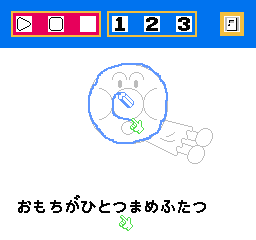
Oeka Kids – Anpanman to Oekaki Shiyou!! (Japan)
0 1 0
Oeka Kids – Anpanman to Oekaki Shiyou!! (Japan) is a charming educational game originally released for the NES, now playable directly in your browser on this site. If you like creative activities that are gentle and kid-friendly, this classic offers a simple, colorful drawing experience rooted in early video game education. It’s suitable for younger players or anyone looking for a relaxing, artistic distraction from more action-oriented titles.
Getting Into Oeka Kids – Anpanman to Oekaki Shiyou!!
The main gameplay of this NES classic involves drawing and coloring, making it accessible for players of all ages. When you start a session, you’re usually presented with a blank canvas or simple templates designed for easy coloring. The controls are straightforward; you choose colors and draw using simple menus. There are no time limits or high scores—just a focus on creative expression. You can switch between tools like brushes or pencils, depending on what’s available in the game interface.
This game is great for short play sessions, letting you experiment with different colors and designs at your own pace. Because it’s educational, it emphasizes freeform drawing rather than game objectives or levels. You can pick a picture or start from scratch, filling it with color or adding details. The experience is more about exploring your artistic side than hitting specific goals. It’s a quiet, non-competitive activity, perfect for young children or anyone looking for a stress-free creative outlet.
Standout Features
Visually, the game uses bright, cheerful colors typical of early 8-bit children’s media, with simple line art meant for easy coloring. Its graphics are intentionally straightforward, making it clear where to draw and what colors are available. The interface is clean and intuitive, so even beginners can navigate easily. Since it features a popular character universe, fans of the franchise will enjoy the aesthetic, but the main draw is its approachable drawing tools.
Progress isn’t measured by levels or scores but by the variety of pictures you complete. Replay value comes from trying different color combinations, drawing styles, and creating your own designs from scratch. Its simplicity encourages repeated use, whether to relax, teach basic art skills to kids, or just have fun with colors. Without time limits or penalties, you can take your time and craft each picture as creatively as you like.
Strategy and Tips
Start by exploring all the tools and colors to get comfortable with the interface. There’s no need to rush—this is about creativity, not speed.
- Use light colors first for sketching, then add darker shades for details.
- Save your work if possible, so you don’t lose progress while experimenting.
- Try combining colors in new ways to see how they work together.
- If you get stuck, restart with a different template or try freehand drawing for more control.
- Encourage children to create their own designs rather than just coloring predefined images, to boost their creativity.
Quick Questions
How do I start drawing in the game?
Just pick a blank template or image, then select your drawing tools and colors from the menu to begin creating or coloring.
What’s a common mistake for beginners?
Trying to rush through coloring without exploring all the tools or colors can limit your options. Take your time and experiment freely.
Can I play this comfortably on mobile or touch devices?
This version runs directly in your browser, so it works on most devices, including touchscreens, with controls designed for easy use.
Oeka Kids – Anpanman to Oekaki Shiyou!! is a simple, cheerful drawing game that invites players of all ages to enjoy creating. Its straightforward approach, colorful visuals, and accessible tools make it a nice addition to your collection of browser-based NES classics.
Related games: you can also try Fantasy Zone (Japan) and AV Poker (Japan) (Unl), or browse all other games in the NES category.
How to Play Oeka Kids – Anpanman to Oekaki Shiyou!! (Japan)?
Use the keyboard to select colors and drawing tools, then create or fill pictures on the canvas at your own pace without time limits or scores.
Game Controls
Arrow keys move the cursor; other keys select colors and tools; space or enter confirms actions.
You may be interested in:
-
![Zombie Hunter (Japan) [En by KingMike v1.01]](https://www.playf2p.com/wp-content/uploads/zombie-hunter-japan-en-by-kingmike-v1-01-200x120.png) NES
♥ 2
Zombie Hunter (Japan) [En by KingMike v1.01]
NES
♥ 2
Zombie Hunter (Japan) [En by KingMike v1.01] -
 NES
♥ 1
Zombie Hunter (Japan)
NES
♥ 1
Zombie Hunter (Japan) -
 NES
♥ 1
Zoids Mokushiroku (Japan)
NES
♥ 1
Zoids Mokushiroku (Japan) -
 NES
♥ 2
Zoids 2 – Zenebas no Gyakushuu (Japan)
NES
♥ 2
Zoids 2 – Zenebas no Gyakushuu (Japan) -
 NES
♥ 1
Zoids – Chuuou Tairiku no Tatakai (Japan)
NES
♥ 1
Zoids – Chuuou Tairiku no Tatakai (Japan) -
 NES
♥ 11
Zippy Race (Japan)
NES
♥ 11
Zippy Race (Japan) -
 NES
♥ 1
Zhen Ben Xi You Ji (Asia) (Unl)
NES
♥ 1
Zhen Ben Xi You Ji (Asia) (Unl) -
 NES
♥ 1
Zenbei!! Pro Basket (Japan)
NES
♥ 1
Zenbei!! Pro Basket (Japan)
Comments (0)
No comments yet. Be the first to comment!