Derby Jockey 2 (Japan)
0 1 0
Derby Jockey 2 (Japan) is a classic SNES game where you take on the role of a jockey racing horses. Designed for the Super Nintendo Entertainment System, it offers a straightforward but fun racing experience. Since it runs right in your browser, you can give it a try without downloading anything, making it easy to jump into for a quick game.
Getting Into Derby Jockey 2
The main idea is to participate in horse races where timing and control matter. The game features a series of races, each a little more difficult than the last. Your goal is to guide your jockey along the track and beat the other competitors. You mainly manage your speed and stamina while navigating the course. You’ll press buttons to accelerate, slow down, or make sharp turns, trying to stay ahead before crossing the finish line.
Most rounds start with choosing a race, then controlling your jockey’s pace to keep your horse from tiring out. The game doesn’t have complicated modes or lots of customization. Instead, it focuses on quick reactions and skill. As you move forward, you’ll encounter different courses and race conditions, encouraging you to adjust your timing and tactics to improve your times. It’s perfect for short sessions, whether you want a quick challenge or a nostalgic trip back to SNES racing titles.
Standout Features
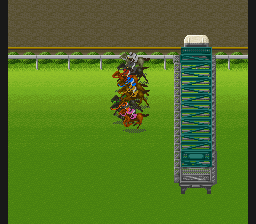
Graphically, Derby Jockey 2 keeps things simple with colorful, sprite-based visuals typical of the SNES era. The animations for horses and jockeys are straightforward but clear, showing motion and speed well enough. The interface is minimal, so your focus stays on the race rather than menus or clutter. Progression comes from finishing races, with each successful run unlocking the next, more challenging one—encouraging repeated tries to beat your best times.
It’s fun to try beating your own records or placing higher in each race. The mechanics are straightforward, with no hidden content or complex unlocks. Mastering the timing and controls gives a satisfying feeling of improvement. Since each race is short, it’s easy to jump in for a quick session, making it a good pick for a fast challenge or some nostalgic racing fun.
Strategy and Tips
Getting the timing right for acceleration is key. Waiting too long can cost you time, but rushing might tire out your horse early. Try to keep a steady pace until the last stretch.
- Practice your start to get a good position early on; falling behind can be hard to catch up later.
- Pay attention to the course layout to anticipate sharp turns and adjust your speed.
- Don’t push your horse too hard at the start; save stamina for the final push.
- Take note of the race conditions since different tracks can require different pacing strategies.
- If you’re struggling, experiment with different timing for your acceleration to find what works best for each race.
Quick Questions
How do I start a race in Derby Jockey 2?
Select a race from the menu, then press start. The game will begin automatically, and controls mainly involve timing your acceleration and turns.
What’s the most common mistake for new players?
Many accelerate too early or too late, throwing off their timing and losing ground. Practicing smooth, well-timed inputs helps improve your results.
Can I play Derby Jockey 2 comfortably on mobile or touch devices?
Since it runs in your browser, you can play on mobile devices that support browser games, though controls are designed for keyboard input. Touch controls might not be perfect but still work for casual play.
Overall, Derby Jockey 2 offers a simple racing challenge that works well for quick breaks or nostalgic gaming. Its focus on timing and control keeps the gameplay engaging without complicated mechanics, making it fun for both new players and longtime fans alike.
Related games: you can also try BS Let's Pachinko Nante Gindama 3 (Japan) and Chrono Trigger – Complete, or browse all other games in the SNES category.
How to Play Derby Jockey 2 (Japan)?
Race your horse by controlling speed and turns to finish ahead of opponents. Focus on timing your acceleration and managing stamina across short, challenging races.
Game Controls
Arrow keys control movement and speed; action buttons are mapped to keyboard keys.








Comments (0)
No comments yet. Be the first to comment!