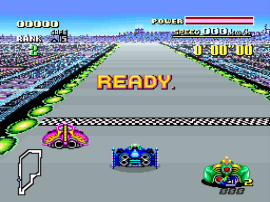
F-Zero (Japan) (Rev 0A)
0 2 1
F-Zero (Japan) (Rev 0A) is a well-loved SNES racing game that focuses on high-speed, futuristic racing action. Originally made for the Super Nintendo, it still draws fans of arcade-style driving games. Its simple but tough gameplay makes it a good choice for anyone who enjoys quick races and tight controls. Since it runs right in your browser on this site, you can jump into a race without downloading anything, making it easy to enjoy some retro gaming whenever you like.
Getting Into F-Zero
This game is about racing hovercrafts through a variety of tricky tracks. The main idea is to select a race, learn the course, and finish as fast as possible while dodging obstacles and opponents. It requires sharp steering, fast reflexes, and smart use of boost fuel to stay ahead. You can pick from different vehicles, each with their own handling and speed, and the races get tougher as you go along.
A typical round involves racing on several tracks, each with unique layouts, hazards, and shortcuts. There’s a simple mode where you race against the clock or AI opponents. Even though it’s straightforward, F-Zero needs focus and practice to master the tight turns and high speeds. Races are quick but intense, so it’s perfect if you want a fast challenge or want to sharpen your skills over time.
Standout Features
The visuals give off a futuristic vibe, with bright neon colors and detailed sprite work that still look good today. The sense of speed is shown through motion blur and quick animations, pulling players into the fast-paced action. The game encourages trying to beat your best times on each track, and mastering them feels rewarding. Progression is simple: as you improve, you unlock tougher races, giving a steady sense of achievement.
Playing again and again helps you get better at different vehicles, perfecting racing lines, and aiming for faster times. The difficulty gradually increases, pushing you to sharpen your skills. With multiple tracks and vehicle options, each game feels fresh. Its easy controls and straightforward gameplay make it accessible, but the speed and precision keep you coming back to get better every time.
Strategy and Tips
Good control and knowing the track are key to doing well. Here are some helpful tips:
- Brake before sharp turns to keep control and avoid crashes.
- Save turbo boosts for straightaways or tricky spots where extra speed really helps.
- Familiarize yourself with each track’s layout to spot hazards and shortcuts.
- Stay centered on the track to avoid hitting walls or obstacles that slow you down.
- Select a vehicle that fits your play style — faster ones are harder to control but can give better lap times.
- Watch your fuel gauge for boosts, and avoid wasting them on easy sections if a tight turn or obstacle is coming up.
Quick Questions
How do I start if I’ve never played F-Zero before?
Just pick a race and a vehicle, then practice turns and get familiar with the track. The controls are simple, so start slow and pick up speed as you get comfortable.
What’s a common mistake for beginners?
Many new players overuse turbo boosts or forget to brake before sharp turns, which leads to crashes and lost time. Learning when to slow down helps keep your lap times consistent.
Can I play F-Zero on a mobile or touch device?
Since it runs in your browser, you can play on a mobile device, but controlling it with a touchscreen might be tricky. A keyboard or mouse usually works better for precision.
F-Zero offers fast, challenging racing that captures the excitement of futuristic competition. Its simple mechanics and direct controls make it a solid choice for retro racing fans who want to enjoy a classic SNES game right in their browser.
Related games: you can also try Donkey Kong Country (Europe) (En,Fr,De) and California Games II (Japan) (En,Ja), or browse all other games in the SNES category.
How to Play F-Zero (Japan) (Rev 0A)?
Choose a hovercraft, race through tracks as fast as possible, avoiding obstacles and opponents while using boosts wisely to beat your best times.
Game Controls
Arrow keys control steering; other keys handle acceleration, braking, and boosting.








Comments (0)
No comments yet. Be the first to comment!