Illusion of Time (Spain)
0 2 0
Illusion of Time (Spain) is a classic SNES role-playing and action-adventure game that takes you through a richly crafted world. As a standout title from the SNES era, it appeals to players who enjoy exploring stories combined with real-time combat and puzzles. The game runs directly in your browser, so you can jump right in and enjoy its nostalgic charm without needing downloads or emulators.
Getting Into Illusion of Time
The gameplay centers on exploring a detailed world while battling enemies in real-time. Players spend most of their time wandering through towns, dungeons, and open areas, solving puzzles, and fighting foes. It mixes traditional RPG elements with action-adventure mechanics, which means you’ll need quick reflexes and good timing for combat. During your play, you’ll switch between story missions, fight enemies, and collect items or upgrades to boost your character.
Progress involves completing quests, discovering new locations, and unlocking new skills or equipment. It’s designed for solo play, focusing on exploration and tactical combat rather than turn-based battles. The pacing shifts between quiet exploration moments and intense fights, so each session can feel different depending on your approach and how much of the game world you want to see.
Standout Features
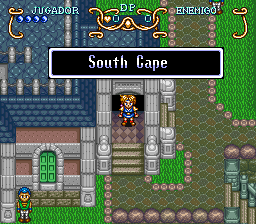
Visually, Illusion of Time showcases detailed sprite work and colorful backgrounds typical of the SNES. Its art style captures a variety of environments, from lush forests to dark dungeons, each with unique designs that keep things visually interesting. The interface is straightforward, letting players easily access their inventory, map, and quests without breaking the flow of exploration.
Progression feels rewarding without being rushed, encouraging revisits to areas with new abilities or gear. Replay value comes from trying different paths, finding hidden secrets, and experimenting with combat strategies. Its design encourages curiosity and exploration, making it worth multiple playthroughs for those who enjoy uncovering every part of its world.
Strategy and Tips
Having a plan for exploration can help save time and resources. Focus on upgrading your gear and skills early on to better handle tougher enemies later.
- Monitor your health and mana, and use items or abilities wisely during fights.
- Save often, especially before entering new or dangerous zones.
- Pay attention to environmental clues and dialogue to solve puzzles more easily.
- Try different combat tactics; some enemies are weak against specific attack types.
- Explore every accessible area; hidden paths often hide useful items or shortcuts.
- Keep your inventory organized to avoid carrying unnecessary items.
Quick Questions
How do I get started if I’ve never played this type of game before?
Start by exploring the early areas slowly, focusing on learning the controls and how combat works before facing tougher challenges.
What is a common mistake new players make?
Many beginners forget to save often, which can lead to losing progress after an unexpected defeat or mistake.
Can I enjoy Illusion of Time on mobile or touch devices?
This version runs directly in your browser, so it’s geared toward desktop play. Touch controls aren’t supported, but the game works well on touch screens using a mouse or keyboard.
Illusion of Time offers a balanced experience of exploration, action, and puzzles. Its visuals and steady progression make it a solid choice for fans of classic SNES games. Once you start, you’ll find yourself drawn into its world, uncovering secrets and tackling its challenges in the illusion of time.
Related games: you can also try Holy Umbrella – Dondera no Mubou!! (Japan) and Bio Metal (Japan), or browse all other games in the SNES category.
How to Play Illusion of Time (Spain)?
Explore the world, solve puzzles, and fight enemies in real-time to complete quests and unlock new skills. Move through towns and dungeons, upgrading your gear and battling foes along the way.
Game Controls
Arrow keys act as the D-pad; Enter is Start; other keys handle action buttons.








Comments (0)
No comments yet. Be the first to comment!