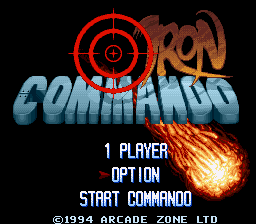
Iron Commando (Europe) (Proto)
0 1 0
Iron Commando (Europe) (Proto) is a classic SNES fighting game that offers a straightforward, no-frills brawling experience. As a console-era title, it captures the early 90s arcade style, emphasizing fast-paced combat and simple mechanics. If you’re after a fighting game that favors quick reflexes over intricate combos, this one fits the bill. It’s a compact slice of the SNES fighting genre, now playable directly in your browser, so you can jump in and test your skills without any fuss.
Why Iron Commando Is Worth Playing
What makes Iron Commando stand out among SNES fighting titles is its raw, uncomplicated approach to combat. The visuals are typical of the era—pixel art that’s clear and colorful, with character sprites that are expressive despite their simplicity. Animations might lack the polish of later fighters, but they give a sense of weight and impact that keeps matches feeling satisfying. The atmosphere is gritty but not overly dark, capturing a straightforward, action-packed vibe that appeals to fans of old-school arcade fighting games.
Gameplay-wise, Iron Commando keeps things accessible. Its focus on direct combat and quick matches makes it perfect for short bursts of play, especially in a browser. While it doesn’t feature complex combos or large character rosters, the straightforward mechanics let players jump right into the action. The fighting feels punchy and responsive, with a pacing that encourages aggressive playstyles. For those who enjoy raw, unpretentious fighting without unnecessary bells and whistles, Iron Commando offers a satisfying challenge that rewards familiarity and sharp reflexes.
Tips to Get Ahead
Getting comfortable with Iron Commando’s mechanics can help you stay competitive. Here are some practical pointers:
- Timing your attacks is key; rushing in blindly can leave you open to counterattacks.
- Try out different characters to see which one matches your fighting style best.
- Use quick jabs to interrupt opponents’ combos or recover from missed attacks.
- Watch your opponent’s move patterns to guess their next move.
- Master blocking and dodging to avoid damage during tight spots.
- Look for openings after your opponent misses an attack and land a combo or heavy hit.
Things to Know Before You Start
Question?
Is Iron Commando tough for newcomers?
It’s not overly complicated, but the game expects quick reactions and good timing, so beginners might find it tricky at first. Still, it’s simple enough to get the hang of quickly.
Question?
How long does a typical session last?
Matches usually last a few minutes, making it ideal for quick play sessions in your browser. You can play multiple rounds or just test your skills for a few minutes at a time.
Question?
Is Iron Commando good for casual players?
Yes, its simple mechanics and short matches make it accessible for casual players. More dedicated fighters can find ways to improve and develop strategies, but anyone can jump in and enjoy it right away.
Question?
Does this game support multiplayer?
The browser version is mainly single-player, but the game encourages fighting against AI opponents or trying to beat your best score.
Jump in and test your skills with Iron Commando. Its straightforward fighting mechanics and easygoing gameplay make it a solid choice for anyone looking for a quick, old-school brawler in their browser. It’s a no-nonsense game that offers enough challenge to keep you coming back without being overwhelming. Give it a try and see how your skills hold up in this vintage SNES classic.
Related games: you can also try BS Gekkan Coin Toss – Deck 1 (Japan) and ActRaiser 2 (USA), or browse all other games in the SNES category.
How to Play Iron Commando (Europe) (Proto)?
Fight against your opponent by timing punches and kicks, blocking attacks, and looking for openings to land combos. Win by depleting their health bar before yours runs out.
Game Controls
Arrow keys act as the D-pad; Enter is Start; on-screen mapped keys handle the action buttons








Comments (0)
No comments yet. Be the first to comment!