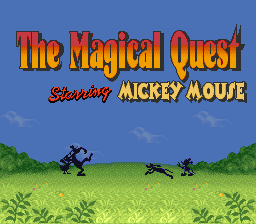
Magical Quest Starring Mickey Mouse, The (Europe)
0 1 1
Magical Quest Starring Mickey Mouse, The (Europe) is a classic SNES platformer and action-adventure game that offers a cheerful, cartoonish journey with a nostalgic feel. Originally made for the SNES console, it invites players to control Mickey Mouse as he navigates colorful levels filled with obstacles, enemies, and hidden secrets. The game combines straightforward gameplay with enough challenge to keep both casual fans and dedicated players interested. Thanks to an in-browser emulator, you can enjoy this charming adventure without any downloads or setup—just a few clicks to revisit a beloved era of gaming.
Why Magical Quest Starring Mickey Mouse, The Is Worth Playing
—p>One of the best things about the game is its bright, detailed visuals that perfectly capture Mickey Mouse’s playful spirit. The sprite work is crisp and expressive, with animations that feel lively and charming. The cheerful soundtrack and colorful level design add to the game’s atmosphere, making each stage feel unique yet fitting within the overall theme. It’s a title that appeals visually to Disney fans and retro platformer enthusiasts, offering a sense of nostalgia and timeless appeal.
—p>Gameplay focuses on precise platforming and timing, with a variety of enemies and obstacles that test your reflexes. The structure is simple: move through stages, avoid hazards, and defeat enemies. There are power-ups and items to discover, adding a bit of exploration and reward. Despite being accessible, it keeps players alert with tricky jumps and enemy patterns that need attention and patience. This mix of simple mechanics and engaging design encourages players to keep trying, whether to improve their runs or find hidden secrets.
Tips to Get Ahead
—p>Getting off to a good start can make a difference. Here are some practical tips to help you succeed:
—ul>
Things to Know Before You Start
—p>Playing this game on your browser is smooth, but keep these points in mind before you begin:
—p>Is Magical Quest Starring Mickey Mouse, The difficult?
—p>This game has a moderate difficulty level typical of the SNES era. It requires some skill but doesn’t present insurmountable barriers. It’s easy enough for newcomers but still offers enough challenge for veterans.
—p>How long does a typical session last?
—p>Most levels can be finished in a few minutes each, so a session might last from 30 minutes to an hour depending on how much exploring or perfectionism you prefer.
—p>Is this suitable for casual players?
—p>Definitely. Its simple gameplay and forgiving mechanics make it a good pick for players of all ages and skill levels, especially those looking for a fun, lighthearted platformer experience.
Jump into this charming in-browser version of the game and enjoy the delightful adventure that the magical quest starring Mickey Mouse offers. Its colorful visuals, engaging gameplay, and nostalgic charm make it a great choice for fans of classic SNES titles.
Related games: you can also try Hiryuu no Ken S – Hyper Version (Japan) and Gakkou de Atta Kowai Hanashi (Japan), or browse all other games in the SNES category.
How to Play Magical Quest Starring Mickey Mouse, The (Europe)?
Control Mickey Mouse to jump over obstacles, defeat enemies, and find hidden secrets across colorful levels. Move, jump, and use power-ups to complete stages and progress through the adventure.
Game Controls
Arrow keys act as the D-pad; Enter is Start; action buttons are on-screen mapped keys.








Comments (0)
No comments yet. Be the first to comment!