Space Ace (USA)
0 6 1
Space Ace (USA) is a classic SNES game emulated right in your browser, mixing elements of compilation and action-adventure genres. This vintage title offers a straightforward yet engaging experience for fans of retro gaming and arcade-style gameplay. If you enjoy pixel art visuals and simple controls that focus on quick reflexes, this game lets you relive the SNES era without downloading or installing anything.
Getting Into Space Ace
The main gameplay involves moving through a series of levels that test your timing and accuracy. As you go along, you’ll face different scenes that require quick decisions—whether shooting enemies, dodging hazards, or solving simple puzzles. Each stage presents a self-contained challenge that pushes your reaction speed. Sessions usually last around 10 to 20 minutes, making it a good choice for quick play sessions or longer gaming on a lazy afternoon.
The controls are simple, with basic directional inputs and action buttons. The game focuses on timing-based mechanics, so learning the rhythm of each scene is key. Because it’s a compilation, there are multiple gameplay segments, each with unique visuals and mechanics, keeping things fresh across levels. Progression is straightforward, with each new challenge feeling more tricky than the last, making success satisfying without needing complex strategies or grinding.
Standout Features
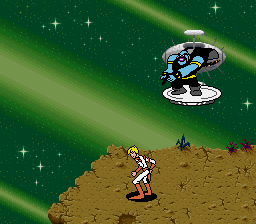
Visually, Space Ace has the pixel art style typical of SNES classics, with colorful backgrounds and animated sprites that give a sense of movement and urgency. The animations are smooth for its time, helping players stay connected to the action without losing clarity. The game’s progression system is simple: complete levels to move forward, with difficulty gradually increasing. This setup encourages you to try again and again, whether to beat your best times or scores.
Replay value comes from its straightforward challenge design, inviting you to improve your reflexes and timing with each attempt. The episodic structure and rising difficulty mean you can return for quick sessions or to master difficult sections. Its visual style and pacing contribute to its charm, making it a memorable piece of SNES history that holds up well in a browser-based emulator.
Strategy and Tips
If you’re new to the game, take time to understand each scene’s rhythm before rushing. Patience and careful observation can make tricky parts easier.
- Practice each level to learn enemy patterns and timing, instead of rushing blindly.
- Use pauses between levels to plan your approach for upcoming scenes.
- Watch for visual cues that tell you when to shoot or dodge.
- If you find yourself overwhelmed, don’t hesitate to restart a level—speed and accuracy matter more than rushing through.
- Keep your movements consistent; reacting erratically often leads to mistakes.
- Memorize common hazard spots to react faster in future tries.
Quick Questions
How do I start playing Space Ace?
Just load the game in your browser and start playing instantly—no downloads needed.
What’s a common mistake beginners make?
Trying to rush through scenes without paying attention to enemy patterns and timing, which often causes unnecessary errors.
Can I play this on mobile or on touch devices?
Yes, it works well on touch screens since controls are simple, but a mouse or keyboard might give better precision for reaction-based parts.
Playing Space Ace here means you can enjoy a classic SNES action-adventure right in your browser. Its simple mechanics make it accessible for new players and a fun throwback for seasoned fans. Whether you’re aiming for high scores or just want to see how fast you can finish, Space Ace offers a compact, satisfying challenge in retro gaming.
Related games: you can also try Shadowrun (Europe) and Lock On (USA), or browse all other games in the SNES category.
How to Play Space Ace (USA)?
Move through levels by timing your actions to shoot enemies, dodge hazards, and solve simple puzzles. Complete each stage to progress, improving your reflexes with practice.
Game Controls
Arrow keys control movement; action buttons are mapped to other keys for shooting and jumping.








Comments (0)
No comments yet. Be the first to comment!