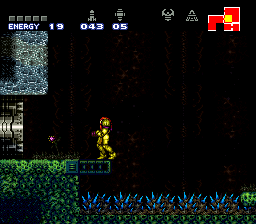
Super Duper Metroid Version 2.1
0 1 0
Super Duper Metroid Version 2.1 is a classic SNES game that now runs right in your browser, so you can jump in without downloading anything. It captures the feel of a beloved gaming era, bringing the challenge and simplicity of the original into a format that’s easy to access. It’s great for fans of retro platformers and exploration titles who want a quick, enjoyable session.
What Is Super Duper Metroid Version 2.1?
This game is a side-scrolling action-adventure from the SNES days, focused on exploration, collecting items, and overcoming obstacles. You control a character moving through a maze-like world, searching for power-ups and new areas to discover. The gameplay rewards exploration and puzzle-solving, with a difficulty level that fits the 16-bit style, offering both challenge and straightforward controls. It’s simple to pick up but offers enough to keep players engaged, whether you’re new or have played before.
The core of the game involves moving through interconnected levels, battling enemies, and finding hidden paths. Its design encourages experimentation, often requiring you to revisit areas with new abilities to move forward. The pixel-perfect visuals and smooth performance on this browser version make it feel just right for fans of SNES platformers and adventures. No need for emulators or downloads—just click and play a classic from that era.
What Keeps You Coming Back
Exploration and discovery make this game stand out. Each time you play, you might find new secrets, hidden items, or alternate routes that come from exploring thoroughly. The level design pushes you to think creatively, using new abilities to get into places you couldn’t reach before, which adds a nice layer of replay value.
The game balances moments of quick combat with quieter puzzle-solving. It demands sharp reflexes but also careful planning. The controls are simple, so you can jump right in, but mastering the secrets and avoiding mistakes gives a real sense of accomplishment. Its retro style combined with easy access makes it a game you’ll want to revisit, whether for a quick break or a longer session.
Handy Tips
To get the most out of this game, try these tips:
- Explore all areas early; secrets are often hidden behind breakable walls or in less obvious spots.
- Save often, especially after grabbing upgrades or solving puzzles.
- Pay attention to environmental hints about where to go next or what items might help.
- Use your abilities creatively to reach tricky spots or avoid enemies.
- Remember that some areas may need revisiting after you gain new items or upgrades.
- If you get stuck, go back to earlier parts—you might find a new path or hidden item you missed.
Player FAQ
Is Super Duper Metroid Version 2.1 easy for newcomers?
Yes, the controls are simple, and the gameplay is accessible, but it still offers enough challenge to keep seasoned players interested. It’s designed to be fun for everyone, no matter your experience level.
Can younger players enjoy this game?
Definitely. Its pixel art style and straightforward mechanics make it suitable for kids, while the challenge can still engage older players. Just keep in mind that some tougher sections might need a bit of guidance.
Do I need an internet connection to play?
This version plays directly in your browser. You just need to load the page once, and then you can play offline without any trouble.
Super Duper Metroid Version 2.1 offers a genuine taste of SNES platforming that’s easy to get into and hard to put down. Its mix of exploration, challenge, and classic design makes it a dependable pick for nostalgic fans and newcomers alike. Playing here is quick and hassle-free—a game built to last.
Related games: you can also try Super Adventure Island II (USA) and Populous II – Trials of the Olympian Gods (Germany), or browse all other games in the SNES category.
How to Play Super Duper Metroid Version 2.1?
Move through levels, explore for secrets, defeat enemies, and collect upgrades to progress in this side-scrolling adventure. Use new abilities to unlock areas and solve puzzles.
Game Controls
Arrow keys control movement; action buttons are mapped to keyboard keys for jumping, attacking, and using items.








Comments (0)
No comments yet. Be the first to comment!