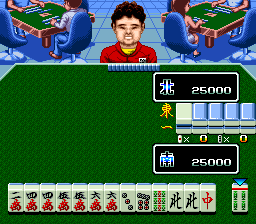
Super Nichibutsu Mahjong 2 – Zenkoku Seiha Hen (Japan)
0 1 0
Super Nichibutsu Mahjong 2 – Zenkoku Seiha Hen (Japan) is a classic SNES game that brings the traditional game of mahjong to your browser. Known for its simple gameplay and familiar mechanics, it’s easy to pick up and enjoy even if you’re new to the genre. This browser version captures the feel of the original console experience, so no downloads or installations are needed.
What Is Super Nichibutsu Mahjong 2 – Zenkoku Seiha Hen?
Super Nichibutsu Mahjong 2 – Zenkoku Seiha Hen is a digital take on a well-known Japanese mahjong game, focused on competitive play. It falls into the trivia/board game category, where players try to complete specific tile combinations to win rounds. The game requires strategy, pattern recognition, and a bit of luck, offering a traditional mahjong experience that’s simple to learn but tough to master.
The goal is to complete valid mahjong hands faster than your opponent, balancing skillful tile discarding with strategic draws. It features regional rules and gameplay styles typical of Japanese mahjong, giving players a taste of authentic competition. Its straightforward interface makes it easy for newcomers to understand while providing enough depth for experienced players to keep coming back.
What Keeps You Coming Back
The game’s appeal comes from its easy-to-understand mechanics combined with the strategic depth of mahjong. Each round presents new choices, and the randomness of tile draws means no two games are exactly the same. Its competitive aspect encourages players to improve their skills and develop their techniques over time.
Regional rule variations and scoring details add variety, making replaying the game interesting. Whether you prefer quick matches or longer tournaments, it adapts well to your preferred pace. Its classic look and familiar gameplay make it a good pick for mahjong fans and casual players alike, encouraging multiple attempts to master its nuances.
Handy Tips
Getting started is pretty straightforward, but here are some tips to play smarter:
- Try to recognize common tile combinations early to make quicker decisions.
- Watch your opponent’s discards to get clues about their hand and adjust your approach.
- Be patient; rushing can cause mistakes or missed chances.
- Learn regional scoring rules to make the most of your points and improve your strategy.
- Keep track of discarded tiles to better guess what your opponent might be holding.
- Don’t get discouraged by losses; each game offers lessons and opportunities to improve your tactics.
Player FAQ
Is Super Nichibutsu Mahjong 2 – Zenkoku Seiha Hen good for beginners?
Yes, the simple interface and clear rules make it accessible for newcomers, though getting good at advanced strategies takes some practice.
Can I play Super Nichibutsu Mahjong 2 – Zenkoku Seiha Hen with kids or younger players?
While the game involves strategic thinking, its straightforward gameplay is suitable for older children and teens who are familiar with mahjong or similar puzzle games.
Does Super Nichibutsu Mahjong 2 – Zenkoku Seiha Hen need an internet connection?
No, it runs directly in your browser, so you can play offline once it loads on this site.
Super Nichibutsu Mahjong 2 – Zenkoku Seiha Hen offers a solid mahjong experience that’s easy to access and perfect for players at different skill levels. Its quick setup and familiar gameplay make it a good choice for casual gaming or longer practice sessions. Playing this classic game online keeps the nostalgia alive and gives you the chance to sharpen your mahjong skills whenever you want.
Related games: you can also try Super Battletank 2 (Europe) and Space Invaders – The Original Game (USA), or browse all other games in the SNES category.
How to Play Super Nichibutsu Mahjong 2 – Zenkoku Seiha Hen (Japan)?
Match tiles by drawing and discarding to complete specific mahjong hands faster than your opponent. Use strategy and observation to decide which tiles to keep, discard, and when to declare a win.
Game Controls
Arrow keys for movement, Enter to confirm, other keys for actions, mapped to emulator controls.








Comments (0)
No comments yet. Be the first to comment!