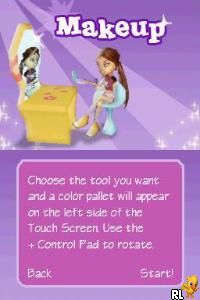
Bratz – Forever Diamondz (USA)
0 3 3
Bratz – Forever Diamondz (USA) is a Nintendo DS game that focuses on fashion and style, fitting well with the Bratz franchise. As a classic from the Nintendo DS era, it offers dress-up and social simulation elements designed for fans of the dolls and their trendy universe. The game combines character customization with mini-games and interactions, giving a light-hearted look at friendship and fashion—all playable directly in your browser without downloads or installations.
Bratz – Forever Diamondz: Gameplay Overview
The main part of the game involves dressing up your Bratz characters and playing mini-games. You pick outfits, accessories, and makeup, encouraging creativity and personal touches. The mini-games break up the dressing sessions, often involving simple puzzles or timing challenges that keep things interesting. After styling, you can enter social scenes, choose dialogue options, or take part in fashion challenges, helping the story move along and adding depth to the characters. The relaxed pace makes it suitable for players who enjoy fashion and light gaming.
Once your character is styled, you can join social events or participate in mini-games, which can be replayed to improve scores or unlock new items. The game isn’t structured around levels, but you gather new clothing and accessories as you go, giving plenty of room to experiment with different looks and strategies.
Modes, Levels and Progression
The game focuses on styling and mini-games, with progress coming from completing challenges. Successfully finishing tasks unlocks new clothing, accessories, and makeup options, giving a sense of achievement. Different scenarios involve preparing for parties or fashion shows, each with their own objectives. Replaying these scenes can help you improve scores and discover more customization options. While it doesn’t follow a strict level system, you can enjoy trying out different styles and unlocking items to keep things fresh.
Winning Strategies
Try to finish mini-games efficiently and experiment with various fashion combos. Unlocking new items early can give you more options for future challenges.
- Pay attention to what each mini-game asks for to boost your scores and unlock rewards.
- Mix and match different clothes and accessories to find appealing styles and uncover hidden items.
- Choose different dialogue options during social scenes to unlock more scenarios and content.
- Replay scenes to improve your performance and unlock additional customization options.
- Manage your resources carefully—some items may need points or specific achievements to unlock.
Common Questions About Bratz – Forever Diamondz
How does the difficulty change as I play?
The game keeps things fairly easy, with mini-games and styling challenges becoming slightly trickier but still accessible. It encourages experimenting rather than demanding perfect skills.
Are there different modes or just one continuous experience?
It mainly offers one mode centered on styling and mini-games, but you can replay various scenarios and social interactions to see different outcomes and unlockables.
How much replay value does it have?
The variety of outfits, mini-games, and scenarios means you can try different styles and strategies multiple times, unlocking new content along the way.
Playing Bratz – Forever Diamondz here gives a nostalgic look at a Nintendo DS fashion game. With simple mechanics and charm, it’s easy to pick up for short sessions or longer fashion-focused play. Its assortment of customization options and mini-games makes it a good pick for fans of style, social simulation, or just exploring a classic handheld game in your browser.
Related games: you can also try Age of Empires – The Age of Kings (Europe) (En,Es,It) and Ben 10 – Protector of Earth (Europe), or browse all other games in the Nintendo DS category.
How to Play Bratz – Forever Diamondz (USA)?
Dress up your Bratz characters, play mini-games, and participate in social scenes to unlock new outfits and accessories while completing fashion challenges.
Game Controls
Arrow keys for navigation; Enter to select and confirm actions.
You may be interested in:
-
 Nintendo DS
♥ 1
Casper’s Scare School – Classroom Capers (USA)
Nintendo DS
♥ 1
Casper’s Scare School – Classroom Capers (USA) -
 Nintendo DS
♥ 1
Zunou Nouryoku Koujou Machine – Touch de Zunoo DS (Japan)
Nintendo DS
♥ 1
Zunou Nouryoku Koujou Machine – Touch de Zunoo DS (Japan) -
 Nintendo DS
♥ 1
Zunou ni Asekaku Game Series! Vol. 1 – Cool 104 Joker & Setline (Japan)
Nintendo DS
♥ 1
Zunou ni Asekaku Game Series! Vol. 1 – Cool 104 Joker & Setline (Japan) -
 Nintendo DS
♥ 9
Zuma’s Revenge (USA)
Nintendo DS
♥ 9
Zuma’s Revenge (USA) -
 Nintendo DS
♥ 1
Zubo (USA) (En,Fr,Es)
Nintendo DS
♥ 1
Zubo (USA) (En,Fr,Es) -
 Nintendo DS
♥ 1
Zubo (Europe) (En,Fr,De,Es,It,Nl,Sv)
Nintendo DS
♥ 1
Zubo (Europe) (En,Fr,De,Es,It,Nl,Sv) -
 Nintendo DS
♥ 1
Zorro – Quest for Justice (USA) (En,Fr,De,Es,It)
Nintendo DS
♥ 1
Zorro – Quest for Justice (USA) (En,Fr,De,Es,It) -
 Nintendo DS
♥ 1
Zorro – Quest for Justice (Europe) (En,Fr,De,Es,It)
Nintendo DS
♥ 1
Zorro – Quest for Justice (Europe) (En,Fr,De,Es,It)
Comments (0)
No comments yet. Be the first to comment!