Brico Utile (France)
0 1 0
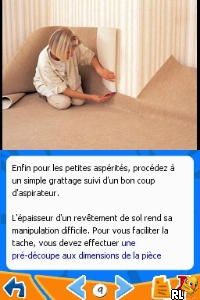
Brico Utile (France) is a familiar Nintendo DS game that focuses on simple tasks related to construction and repairs. Its gameplay is straightforward, appealing to those who enjoy casual puzzles centered around building, fixing, and organizing. The mechanics are easy to pick up, making it suitable for players of all ages looking for a relaxed experience without pressure.
Getting Into Brico Utile
The game revolves around completing various construction and repair projects. Players see different tasks that involve organizing materials, repairing structures, or assembling items within a set time limit. You choose the right tools and materials and then apply them using easy controls. As you progress, each level introduces new challenges or increases in complexity.
The gameplay rewards patience and attention to detail. You can switch views or modes to better understand the tasks, but overall, the pace remains steady and suitable for short sessions. Since it runs directly in your browser, you can start a new project anytime, making it a good option for quick breaks or longer, more relaxed play without needing to download or save files.
Standout Features
The graphics are simple and functional, typical of the Nintendo DS, with clear icons and animations that guide you through each task. The interface is designed for touch controls, which work well in the browser emulator, giving a tactile feel when selecting and placing materials. Progress is marked by completing tasks successfully, unlocking new projects or levels, and sometimes earning points or rewards that encourage trying again for better results.
The game offers replay value through a variety of tasks and the challenge of finding efficient ways to complete projects faster or with fewer mistakes. Since there’s no story or character development, the focus is on problem-solving and task completion. It’s a good choice for players who enjoy methodical gameplay or just want a low-stress way to pass the time. Being browser-based, you can jump right into the construction action without any downloads or setup.
Strategy and Tips
Getting started is simple, but paying attention to details can help you work more efficiently. Here are some tips:
- Read the instructions carefully before starting a task to avoid using the wrong materials or tools.
- Use touch controls precisely, especially in tight spaces or complex projects.
- Plan your steps to avoid unnecessary backtracking, saving time and effort.
- Watch timers and progress bars to manage your pace without rushing.
- Try different approaches to see which methods help you finish faster or earn higher scores.
- If you get stuck, use hints or tutorials but try to figure things out on your own first.
Quick Questions
How do I start a new task in Brico Utile?
Choose a new project from the main menu, and the game will load the scene for that specific task.
What’s a common mistake beginners make?
Many try to rush through tasks without reading the instructions carefully, leading to mistakes. Take a moment to understand each step before proceeding.
Can I play Brico Utile on mobile or touch devices?
Yes, since it runs in your browser, it works well on touch screens, making it easy to play casually on mobile devices.
Brico Utile offers a practical, construction-themed puzzle experience. Its simple design and gameplay make it accessible for players of all ages, especially those who enjoy organizing and solving problems. Playing this classic Nintendo DS game directly in your browser keeps things straightforward and easy to enjoy whenever you want a low-pressure, task-focused game session.
Related games: you can also try 100 Classic Book Collection (Europe) and 007 – Blood Stone (Germany), or browse all other games in the Nintendo DS category.
How to Play Brico Utile (France)?
Complete construction and repair tasks by selecting the right tools and materials, following instructions, and working efficiently within a time limit to progress through levels.
Game Controls
Arrow keys or WASD move; Enter or space to select and confirm actions; mouse or touch controls for interaction.
You may be interested in:
-
 Nintendo DS
♥ 1
Casper’s Scare School – Classroom Capers (USA)
Nintendo DS
♥ 1
Casper’s Scare School – Classroom Capers (USA) -
 Nintendo DS
♥ 1
Zunou Nouryoku Koujou Machine – Touch de Zunoo DS (Japan)
Nintendo DS
♥ 1
Zunou Nouryoku Koujou Machine – Touch de Zunoo DS (Japan) -
 Nintendo DS
♥ 1
Zunou ni Asekaku Game Series! Vol. 1 – Cool 104 Joker & Setline (Japan)
Nintendo DS
♥ 1
Zunou ni Asekaku Game Series! Vol. 1 – Cool 104 Joker & Setline (Japan) -
 Nintendo DS
♥ 9
Zuma’s Revenge (USA)
Nintendo DS
♥ 9
Zuma’s Revenge (USA) -
 Nintendo DS
♥ 1
Zubo (USA) (En,Fr,Es)
Nintendo DS
♥ 1
Zubo (USA) (En,Fr,Es) -
 Nintendo DS
♥ 1
Zubo (Europe) (En,Fr,De,Es,It,Nl,Sv)
Nintendo DS
♥ 1
Zubo (Europe) (En,Fr,De,Es,It,Nl,Sv) -
 Nintendo DS
♥ 1
Zorro – Quest for Justice (USA) (En,Fr,De,Es,It)
Nintendo DS
♥ 1
Zorro – Quest for Justice (USA) (En,Fr,De,Es,It) -
 Nintendo DS
♥ 1
Zorro – Quest for Justice (Europe) (En,Fr,De,Es,It)
Nintendo DS
♥ 1
Zorro – Quest for Justice (Europe) (En,Fr,De,Es,It)
Comments (0)
No comments yet. Be the first to comment!