Bunnyz (Europe) (En,Fr,De,Es,It,Nl)
0 2 0
Bunnyz (Europe) (En,Fr,De,Es,It,Nl) is a charming puzzle game originally made for the Nintendo DS. You can now play it instantly in your browser. Its pixelated visuals and soft melodies create a relaxed, playful vibe that appeals to players of all ages. This classic from the Nintendo DS era offers simple yet addictive gameplay, great for quick sessions or a casual break. Since it was released in Europe, it features multiple language options, making it accessible to a wide audience looking for a nostalgic handheld gaming feel.
Step Into the World of Bunnyz
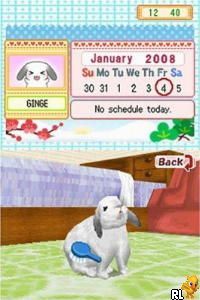
The game features a colorful, straightforward environment filled with cute bunny characters and cheerful backgrounds. Its pixel art style is a nod to the handheld’s era, with smooth animations that keep the gameplay lively without being overwhelming. The soundtrack includes gentle tunes and sound effects that match the relaxed mood, making it ideal for short play sessions. The menus are simple and intuitive, guiding players smoothly into the puzzle action.
As you play, you’ll notice how clear everything is designed to be. Visual cues and sounds work together to create a cozy, inviting atmosphere, making Bunnyz suitable for players young and old. The layout avoids clutter, focusing on providing a calming puzzle experience that you can enjoy without pressure. Playing it in your browser means instant access to a piece of Nintendo DS history, with no downloads or installations needed.
How the Gameplay Hooks You
Bunnyz is based on a simple but engaging mechanic: matching bunny tiles to clear the board. The game introduces more challenging layouts as you progress, encouraging you to think quickly and plan your moves carefully. Its pace is gentle but gradually ramps up, prompting strategic thinking without feeling overwhelming. Each level has a clear goal, and completing puzzles gives you new layouts and a sense of progress.
The gameplay loop revolves around quick, satisfying matches that keep you interested. Its progression feels natural, with difficulty gradually increasing to maintain your attention. Short sessions work well since each puzzle can be finished in a few minutes. Bunnyz is great for casual gaming or mental exercises, and its simple mechanics make it easy for beginners while still being fun for puzzle fans.
Pro Tips for Bunnyz
To make the most of your time, try to plan several moves ahead to avoid getting stuck later. Focus on clearing larger groups of bunnies to earn more points and create more matching opportunities.
- Pay attention to the colors and locations of tiles to spot the best matches.
- Try to clear space for new tiles to appear, so the board doesn’t fill up too fast.
- Take your time analyzing each layout; rushing can cause dead ends.
- If available, use the undo option to experiment with different strategies without penalty.
- Some puzzles need patience and careful planning rather than quick reflexes.
Frequently Asked Questions
Is Bunnyz good for short gaming sessions?
Definitely. Each puzzle only takes a few minutes, so it’s perfect for quick breaks or relaxing moments.
Does the game get repetitive after a while?
The increasing difficulty and different layouts help keep things fresh, although the main mechanic stays simple and consistent.
Can I play Bunnyz offline or on mobile devices?
This version runs directly in your browser, so you don’t need to download anything. It works on most devices with internet access.
Bunnyz offers a straightforward, calming puzzle experience that’s easy to pick up but hard to put down. Its simple design and gentle challenge make it a nice addition to any puzzle collection, all playable free in your browser.
Related games: you can also try Barbie Fashion Show – An Eye for Style (Europe) (Es,It,Nl) and Ant Nation (USA) (En,Fr,Es), or browse all other games in the Nintendo DS category.
How to Play Bunnyz (Europe) (En,Fr,De,Es,It,Nl)?
Match groups of bunny tiles to clear the board and complete each level. Plan your moves carefully to solve puzzles efficiently as new layouts get more challenging.
Game Controls
Use arrow keys to move and select; press Enter to confirm actions.
You may be interested in:
-
 Nintendo DS
♥ 1
Casper’s Scare School – Classroom Capers (USA)
Nintendo DS
♥ 1
Casper’s Scare School – Classroom Capers (USA) -
 Nintendo DS
♥ 1
Zunou Nouryoku Koujou Machine – Touch de Zunoo DS (Japan)
Nintendo DS
♥ 1
Zunou Nouryoku Koujou Machine – Touch de Zunoo DS (Japan) -
 Nintendo DS
♥ 1
Zunou ni Asekaku Game Series! Vol. 1 – Cool 104 Joker & Setline (Japan)
Nintendo DS
♥ 1
Zunou ni Asekaku Game Series! Vol. 1 – Cool 104 Joker & Setline (Japan) -
 Nintendo DS
♥ 9
Zuma’s Revenge (USA)
Nintendo DS
♥ 9
Zuma’s Revenge (USA) -
 Nintendo DS
♥ 1
Zubo (USA) (En,Fr,Es)
Nintendo DS
♥ 1
Zubo (USA) (En,Fr,Es) -
 Nintendo DS
♥ 1
Zubo (Europe) (En,Fr,De,Es,It,Nl,Sv)
Nintendo DS
♥ 1
Zubo (Europe) (En,Fr,De,Es,It,Nl,Sv) -
 Nintendo DS
♥ 1
Zorro – Quest for Justice (USA) (En,Fr,De,Es,It)
Nintendo DS
♥ 1
Zorro – Quest for Justice (USA) (En,Fr,De,Es,It) -
 Nintendo DS
♥ 1
Zorro – Quest for Justice (Europe) (En,Fr,De,Es,It)
Nintendo DS
♥ 1
Zorro – Quest for Justice (Europe) (En,Fr,De,Es,It)
Comments (0)
No comments yet. Be the first to comment!