Chess (Europe) (En,Fr,De,Es,It)
0 1 0
Chess (Europe) (En,Fr,De,Es,It) has been a staple of strategic thinking for centuries. This Nintendo DS version brings the timeless game to a portable device, keeping the core mechanics of traditional chess while adding the convenience of digital play. With the clean graphics and simple interface typical of its time, it’s accessible for players at any skill level.
Chess: Gameplay Overview
At its heart, chess involves two players taking turns to move their pieces across an 8×8 grid, aiming to checkmate the opponent’s king. This version on the Nintendo DS sticks closely to standard rules, where each piece (pawn, rook, knight, bishop, queen, king) moves in familiar ways. It encourages strategic planning, positional play, and tactical thinking, turning each game into a mental challenge.
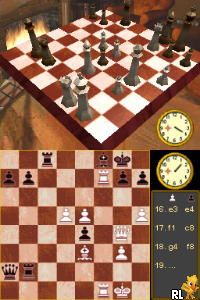
The main gameplay loop involves choosing and moving pieces to control key squares, threaten the king, and develop a strong position. Players can analyze the board, plan sequences of moves, or react to threats from their opponent. The visual setup shows the board and pieces clearly, with options to highlight moves for beginners. The dual screens help keep the game view separate from hints or timers, if used.
Modes, Levels and Progression
This version offers a straightforward experience focused on one-on-one matches, suitable for quick games or longer sessions. While it doesn’t include a story mode, it does feature different difficulty levels or AI opponents that mimic various skill levels. This lets newcomers learn at a comfortable pace, and experienced players can challenge tougher AI to sharpen their skills.
Some versions include options for different time controls or game types, like casual or competitive matches. Though it doesn’t have extensive progression or unlockables, the variety of difficulty settings and the chance to replay against different opponents make it worth returning to. You can improve your strategies over time without needing extra content.
Winning Strategies
Starting with solid opening moves and staying alert to tactical opportunities can help you win more often. Here are some tips:
- Control the center early to give your pieces room to move and influence the board.
- Develop your knights and bishops first, then bring out the queen and rooks once your position is ready.
- Castle early to keep your king safe and avoid unnecessary risks.
- Watch out for tactics like forks, pins, and skewers that can win material or lead to checkmate.
- Think ahead several moves, considering how your opponent might respond, to avoid traps.
- In the endgame, focus on pawn promotion and activating your king to finish strongly.
Common Questions About Chess
How does the difficulty level change gameplay?
The AI adjusts from beginner-friendly to more complex, with smarter tactics and longer-term strategies at higher levels.
Are there different game modes or just one-on-one matches?
This version mainly offers single-player games against AI. There’s no multiplayer or online feature, but the different difficulty settings provide plenty of challenge for practice and learning.
How long does a typical game last, and is it good for quick sessions?
Games usually last between 10 and 30 minutes, depending on how fast players go. Its simple setup makes it easy to jump into quick matches or set up longer, more thoughtful games.
Overall, Chess on the Nintendo DS offers a dependable digital version of the classic game, focusing on strategic depth and replayability. Its straightforward approach makes it suitable for both beginners and experienced players, adding a solid option to any chess collection, especially when playing right here on this site.
Related games: you can also try Baby Life (Europe) (En,Fr,De,Es,It,Nl) and Aquarium by DS (Europe) (En,Fr,De,Es,It), or browse all other games in the Nintendo DS category.
How to Play Chess (Europe) (En,Fr,De,Es,It)?
Move pieces to control the board, attack the opponent's king, and checkmate to win. Take turns, develop your strategy, and react to threats to outsmart your opponent.
Game Controls
Arrow keys for navigation; Enter to select and move pieces.
You may be interested in:
-
 Nintendo DS
♥ 1
Casper’s Scare School – Classroom Capers (USA)
Nintendo DS
♥ 1
Casper’s Scare School – Classroom Capers (USA) -
 Nintendo DS
♥ 1
Zunou Nouryoku Koujou Machine – Touch de Zunoo DS (Japan)
Nintendo DS
♥ 1
Zunou Nouryoku Koujou Machine – Touch de Zunoo DS (Japan) -
 Nintendo DS
♥ 1
Zunou ni Asekaku Game Series! Vol. 1 – Cool 104 Joker & Setline (Japan)
Nintendo DS
♥ 1
Zunou ni Asekaku Game Series! Vol. 1 – Cool 104 Joker & Setline (Japan) -
 Nintendo DS
♥ 9
Zuma’s Revenge (USA)
Nintendo DS
♥ 9
Zuma’s Revenge (USA) -
 Nintendo DS
♥ 1
Zubo (USA) (En,Fr,Es)
Nintendo DS
♥ 1
Zubo (USA) (En,Fr,Es) -
 Nintendo DS
♥ 1
Zubo (Europe) (En,Fr,De,Es,It,Nl,Sv)
Nintendo DS
♥ 1
Zubo (Europe) (En,Fr,De,Es,It,Nl,Sv) -
 Nintendo DS
♥ 1
Zorro – Quest for Justice (USA) (En,Fr,De,Es,It)
Nintendo DS
♥ 1
Zorro – Quest for Justice (USA) (En,Fr,De,Es,It) -
 Nintendo DS
♥ 1
Zorro – Quest for Justice (Europe) (En,Fr,De,Es,It)
Nintendo DS
♥ 1
Zorro – Quest for Justice (Europe) (En,Fr,De,Es,It)
Comments (0)
No comments yet. Be the first to comment!