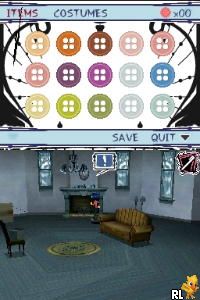
Coraline (USA) (En,Fr,Es)
0 7 4
Coraline (USA) (En,Fr,Es) is a Nintendo DS game that blends adventure and puzzle elements, inspired by a dark fantasy story. As a product of the Nintendo DS era, it offers a story-focused experience with an emphasis on exploration and solving puzzles, all in a handheld format that makes good use of stylus control and dual-screen mechanics. Its unique art style and atmospheric tone give it a distinct feel compared to other platformers or puzzle games of its time, making it a compelling choice for fans of stories with a darker edge.
Coraline: Gameplay Overview
The gameplay involves guiding the main character through various environments that require careful observation and interaction. Using the Nintendo DS’s touchscreen, players tap, drag, and select objects to solve puzzles, find hidden secrets, and move the story forward. The mechanics are based on point-and-click exploration, encouraging players to look for hidden items or clues to progress.
The core experience involves exploring areas, collecting items, and solving puzzles that gradually reveal more of the story. The game balances quiet investigative moments with subtle interactions that deepen the narrative, creating a tense atmosphere that matches its visual style. The dual screens are used well, showing both the main scene and additional details or close-ups to help with puzzles, making the most of the Nintendo DS hardware.
Modes, Levels and Progression
The story moves forward in a linear way, with each scene representing different locations. Each presents unique puzzles and challenges, which tend to get trickier as you go along. The game’s content fits well into short gaming sessions, but its layered puzzles and story elements encourage multiple playthroughs to see everything or revisit favorite parts.
The variety mainly comes from different environments and types of puzzles, from simple object matching to more involved tasks that need clues combined or environmental manipulation. As you progress through the story, new scenes and puzzles are unlocked, gradually revealing the full narrative and giving a sense of progression that motivates exploration and replaying within its scope.
Winning Strategies
Patience is key, since many puzzles need careful observation and multiple attempts. Examine both screens carefully for clues, and don’t rush through areas.
- Use the stylus precisely to interact with objects and avoid missing hidden details.
- Take notes or remember recurring clues that might be helpful later.
- Explore every part of each scene to find hidden objects or secret pathways.
- Combine items logically; some puzzles rely on using items in specific ways.
- If you get stuck, revisit previous scenes—sometimes clues become clearer later on.
Common Questions About Coraline
How does the difficulty change as you play?
The puzzles tend to get more complex over time, requiring more attention and logical thinking, but most players familiar with adventure and puzzle games will find it manageable.
Are there different modes or ways to replay?
The story is linear, but revisiting scenes and puzzles can uncover extra details or secrets, which adds some replay value.
How long does it usually take to finish the game?
Most players spend a few hours on the main story, with additional time if they want to find all secrets or revisit puzzles.
Coraline stays memorable for those who enjoy atmospheric puzzle adventures on the Nintendo DS. Its engaging gameplay and distinctive visuals make it worth trying, especially if you like stories with a darker, more mysterious tone. Playing it through your browser means you can experience this classic without needing to install anything or set up extra software.
Related games: you can also try Club Penguin – EPF – Herbert's Revenge (Europe) (En,Fr) and Back at the Barnyard – Barnyard Games (Europe), or browse all other games in the Nintendo DS category.
How to Play Coraline (USA) (En,Fr,Es)?
Guide Coraline through different environments by tapping and dragging on the screen to solve puzzles, find hidden items, and advance the story. Explore carefully and pay attention to details on both screens.
Game Controls
Arrow keys act as the D-pad; Enter is Start; on-screen mapped keys handle the action buttons.
You may be interested in:
-
 Nintendo DS
♥ 1
Casper’s Scare School – Classroom Capers (USA)
Nintendo DS
♥ 1
Casper’s Scare School – Classroom Capers (USA) -
 Nintendo DS
♥ 1
Zunou Nouryoku Koujou Machine – Touch de Zunoo DS (Japan)
Nintendo DS
♥ 1
Zunou Nouryoku Koujou Machine – Touch de Zunoo DS (Japan) -
 Nintendo DS
♥ 1
Zunou ni Asekaku Game Series! Vol. 1 – Cool 104 Joker & Setline (Japan)
Nintendo DS
♥ 1
Zunou ni Asekaku Game Series! Vol. 1 – Cool 104 Joker & Setline (Japan) -
 Nintendo DS
♥ 9
Zuma’s Revenge (USA)
Nintendo DS
♥ 9
Zuma’s Revenge (USA) -
 Nintendo DS
♥ 1
Zubo (USA) (En,Fr,Es)
Nintendo DS
♥ 1
Zubo (USA) (En,Fr,Es) -
 Nintendo DS
♥ 1
Zubo (Europe) (En,Fr,De,Es,It,Nl,Sv)
Nintendo DS
♥ 1
Zubo (Europe) (En,Fr,De,Es,It,Nl,Sv) -
 Nintendo DS
♥ 1
Zorro – Quest for Justice (USA) (En,Fr,De,Es,It)
Nintendo DS
♥ 1
Zorro – Quest for Justice (USA) (En,Fr,De,Es,It) -
 Nintendo DS
♥ 1
Zorro – Quest for Justice (Europe) (En,Fr,De,Es,It)
Nintendo DS
♥ 1
Zorro – Quest for Justice (Europe) (En,Fr,De,Es,It)
Comments (0)
No comments yet. Be the first to comment!