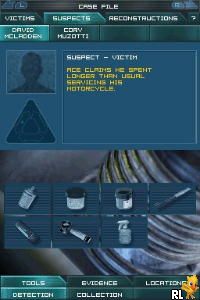
CSI – Crime Scene Investigation – Dark Motives (USA) (En,Fr,De,Es,It)
0 1 0
CSI – Crime Scene Investigation – Dark Motives (USA) (En,Fr,De,Es,It) is a classic Nintendo DS game that puts you in the shoes of a crime scene investigator. Its straightforward gameplay and engaging story make it easy for newcomers to start solving cases right away. The point-and-click style is familiar and accessible, even for those new to the genre, making it a good choice for casual gamers looking for a crime-solving experience on their browser.
What Is CSI – Crime Scene Investigation – Dark Motives?
The game is a mystery-focused adventure where players examine evidence, interview witnesses, and connect clues. As a detective, your goal is to find out what really happened by analyzing crime scenes and making logical deductions. Each case presents a different scenario, so there’s always something new to figure out.
Made for the Nintendo DS, this game emphasizes puzzle-solving and critical thinking. The interface is simple, with touch controls that match the handheld’s style, making it easy to navigate menus and interact with objects. It offers a straightforward but immersive investigation experience, perfect for players who enjoy logical puzzles and story-driven gameplay.
What Keeps You Coming Back
One of the main reasons to keep playing is the variety of cases. Every investigation introduces new mysteries, suspects, and evidence, encouraging different ways of thinking. The game lets you approach each case from different angles, which adds replay value if you want to test your deduction skills again.
The visuals are detailed, and the storytelling style is typical of crime dramas. The multiple language options — including English, French, German, Spanish, and Italian — make it accessible for a wide audience. The mix of puzzles, story progression, and the satisfaction of solving complex cases keeps players engaged long after the first investigation, especially since each case can be approached differently.
Handy Tips
If you want to solve cases more smoothly, keep these tips in mind:
- Examine every piece of evidence carefully before moving forward.
- Interview witnesses more than once if you’re unsure — new details often come up with repeated questions.
- Pay close attention to small clues; minor details can be the key to cracking the case.
- Use hints sparingly — they can help when you’re stuck, but try to rely on your own reasoning first.
- Track suspects’ statements and alibis; inconsistencies often point to the guilty party.
- Review evidence and notes regularly to connect clues you might have missed.
Player FAQ
Is CSI – Crime Scene Investigation – Dark Motives easy for new players?
Yes, the simple touch controls and clear investigation steps make it accessible for players of all ages and experience levels.
Can younger players enjoy this game without difficulty?
Absolutely. The content is suitable for a wide age range, and since it focuses on puzzles rather than violence, it’s appropriate for younger audiences.
Does it need an internet connection to play?
No, once loaded in your browser, CSI – Crime Scene Investigation – Dark Motives works offline, so you can play anytime without an internet connection.
Playing CSI – Crime Scene Investigation – Dark Motives in your browser offers a simple way to enjoy a classic detective story. Its easy mechanics and interesting cases make it a good pick for casual players and mystery fans. Even with basic tools, solving crimes can be a rewarding experience, all right here in your browser.
Related games: you can also try Akagawa Jirou Mystery – Yasoukyoku – Hon ni Manekareta Satsujin (Japan) and Chrysler Classic Racing (Europe) (En,Fr,De,Es,It), or browse all other games in the Nintendo DS category.
How to Play CSI – Crime Scene Investigation – Dark Motives (USA) (En,Fr,De,Es,It)?
Examine evidence, interview witnesses, and connect clues to solve each crime. Use logic and observation to identify the culprit in different cases.
Game Controls
Arrow keys for navigation; Enter to select and interact; use keyboard to click through options.
You may be interested in:
-
 Nintendo DS
♥ 1
Casper’s Scare School – Classroom Capers (USA)
Nintendo DS
♥ 1
Casper’s Scare School – Classroom Capers (USA) -
 Nintendo DS
♥ 1
Zunou Nouryoku Koujou Machine – Touch de Zunoo DS (Japan)
Nintendo DS
♥ 1
Zunou Nouryoku Koujou Machine – Touch de Zunoo DS (Japan) -
 Nintendo DS
♥ 1
Zunou ni Asekaku Game Series! Vol. 1 – Cool 104 Joker & Setline (Japan)
Nintendo DS
♥ 1
Zunou ni Asekaku Game Series! Vol. 1 – Cool 104 Joker & Setline (Japan) -
 Nintendo DS
♥ 9
Zuma’s Revenge (USA)
Nintendo DS
♥ 9
Zuma’s Revenge (USA) -
 Nintendo DS
♥ 1
Zubo (USA) (En,Fr,Es)
Nintendo DS
♥ 1
Zubo (USA) (En,Fr,Es) -
 Nintendo DS
♥ 1
Zubo (Europe) (En,Fr,De,Es,It,Nl,Sv)
Nintendo DS
♥ 1
Zubo (Europe) (En,Fr,De,Es,It,Nl,Sv) -
 Nintendo DS
♥ 1
Zorro – Quest for Justice (USA) (En,Fr,De,Es,It)
Nintendo DS
♥ 1
Zorro – Quest for Justice (USA) (En,Fr,De,Es,It) -
 Nintendo DS
♥ 1
Zorro – Quest for Justice (Europe) (En,Fr,De,Es,It)
Nintendo DS
♥ 1
Zorro – Quest for Justice (Europe) (En,Fr,De,Es,It)
Comments (0)
No comments yet. Be the first to comment!