Dragon Dance (Japan)
0 1 0
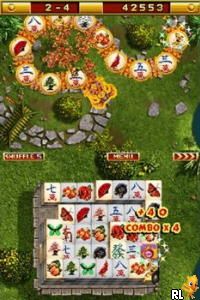
Dragon Dance (Japan) is a charming relic from the Nintendo DS era, capturing a playful, rhythmic adventure that invites players into a vibrant world filled with swirling colors and lively motion. The game’s simple yet captivating visuals evoke the spirit of classic handheld titles, with bright, cartoonish graphics and smooth animations that emphasize movement and energy. As you navigate through its stages, the music and sound effects create an upbeat, almost hypnotic atmosphere, complementing its straightforward gameplay loop. This Nintendo DS classic runs directly in your browser, offering a nostalgic taste of handheld gaming without any downloads or installs.
Step Into the World of Dragon Dance
Set against a backdrop of lively, animated landscapes, Dragon Dance immerses players in a realm where rhythmic motion is king. The visuals lean into the game’s playful nature, with colorful, stylized environments that pulse with motion and rhythm. The soundtrack features cheerful tunes that enhance the sense of movement, encouraging players to keep pace with the game’s tempo. The sound effects punctuate your actions with satisfying clicks and swooshes, reinforcing the game’s focus on timing and flow. As a browser-based emulation of a Nintendo DS experience, it maintains the tactile feel of handheld gaming while providing instant access to a cheerful, energetic atmosphere.
How the Gameplay Hooks You
The core of Dragon Dance centers on matching your movements to the rhythm of the game’s music. The gameplay involves timing your actions perfectly to keep the dance going, with difficulty increasing as the stages progress. Its pacing is steady, rewarding precision and patience, making it suitable for short, engaging sessions. The game’s progression feels natural, with each level introducing new patterns that challenge your sense of timing without feeling overwhelming. This creates a satisfying cycle of practice and mastery, ideal for quick play breaks or casual gaming marathons.
Pro Tips for Dragon Dance
Getting the most out of Dragon Dance involves focusing on rhythm and timing. Here are some tips to help you improve:
- Pay close attention to the music’s beat; aligning your movements to the rhythm is key.
- Start at lower difficulty levels to get a feel for the timing, then gradually raise the challenge.
- Keep your eyes on the visual cues but listen for the audio cues to synchronize your actions.
- If your focus wanes, take short breaks—rhythm games depend on concentration.
- Practice regularly to develop a natural sense of timing and flow.
- If you’re having trouble, repeat earlier levels to refine your rhythm before attempting harder stages.
Frequently Asked Questions
Is Dragon Dance suitable for short gaming sessions?
Yes, each level is quick to complete, making it perfect for brief play or casual breaks.
Does the game become repetitive over time?
The core mechanic stays the same, but the increasing difficulty and new pattern variations keep it interesting for players who like timing challenges.
Can I play Dragon Dance offline or on mobile devices?
This version runs directly in your browser, so it works on any device with internet access, without needing downloads or installations.
Playing Dragon Dance offers a light, rhythmic experience that emphasizes timing and coordination, wrapped in colorful visuals and upbeat sounds. Its simple mechanics are easy to pick up but provide enough challenge to keep you coming back. Whether you have a few minutes or want to spend more time, this classic from the Nintendo DS era offers a cheerful, dance-inspired adventure you can enjoy right in your browser.
Related games: you can also try Dogz (Europe) (En,Fr,De,Es,It) and Camp Rock – The Final Jam (Europe) (En,Fr,De,Es,It,Nl) (NDSi Enhanced), or browse all other games in the Nintendo DS category.
How to Play Dragon Dance (Japan)?
Match your movements to the rhythm of the music by pressing keys in time with the beat to keep the dance going through increasing difficulty levels.
Game Controls
Arrow keys act as the D-pad; Enter is Start; on-screen mapped keys handle the action buttons
You may be interested in:
-
 Nintendo DS
♥ 1
Casper’s Scare School – Classroom Capers (USA)
Nintendo DS
♥ 1
Casper’s Scare School – Classroom Capers (USA) -
 Nintendo DS
♥ 1
Zunou Nouryoku Koujou Machine – Touch de Zunoo DS (Japan)
Nintendo DS
♥ 1
Zunou Nouryoku Koujou Machine – Touch de Zunoo DS (Japan) -
 Nintendo DS
♥ 1
Zunou ni Asekaku Game Series! Vol. 1 – Cool 104 Joker & Setline (Japan)
Nintendo DS
♥ 1
Zunou ni Asekaku Game Series! Vol. 1 – Cool 104 Joker & Setline (Japan) -
 Nintendo DS
♥ 9
Zuma’s Revenge (USA)
Nintendo DS
♥ 9
Zuma’s Revenge (USA) -
 Nintendo DS
♥ 1
Zubo (USA) (En,Fr,Es)
Nintendo DS
♥ 1
Zubo (USA) (En,Fr,Es) -
 Nintendo DS
♥ 1
Zubo (Europe) (En,Fr,De,Es,It,Nl,Sv)
Nintendo DS
♥ 1
Zubo (Europe) (En,Fr,De,Es,It,Nl,Sv) -
 Nintendo DS
♥ 1
Zorro – Quest for Justice (USA) (En,Fr,De,Es,It)
Nintendo DS
♥ 1
Zorro – Quest for Justice (USA) (En,Fr,De,Es,It) -
 Nintendo DS
♥ 1
Zorro – Quest for Justice (Europe) (En,Fr,De,Es,It)
Nintendo DS
♥ 1
Zorro – Quest for Justice (Europe) (En,Fr,De,Es,It)
Comments (0)
No comments yet. Be the first to comment!