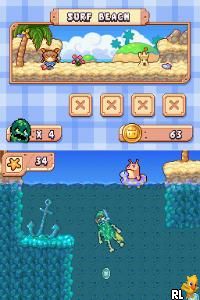
Drawn to Life (USA) (En,Fr)
0 8 1
Drawn to Life (USA) (En,Fr) is a Nintendo DS classic that combines platforming with a creative touch, encouraging players to draw their own characters and elements into the game world. It’s a charming mix of action, storytelling, and art, offering a different kind of experience that rewards both gameplay skill and artistic expression. As a game from the Nintendo DS era, it features simple controls, stylus-driven interaction, and a focus on imagination. If you enjoy games that let you shape the world around you, Drawn to Life offers something a little different from typical platformers.
Why Drawn to Life Is Worth Playing
One of the best parts of Drawn to Life is the drawing mechanic. Using the stylus, you create characters, enemies, and items, which then come to life during the platforming stages. This freedom to design your own stuff adds a personal touch that few other games offer. The graphics are simple but expressive, with a cartoonish style that feels handcrafted and matches the game’s focus on drawing and design. The environments are colorful and varied, making for a lively backdrop for the action and creativity.
Besides the art aspect, the game balances story-driven levels with moments of freeform drawing, keeping things fresh. The story itself is straightforward but engaging enough to hold your interest, especially if you like a light narrative woven into gameplay. The atmosphere is relaxed but can be challenging at times, rewarding players for mastering the platforming mechanics. Its combination of accessible controls and creative freedom keeps pulling players back, whether they’re completing levels or experimenting with their own designs.
Tips to Get Ahead
If you want to make the most of your time with Drawn to Life, here are some ideas to help you progress smoothly:
- Take your time with drawing characters to make sure they’re clear and recognizable for better in-game interaction.
- Draw with the stylus carefully to avoid accidental lines that might interfere with gameplay or the look of your creations.
- Pay attention to the game’s objectives but don’t hesitate to try different drawing styles for your characters.
- Practice platforming sections in smaller chunks to improve your timing and reduce retries.
- Use the pause menu to review your drawings or plan your next move during levels.
- If you get stuck, go back to earlier drawings or try a different approach with your character design — sometimes a fresh perspective can help you figure things out.
Things to Know Before You Start
Is Drawn to Life suitable for casual players?
Yes, the game has straightforward mechanics and a relaxed pace, making it accessible for players who enjoy creative play alongside platforming.
How long does a session last?
A typical level takes around 10-15 minutes, but exploring the drawing features and experimenting can easily extend your playtime.
Can I expect a high difficulty level?
The platforming parts are designed to be approachable, with some challenge to keep things interesting, but it’s not punishing for most players. The game finds a good balance between fun and difficulty for its audience.
Jump in and start drawing your own adventure. Drawn to Life offers a creative twist on platforming that’s worth experiencing in your browser — no downloads needed. Whether you want to design characters or just enjoy the gameplay, this Nintendo DS classic invites you to bring your imagination to life with every step you take.
Related games: you can also try Dekita yo! Mama. – Wannyan Club – Onnanoko (Japan) and Backyard Baseball '09 (USA), or browse all other games in the Nintendo DS category.
How to Play Drawn to Life (USA) (En,Fr)?
Draw characters and objects with your mouse or stylus, then navigate through platforming levels using your drawings. Complete objectives and experiment with designs to progress and enjoy the game.
Game Controls
Arrow keys control movement; other keys handle jumping, drawing, and menu options.
You may be interested in:
-
 Nintendo DS
♥ 1
Casper’s Scare School – Classroom Capers (USA)
Nintendo DS
♥ 1
Casper’s Scare School – Classroom Capers (USA) -
 Nintendo DS
♥ 1
Zunou Nouryoku Koujou Machine – Touch de Zunoo DS (Japan)
Nintendo DS
♥ 1
Zunou Nouryoku Koujou Machine – Touch de Zunoo DS (Japan) -
 Nintendo DS
♥ 1
Zunou ni Asekaku Game Series! Vol. 1 – Cool 104 Joker & Setline (Japan)
Nintendo DS
♥ 1
Zunou ni Asekaku Game Series! Vol. 1 – Cool 104 Joker & Setline (Japan) -
 Nintendo DS
♥ 9
Zuma’s Revenge (USA)
Nintendo DS
♥ 9
Zuma’s Revenge (USA) -
 Nintendo DS
♥ 1
Zubo (USA) (En,Fr,Es)
Nintendo DS
♥ 1
Zubo (USA) (En,Fr,Es) -
 Nintendo DS
♥ 1
Zubo (Europe) (En,Fr,De,Es,It,Nl,Sv)
Nintendo DS
♥ 1
Zubo (Europe) (En,Fr,De,Es,It,Nl,Sv) -
 Nintendo DS
♥ 1
Zorro – Quest for Justice (USA) (En,Fr,De,Es,It)
Nintendo DS
♥ 1
Zorro – Quest for Justice (USA) (En,Fr,De,Es,It) -
 Nintendo DS
♥ 1
Zorro – Quest for Justice (Europe) (En,Fr,De,Es,It)
Nintendo DS
♥ 1
Zorro – Quest for Justice (Europe) (En,Fr,De,Es,It)
Comments (0)
No comments yet. Be the first to comment!