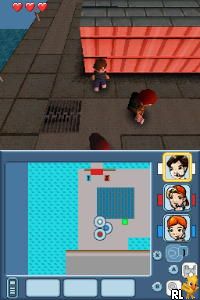
Drei Fragezeichen, Die – Das Geheimnis der Geisterinsel (Germany)
0 1 0
“Drei Fragezeichen, Die – Das Geheimnis der Geisterinsel” (Germany) is a classic Nintendo DS game that brings the beloved detective series to your browser. If you enjoy puzzle-solving, investigation, and story-driven adventures, this game offers a straightforward experience rooted in classic point-and-click mechanics. It’s perfect for fans of mysteries and the series who want a nostalgic hit of detective work without needing to install anything.
Getting Into Drei Fragezeichen, Die – Das Geheimnis der Geisterinsel
The game works mainly as a story-driven adventure where players explore the strange happenings on a supposedly haunted island. The gameplay involves examining environments, gathering clues, and solving puzzles that move the story forward. You’ll interact with various objects and characters, using a simple touch or mouse to select dialogue options or inspect items.
Sessions usually involve following clues from one place to another, connecting the dots through dialogue and item collection. There are no real-time fights or action scenes; instead, it relies on logical thinking and attention to detail. You can pause and go back to earlier scenes or clues whenever you want, making it suitable for casual players or those who prefer a relaxed pace.
Standout Features
This Nintendo DS classic features visuals that stay true to the original art style, with clear, cartoon-like graphics that evoke a sense of mystery and adventure. The interface is designed for the DS’s touchscreen, making it easy to select items and dialogue options. The story is linear but engaging, encouraging players to connect clues and solve puzzles to uncover the secret of the ghost island.
Replayability mainly comes from exploring different dialogue choices or revisiting clues to make sure nothing is missed. While the main story stays the same, players might enjoy trying different puzzle solutions or exploring alternative paths if available. Playing on this emulator gives instant access to the game, keeping the original experience intact without needing extra hardware or software.
Strategy and Tips
Getting started is simple—take your time exploring each scene carefully before moving on. Pay attention to dialogue hints and check every clickable object.
- Keep track of clues by noting down details or using the in-game journal if it has one.
- If you get stuck on a puzzle, revisit earlier scenes or dialogue options; sometimes, clues are hidden in plain sight.
- Don’t rush conversations; some hints are in character dialogues that can help solve puzzles.
- If available, use the game’s hint system or try different dialogue choices to open new paths.
- Save your progress often, especially before tackling tricky puzzles.
Quick Questions
How do I start playing the game on this site?
The game loads instantly in your browser; just click to begin, no downloads needed.
What’s a common mistake beginners make?
Rushing through scenes without examining everything can cause missed clues—take your time to check everything out.
Can I play this on mobile or with touch controls?
Yes, the game is optimized for touch screens on mobile devices, making it easy to tap through scenes and interact with objects.
The game “drei fragezeichen, die – das geheimnis der geisterinsel” offers a straightforward mystery adventure that appeals to players of all ages. Its engaging story combined with simple mechanics makes it a good pick for anyone wanting a nostalgic detective story in their browser.
Related games: you can also try 2 Game Pack! – Monster Trucks Mayhem + ATV – Thunder Ridge Riders (USA) and DK – Jungle Climber (USA), or browse all other games in the Nintendo DS category.
How to Play Drei Fragezeichen, Die – Das Geheimnis der Geisterinsel (Germany)?
Explore scenes, collect clues, and solve puzzles to uncover the mystery of the haunted island. Interact with objects and dialogue using your mouse or touch to progress the story.
Game Controls
Arrow keys or mouse to select and interact; click or press buttons to choose options.
You may be interested in:
-
 Nintendo DS
♥ 1
Casper’s Scare School – Classroom Capers (USA)
Nintendo DS
♥ 1
Casper’s Scare School – Classroom Capers (USA) -
 Nintendo DS
♥ 1
Zunou Nouryoku Koujou Machine – Touch de Zunoo DS (Japan)
Nintendo DS
♥ 1
Zunou Nouryoku Koujou Machine – Touch de Zunoo DS (Japan) -
 Nintendo DS
♥ 1
Zunou ni Asekaku Game Series! Vol. 1 – Cool 104 Joker & Setline (Japan)
Nintendo DS
♥ 1
Zunou ni Asekaku Game Series! Vol. 1 – Cool 104 Joker & Setline (Japan) -
 Nintendo DS
♥ 9
Zuma’s Revenge (USA)
Nintendo DS
♥ 9
Zuma’s Revenge (USA) -
 Nintendo DS
♥ 1
Zubo (USA) (En,Fr,Es)
Nintendo DS
♥ 1
Zubo (USA) (En,Fr,Es) -
 Nintendo DS
♥ 1
Zubo (Europe) (En,Fr,De,Es,It,Nl,Sv)
Nintendo DS
♥ 1
Zubo (Europe) (En,Fr,De,Es,It,Nl,Sv) -
 Nintendo DS
♥ 1
Zorro – Quest for Justice (USA) (En,Fr,De,Es,It)
Nintendo DS
♥ 1
Zorro – Quest for Justice (USA) (En,Fr,De,Es,It) -
 Nintendo DS
♥ 1
Zorro – Quest for Justice (Europe) (En,Fr,De,Es,It)
Nintendo DS
♥ 1
Zorro – Quest for Justice (Europe) (En,Fr,De,Es,It)
Comments (0)
No comments yet. Be the first to comment!