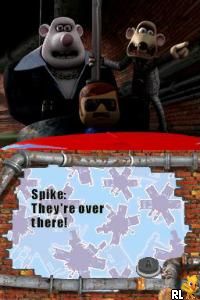
Flushed Away (Europe)
0 2 1
Flushed Away (Europe) is a classic Nintendo DS game that offers a quirky platform adventure inspired by the animated film. Perfect for players who enjoy lighthearted, story-driven gameplay with simple controls, this game brings the film’s characters and humor to your handheld console in a straightforward package. Since it runs on your browser, you can enjoy it instantly without any downloads or installations, making it an accessible retro gaming experience.
Getting Into Flushed Away
The core gameplay involves guiding characters through a series of levels filled with obstacles, puzzles, and enemies. It’s mainly a side-scrolling platformer, with controls that respond to screen taps or keyboard input. The game combines jumping, item collection, and solving simple puzzles to move forward. You pick a level, navigate its layout, and aim to complete objectives within a certain time or with a limited number of lives.
There are no complicated mechanics or multiplayer options—this is a single-player game that focuses on straightforward, easy-to-understand gameplay. As you progress, the levels introduce new challenges, but the difficulty stays moderate, appealing to a broad age range. The pacing is steady, encouraging exploration and timing without feeling rushed. You can replay levels to improve your score or find hidden secrets, making it suitable for quick sessions or longer playthroughs.
Standout Features
Visually, Flushed Away captures the charm of the film with colorful, cartoon-like graphics that work well on the Nintendo DS. The character animations and background details create a lively atmosphere, making the levels fun to watch and explore. Progression is simple—completing each level unlocks the next, with checkpoints to prevent major setbacks. While it doesn’t have branching paths or a lot of unlockables, replaying levels for better scores or discovering hidden areas gives the game some extra replay value.
It’s enjoyable to revisit levels, especially if you’re a fan of the film or platformers. The design encourages refining your timing and exploring every corner. The mechanics are easy to pick up, but mastering puzzles or timed jumps can be rewarding for those who like a challenge. Since this is a browser version of a Nintendo DS game, it’s easy to start and stop, fitting into short gaming moments or casual play.
Strategy and Tips
At the start, try to learn enemy patterns and time your jumps carefully. Collecting items can earn extra points or upgrades, so gather what you can without risking falls.
- Keep an eye on the level layout and look for hidden paths that might hide bonus items or shortcuts.
- Use the pause button if you need a moment to plan your next move or wait for enemies to pass.
- Practice your jumps early on to build confidence for trickier sections later.
- Take your time— rushing often leads to mistakes.
- Go back and replay levels to improve your score or find secrets you missed the first time.
Quick Questions
How do I get started if I’m new to the game?
Select a level from the main menu and follow the prompts—just click or tap to begin playing.
What’s a common mistake for beginners?
Trying to rush through levels without paying attention to enemy patterns or the layout often results in unnecessary falls or losing lives.
Can I play Flushed Away on a mobile device or touchscreen?
Yes, it works in your browser with touch controls, so you can play on mobile as long as your browser supports the emulator.
Flushed Away offers a charming and easygoing platform experience that’s simple to pick up. Whether you’re revisiting an old favorite or trying out a retro classic for the first time, it’s a fun way to see how the story played out in game form without any hassle.
Related games: you can also try Englisch Buddy (Europe) (En,Fr,De) and Bratz – Girlz Really Rock (USA) (En,Fr), or browse all other games in the Nintendo DS category.
How to Play Flushed Away (Europe)?
Guide your character through levels by jumping, collecting items, and solving simple puzzles to reach the end while avoiding enemies and obstacles.
Game Controls
Arrow keys or screen taps move and jump; space or action keys interact.
You may be interested in:
-
 Nintendo DS
♥ 1
Casper’s Scare School – Classroom Capers (USA)
Nintendo DS
♥ 1
Casper’s Scare School – Classroom Capers (USA) -
 Nintendo DS
♥ 1
Zunou Nouryoku Koujou Machine – Touch de Zunoo DS (Japan)
Nintendo DS
♥ 1
Zunou Nouryoku Koujou Machine – Touch de Zunoo DS (Japan) -
 Nintendo DS
♥ 1
Zunou ni Asekaku Game Series! Vol. 1 – Cool 104 Joker & Setline (Japan)
Nintendo DS
♥ 1
Zunou ni Asekaku Game Series! Vol. 1 – Cool 104 Joker & Setline (Japan) -
 Nintendo DS
♥ 9
Zuma’s Revenge (USA)
Nintendo DS
♥ 9
Zuma’s Revenge (USA) -
 Nintendo DS
♥ 1
Zubo (USA) (En,Fr,Es)
Nintendo DS
♥ 1
Zubo (USA) (En,Fr,Es) -
 Nintendo DS
♥ 1
Zubo (Europe) (En,Fr,De,Es,It,Nl,Sv)
Nintendo DS
♥ 1
Zubo (Europe) (En,Fr,De,Es,It,Nl,Sv) -
 Nintendo DS
♥ 1
Zorro – Quest for Justice (USA) (En,Fr,De,Es,It)
Nintendo DS
♥ 1
Zorro – Quest for Justice (USA) (En,Fr,De,Es,It) -
 Nintendo DS
♥ 1
Zorro – Quest for Justice (Europe) (En,Fr,De,Es,It)
Nintendo DS
♥ 1
Zorro – Quest for Justice (Europe) (En,Fr,De,Es,It)
Comments (0)
No comments yet. Be the first to comment!