Gakken Eigo Zanmai DS (Japan)
0 2 0
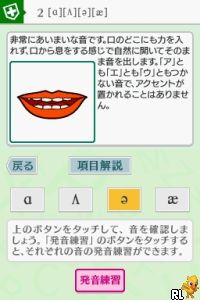
Gakken Eigo Zanmai DS (Japan) is a classic Nintendo DS title that offers a nostalgic look back at early language learning games on handheld devices. The game combines simple mechanics with a focus on developing English skills, all wrapped in a familiar DS format that’s easy to use. It’s mainly aimed at Japanese players wanting to improve their English, and you can run it directly in your browser on this site, making it a straightforward way to revisit a piece of educational gaming history.
Step Into the World of Gakken Eigo Zanmai DS
The interface is clean and uncomplicated, typical of early 2000s educational titles on the Nintendo DS. Its visuals are minimal—bright menus with clear labels and a limited color palette that prioritizes clarity. The sound design features basic voice prompts and simple music, creating a calm, focused environment suited for study rather than entertainment. Because it’s aimed at learners, the tone is friendly and encouraging, avoiding unnecessary visual clutter.
Even with its simplicity, the game captures the feel of early DS educational titles—like a digital classroom. The Japanese version means the interface and prompts are in Japanese, which is something to keep in mind if you don’t read the language. It’s designed for short sessions, with menus and activities laid out clearly for quick access and repetition. This straightforward setup helps keep the focus on learning without distractions.
How the Gameplay Hooks You
The core gameplay involves repetitive exercises that reinforce vocabulary and basic grammar. Players pick categories or themes and complete simple tasks like matching words, listening to pronunciations, or choosing the right answer from options. The pace is steady, with immediate feedback to help guide progress, making it good for quick practice or longer study periods.
Familiarity grows naturally as you repeat activities, helping you remember common words and phrases. The game encourages regular practice by offering small, manageable challenges that can be finished in minutes. This pacing keeps things engaging without feeling overwhelming—ideal for a quick, educational session on your Nintendo DS or in a browser.
Pro Tips for Gakken Eigo Zanmai DS
Start with the basic categories and repeat exercises to build confidence before moving on to harder sections.
- Repeat exercises often to help memorize vocabulary.
- Pay attention to pronunciation prompts to sharpen listening skills.
- Use the menus to focus on areas where you need more practice.
- Take short breaks between sessions to stay fresh and retain more.
- If you get stuck, replay the activity to improve accuracy without frustration.
Frequently Asked Questions
Will Gakken Eigo Zanmai DS work for short practice sessions?
Yes, it’s built for quick, focused activities, making it perfect for brief study periods.
Does the game get repetitive after a while?
The mechanics are simple, but repeating exercises helps reinforce what you learn. The design encourages replaying to see better results.
Is this game suitable for non-Japanese speakers?
Since it’s in Japanese, it’s best for those with some familiarity with the language. However, recognizing common words can help non-Japanese speakers benefit from the exercises.
Gakken Eigo Zanmai DS offers a straightforward look at early digital language learning. Its simplicity and emphasis on repetition make it a handy tool for anyone wanting to improve their English skills with short, manageable sessions. Playing it directly in your browser keeps the nostalgic charm alive, making it easy to access for those interested in a no-frills, retro-style way to practice languages.
Related games: you can also try Defendin' DePenguin (USA) (En,Es) and Call of Duty – Modern Warfare – Mobilized (Europe), or browse all other games in the Nintendo DS category.
How to Play Gakken Eigo Zanmai DS (Japan)?
Choose a category, listen to pronunciations or read words, then select the correct answer to reinforce your English skills through simple matching exercises.
Game Controls
Arrow keys navigate menus; Enter confirms selections; Esc exits or cancels.
You may be interested in:
-
 Nintendo DS
♥ 1
Casper’s Scare School – Classroom Capers (USA)
Nintendo DS
♥ 1
Casper’s Scare School – Classroom Capers (USA) -
 Nintendo DS
♥ 1
Zunou Nouryoku Koujou Machine – Touch de Zunoo DS (Japan)
Nintendo DS
♥ 1
Zunou Nouryoku Koujou Machine – Touch de Zunoo DS (Japan) -
 Nintendo DS
♥ 1
Zunou ni Asekaku Game Series! Vol. 1 – Cool 104 Joker & Setline (Japan)
Nintendo DS
♥ 1
Zunou ni Asekaku Game Series! Vol. 1 – Cool 104 Joker & Setline (Japan) -
 Nintendo DS
♥ 9
Zuma’s Revenge (USA)
Nintendo DS
♥ 9
Zuma’s Revenge (USA) -
 Nintendo DS
♥ 1
Zubo (USA) (En,Fr,Es)
Nintendo DS
♥ 1
Zubo (USA) (En,Fr,Es) -
 Nintendo DS
♥ 1
Zubo (Europe) (En,Fr,De,Es,It,Nl,Sv)
Nintendo DS
♥ 1
Zubo (Europe) (En,Fr,De,Es,It,Nl,Sv) -
 Nintendo DS
♥ 1
Zorro – Quest for Justice (USA) (En,Fr,De,Es,It)
Nintendo DS
♥ 1
Zorro – Quest for Justice (USA) (En,Fr,De,Es,It) -
 Nintendo DS
♥ 1
Zorro – Quest for Justice (Europe) (En,Fr,De,Es,It)
Nintendo DS
♥ 1
Zorro – Quest for Justice (Europe) (En,Fr,De,Es,It)
Comments (0)
No comments yet. Be the first to comment!