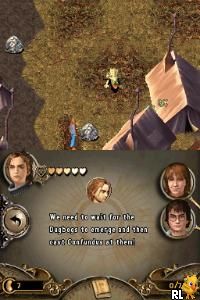
Harry Potter and the Goblet of Fire (USA) (En,Fr,De,Es,It)
0 4 1
Harry Potter and the Goblet of Fire (USA) (En,Fr,De,Es,It) is a Nintendo DS game that brings the wizarding world into a portable format. Perfect for fans of the series and players who enjoy action, adventure, and sports-themed gameplay on their handhelds. As a game from the Nintendo DS era, it features familiar mechanics and simple controls designed for quick sessions, making it easy for both new and experienced players.
Getting Into Harry Potter and the Goblet of Fire
In this game, you play as Harry Potter, navigating through challenges based on the story and events from the fourth Harry Potter book and movie. The gameplay mainly involves completing mini-games and event sequences that mirror key moments. These include exploring magical environments, dueling with wizards, and taking part in the Triwizard Tournament.
The game is divided into different modes, some focusing on story progression and others offering practice or replay options for specific challenges. Sessions usually involve choosing a challenge, learning how it works, and trying to beat high scores or complete objectives within a time limit or with limited resources. It emphasizes quick reactions and strategic use of spells, keeping things lively and fast-paced.
Standout Features
The visuals aim to capture the magical feel of the series, with detailed environments and character animations that reflect the movies. While the graphics are simple compared to today’s standards, they do a good job of conveying the charm of the wizarding world. As you progress, new challenges and content unlock, giving a sense of achievement and encouraging continued play.
You’ll find replay value in trying different mini-games and improving your scores or approaches. Since the game covers multiple events from the Triwizard Tournament, you can revisit challenges to master them or try different strategies. The controls are straightforward, and the short sessions make it easy to pick up and enjoy in brief play sessions, fitting into busy schedules or gaming breaks.
Strategy and Tips
Getting the most out of this game means understanding each mini-game’s mechanics and focusing on quick, precise actions. Practicing helps improve your scores and speed. Managing your resources and knowing when to cast spells can make tougher challenges easier.
- Pay attention to timing cues; many challenges depend on precise timing for success.
- Try different approaches to find the fastest way to finish objectives.
- Use practice modes to get comfortable with controls before tackling story challenges.
- Take short breaks between challenges to stay sharp and focused.
- Watch for visual or sound cues that tell you when to react or act.
- Focus on completing challenges within the time limit to unlock more content quickly.
Quick Questions
How do I start a challenge in Harry Potter and the Goblet of Fire?
Just pick a challenge from the main menu, and it loads right away in your browser, ready to go without any extra setup.
What’s a common mistake for beginners?
Many new players overlook the importance of timing cues; reacting quickly and accurately makes a big difference.
Can I play this game comfortably on mobile or touch screens?
Yes, since it runs directly in your browser, it’s optimized for touch controls, so you can play on mobile devices easily without needing emulators.
Harry Potter and the Goblet of Fire offers a straightforward, fun experience rooted in the wizarding universe. Its quick sessions and accessible gameplay make it suitable for fans and casual gamers alike, all playable for free in your browser.
Related games: you can also try Barbie and the Three Musketeers (Europe) (De,It) and Element Girls (Germany), or browse all other games in the Nintendo DS category.
How to Play Harry Potter and the Goblet of Fire (USA) (En,Fr,De,Es,It)?
Complete mini-games by performing quick, precise actions to progress through Harry Potter's challenges and earn high scores. Focus on timing, strategy, and practicing each task to succeed.
Game Controls
Arrow keys act as the D-pad; Enter is Start; action keys are mapped to on-screen buttons.
You may be interested in:
-
 Nintendo DS
♥ 1
Casper’s Scare School – Classroom Capers (USA)
Nintendo DS
♥ 1
Casper’s Scare School – Classroom Capers (USA) -
 Nintendo DS
♥ 1
Zunou Nouryoku Koujou Machine – Touch de Zunoo DS (Japan)
Nintendo DS
♥ 1
Zunou Nouryoku Koujou Machine – Touch de Zunoo DS (Japan) -
 Nintendo DS
♥ 1
Zunou ni Asekaku Game Series! Vol. 1 – Cool 104 Joker & Setline (Japan)
Nintendo DS
♥ 1
Zunou ni Asekaku Game Series! Vol. 1 – Cool 104 Joker & Setline (Japan) -
 Nintendo DS
♥ 9
Zuma’s Revenge (USA)
Nintendo DS
♥ 9
Zuma’s Revenge (USA) -
 Nintendo DS
♥ 1
Zubo (USA) (En,Fr,Es)
Nintendo DS
♥ 1
Zubo (USA) (En,Fr,Es) -
 Nintendo DS
♥ 1
Zubo (Europe) (En,Fr,De,Es,It,Nl,Sv)
Nintendo DS
♥ 1
Zubo (Europe) (En,Fr,De,Es,It,Nl,Sv) -
 Nintendo DS
♥ 1
Zorro – Quest for Justice (USA) (En,Fr,De,Es,It)
Nintendo DS
♥ 1
Zorro – Quest for Justice (USA) (En,Fr,De,Es,It) -
 Nintendo DS
♥ 1
Zorro – Quest for Justice (Europe) (En,Fr,De,Es,It)
Nintendo DS
♥ 1
Zorro – Quest for Justice (Europe) (En,Fr,De,Es,It)
Comments (0)
No comments yet. Be the first to comment!