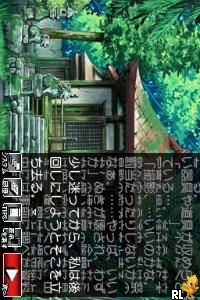
Higurashi no Naku Koro ni Kizuna III – Daisankan – Rasen (Japan)
0 1 0
Step Into the World of Higurashi no Naku Koro ni Kizuna III – Daisankan – Rasen
Higurashi no Naku Koro ni Kizuna III – Daisankan – Rasen (Japan) is a visual novel adventure that draws players into a tense, unsettling atmosphere rooted in the Higurashi universe. Originally released for the Nintendo DS, this game offers a richly atmospheric experience filled with suspense and mysterious storytelling. Its pixel-art visuals and ambient sound design create a quiet, haunting mood, perfect for those who enjoy story-driven games exploring paranoia and unseen threats.
Set in a rural village where strange events and dark secrets simmer beneath the surface, the game captures the feeling of being caught in a small, ominous world. Even with simple graphics, the subtle use of color and sprite design adds to the feeling of oppression and intrigue. The soundscape, featuring soft background music and eerie ambient noises, heightens the sense of unease, making each moment feel significant and tense.
How the Gameplay Hooks You
This game, originally for Nintendo DS, relies heavily on a visual novel setup that focuses on storytelling rather than action. The pace is steady, with players reading dialogue and making choices that influence how the story develops. The gameplay involves exploring dialogue options and examining environmental details, creating a slow, immersive experience that rewards careful observation.
Uncovering hidden clues and understanding character interactions build the tension. Different choices can lead to varied outcomes, encouraging multiple playthroughs to see all the story’s branches. Short sessions fit well with the game’s design, making it easy to pick up and pause without losing track of the story. Its layered narrative invites revisiting, piecing together the full picture over time.
Pro Tips for Higurashi no Naku Koro ni Kizuna III – Daisankan – Rasen
To get the most out of the game, pay close attention to environmental details and dialogue cues. Thoughtful choices can open new story paths and reveal more about the mystery. Stay calm during tense moments—hurrying might cause you to miss subtle hints.
- Revisit earlier scenes to find hidden clues or alternative dialogue options.
- Pay attention to ambient sounds and visual cues to gauge character moods and story shifts.
- Take notes of recurring themes or symbols to better understand the underlying mysteries.
- Explore every dialogue option; some responses reveal crucial information.
- Playing in a quiet environment can help you absorb the game’s atmosphere and sound design better.
Frequently Asked Questions
Is Higurashi no Naku Koro ni Kizuna III – Daisankan – Rasen suitable for short gaming sessions?
Yes, the story is structured around segments that can be enjoyed in brief play sessions, making it easy to pause and return without losing the thread.
Will the game feel repetitive after multiple playthroughs?
Not necessarily. Different dialogue choices and branches lead to varied outcomes, encouraging players to explore different paths and discover new details.
Is the game in Japanese, and do I need to understand the language to enjoy it?
This version is in Japanese, so understanding some of the language helps with the story. Still, visual cues and atmosphere communicate much, even if your Japanese isn’t perfect.
Playing Higurashi no Naku Koro ni Kizuna III – Daisankan – Rasen through this site means experiencing a piece of Nintendo DS history via a browser emulator. Its storytelling style and subtle mechanics make it a solid choice for fans of mystery, visual novels, and Japanese horror stories.
Related games: you can also try Electroplankton (Japan) and Apollo Justice – Ace Attorney (Europe) (Fr,De), or browse all other games in the Nintendo DS category.
How to Play Higurashi no Naku Koro ni Kizuna III – Daisankan – Rasen (Japan)?
Read dialogue carefully, choose responses to uncover clues, and explore different options to reveal the story's secrets and outcomes.
Game Controls
Arrow keys to navigate; Enter to select; other keys for actions as mapped in the emulator.
You may be interested in:
-
 Nintendo DS
♥ 1
Casper’s Scare School – Classroom Capers (USA)
Nintendo DS
♥ 1
Casper’s Scare School – Classroom Capers (USA) -
 Nintendo DS
♥ 1
Zunou Nouryoku Koujou Machine – Touch de Zunoo DS (Japan)
Nintendo DS
♥ 1
Zunou Nouryoku Koujou Machine – Touch de Zunoo DS (Japan) -
 Nintendo DS
♥ 1
Zunou ni Asekaku Game Series! Vol. 1 – Cool 104 Joker & Setline (Japan)
Nintendo DS
♥ 1
Zunou ni Asekaku Game Series! Vol. 1 – Cool 104 Joker & Setline (Japan) -
 Nintendo DS
♥ 9
Zuma’s Revenge (USA)
Nintendo DS
♥ 9
Zuma’s Revenge (USA) -
 Nintendo DS
♥ 1
Zubo (USA) (En,Fr,Es)
Nintendo DS
♥ 1
Zubo (USA) (En,Fr,Es) -
 Nintendo DS
♥ 1
Zubo (Europe) (En,Fr,De,Es,It,Nl,Sv)
Nintendo DS
♥ 1
Zubo (Europe) (En,Fr,De,Es,It,Nl,Sv) -
 Nintendo DS
♥ 1
Zorro – Quest for Justice (USA) (En,Fr,De,Es,It)
Nintendo DS
♥ 1
Zorro – Quest for Justice (USA) (En,Fr,De,Es,It) -
 Nintendo DS
♥ 1
Zorro – Quest for Justice (Europe) (En,Fr,De,Es,It)
Nintendo DS
♥ 1
Zorro – Quest for Justice (Europe) (En,Fr,De,Es,It)
Comments (0)
No comments yet. Be the first to comment!