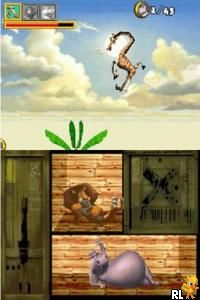
Madagascar (Europe)
0 1 1
Madagascar (Europe) is a Nintendo DS game that blends simple platforming with mini-games, capturing the charm of the animated movies. Its approachable gameplay and colorful visuals make it a good pick for those looking for a casual experience on the go. As a product of the Nintendo DS era, it has a nostalgic feel and mechanics that are easy to pick up and enjoy.
Madagascar: Gameplay Overview
At its heart, Madagascar is a side-scrolling platformer where players guide characters from the film series through levels filled with obstacles and enemies. Timing and accuracy are key, as players jump over hazards, avoid enemies, and sometimes interact with objects or characters to move forward. The goal is to complete levels efficiently while gathering items or reaching objectives that unlock the next stage.
The game mixes straightforward platforming with mini-games and bonus challenges, adding some variety to the usual run-and-jump gameplay. It encourages exploration within each level, with certain areas rewarding players for taking different routes or replaying sections for higher scores. The controls are adapted for the Nintendo DS, with the touchscreen used for specific interactions, making gameplay more engaging and accessible.
Modes, Levels and Progression
The game includes a series of levels that gradually become more difficult, requiring players to improve their platforming skills and timing as they go. Progression is mostly linear, with new levels opening after completing earlier ones, often themed around different environments from Madagascar—think tropical islands, jungles, and cityscapes, each with its own challenges and look.
Beyond the main levels, Madagascar has bonus mini-games and side activities that add to replayability. These mini-games tend to focus on quick reflexes or puzzles, giving players more variety in how they play. While there aren’t complex story branches, the range of levels and challenges encourages trying multiple times to improve scores or find secrets.
Winning Strategies
Getting through Madagascar well means paying attention to enemy patterns and timing your moves carefully. Collecting items that boost your score or unlock extra content can help you when replaying levels.
- Learn enemy movements early to avoid surprises.
- Use the touchscreen to navigate tricky spots more precisely.
- Finish levels quickly to boost your scores and unlock more content.
- Explore different routes within levels to find hidden items or shortcuts.
- Practice tough sections repeatedly to get better reactions and consistency.
Common Questions About Madagascar
How does the difficulty change as I play?
The game begins with simple sections suited for younger players, then gradually introduces more complex obstacles and enemy behaviors. Later levels can be tricky but are usually manageable with some practice.
Are there different modes or just the main levels?
Most of the game follows a linear path through its levels, with some bonus mini-games that add variety. It doesn’t have multiplayer or timed challenges, though.
How much replay value is there?
Trying to beat your previous scores, find hidden items, and improve your timing keeps the game interesting, even though the core gameplay stays pretty simple and casual.
Playing Madagascar in your browser offers a nostalgic look at a familiar franchise, with mechanics that are easy to get into and enough content for casual players. It’s perfect for quick sessions or longer play, without any downloads or complicated setups.
Related games: you can also try Emergency 2012 (Germany) and Chikyuu no Arukikata DS – Hawaii '07-'08 – Oahu-tou (Japan), or browse all other games in the Nintendo DS category.
How to Play Madagascar (Europe)?
Guide characters through levels by jumping, avoiding enemies, and collecting items. Complete each stage efficiently to unlock new areas and mini-games, using timing and exploration to improve your score.
Game Controls
Arrow keys move characters; space or Enter interacts and jumps; touchscreen functions are emulated with keyboard shortcuts.
You may be interested in:
-
 Nintendo DS
♥ 1
Casper’s Scare School – Classroom Capers (USA)
Nintendo DS
♥ 1
Casper’s Scare School – Classroom Capers (USA) -
 Nintendo DS
♥ 1
Zunou Nouryoku Koujou Machine – Touch de Zunoo DS (Japan)
Nintendo DS
♥ 1
Zunou Nouryoku Koujou Machine – Touch de Zunoo DS (Japan) -
 Nintendo DS
♥ 1
Zunou ni Asekaku Game Series! Vol. 1 – Cool 104 Joker & Setline (Japan)
Nintendo DS
♥ 1
Zunou ni Asekaku Game Series! Vol. 1 – Cool 104 Joker & Setline (Japan) -
 Nintendo DS
♥ 9
Zuma’s Revenge (USA)
Nintendo DS
♥ 9
Zuma’s Revenge (USA) -
 Nintendo DS
♥ 1
Zubo (USA) (En,Fr,Es)
Nintendo DS
♥ 1
Zubo (USA) (En,Fr,Es) -
 Nintendo DS
♥ 1
Zubo (Europe) (En,Fr,De,Es,It,Nl,Sv)
Nintendo DS
♥ 1
Zubo (Europe) (En,Fr,De,Es,It,Nl,Sv) -
 Nintendo DS
♥ 1
Zorro – Quest for Justice (USA) (En,Fr,De,Es,It)
Nintendo DS
♥ 1
Zorro – Quest for Justice (USA) (En,Fr,De,Es,It) -
 Nintendo DS
♥ 1
Zorro – Quest for Justice (Europe) (En,Fr,De,Es,It)
Nintendo DS
♥ 1
Zorro – Quest for Justice (Europe) (En,Fr,De,Es,It)
Comments (0)
No comments yet. Be the first to comment!