Mario & Luigi RPG – Siganui Partner (Korea)
0 11 1
Mario & Luigi RPG – Siganui Partner (Korea) is a classic Nintendo DS game that captures the charm and humor of the Mario universe through a role-playing experience. It invites players into a bright, cartoonish world where familiar characters set off on a fun adventure filled with turn-based battles and exploration. Available here as a browser-based emulation, it offers a chance to enjoy the game without downloads or installations. Its simple mechanics and appealing visuals make it a good pick for fans of retro RPGs and Mario enthusiasts looking for a new story.
Step Into the World of Mario & Luigi RPG – Siganui Partner
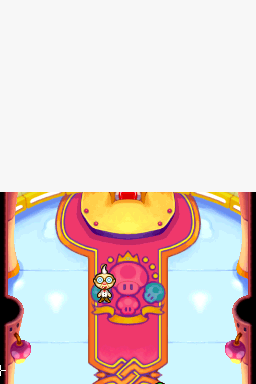
This Nintendo DS game places players in a colorful, playful setting that feels like a cartoon episode. The visuals feature exaggerated character designs with expressive faces and lively backgrounds that add to its cheerful vibe. The soundtrack complements this mood with upbeat music that keeps the tone light, even during battles or puzzles. Despite its simple graphics, the game’s charm comes from its animated style and lively movements that bring each scene to life. The atmosphere encourages a sense of adventure without feeling too serious, making it suitable for players of all ages and skill levels.
How the Gameplay Hooks You
The game has a familiar turn-based combat system that mixes strategic thinking with easy-to-grasp mechanics. Battles move at a steady pace, giving players time to plan their moves while feeling a sense of progress with each encounter. As players explore, they face puzzles and challenges that require cleverness and character skills. Progression feels natural, with new areas and enemies opening up gradually, offering a satisfying sense of advancement without being overwhelming. The game keeps you engaged with frequent battles and story moments, making it good for quick sessions or longer playthroughs.
Pro Tips for Mario & Luigi RPG – Siganui Partner
Getting the most out of this game involves understanding its straightforward mechanics. Here are some helpful hints:
- Upgrade your characters early to boost battle effectiveness and durability.
- Pay attention to enemy types and weaknesses to gain strategic advantages.
- Save items for tougher fights or boss battles rather than using them on weaker enemies.
- Explore each part of the maps to find hidden items and secret routes that can improve your gear and resources.
- Balance your attack and defense moves to handle different enemy tactics during fights.
- If you get stuck, taking a break can give you a fresh perspective for solving puzzles or finding new paths.
Frequently Asked Questions
Can I play Mario & Luigi RPG – Siganui Partner in short gaming sessions?
Absolutely, since the game features quick battles and manageable story sections, it works well for brief playtimes.
Does the game become boring after a while?
While it follows typical RPG patterns, the humor, colorful visuals, and variety of puzzles keep it engaging for many players, though some might find certain battles repetitive.
Is this game suitable for all ages?
Yes, its cheerful tone and simple mechanics make it friendly for younger players, while the strategic elements can keep older fans interested.
Mario & Luigi RPG – Siganui Partner offers a charming, approachable RPG experience inspired by classic Nintendo DS gameplay. Its straightforward mechanics and lively presentation make it a fun choice for anyone looking for a casual, nostalgic adventure on this browser emulator. Whether you’re familiar with Mario or new to the series, this game provides a lighthearted journey worth trying out without any hurdles.
Related games: you can also try Boulder Dash – Rocks! (Europe) (En,Fr,De,Es,It) and MAER Heaven – Kaldea no Akuma (Japan), or browse all other games in the Nintendo DS category.
How to Play Mario & Luigi RPG – Siganui Partner (Korea)?
Move characters around, explore areas, and engage in turn-based battles by selecting commands. Upgrade skills and find items to defeat enemies and progress through the story.
Game Controls
Arrow keys control movement; keyboard buttons select options and confirm actions.
You may be interested in:
-
 Nintendo DS
♥ 1
Casper’s Scare School – Classroom Capers (USA)
Nintendo DS
♥ 1
Casper’s Scare School – Classroom Capers (USA) -
 Nintendo DS
♥ 1
Zunou Nouryoku Koujou Machine – Touch de Zunoo DS (Japan)
Nintendo DS
♥ 1
Zunou Nouryoku Koujou Machine – Touch de Zunoo DS (Japan) -
 Nintendo DS
♥ 1
Zunou ni Asekaku Game Series! Vol. 1 – Cool 104 Joker & Setline (Japan)
Nintendo DS
♥ 1
Zunou ni Asekaku Game Series! Vol. 1 – Cool 104 Joker & Setline (Japan) -
 Nintendo DS
♥ 9
Zuma’s Revenge (USA)
Nintendo DS
♥ 9
Zuma’s Revenge (USA) -
 Nintendo DS
♥ 1
Zubo (USA) (En,Fr,Es)
Nintendo DS
♥ 1
Zubo (USA) (En,Fr,Es) -
 Nintendo DS
♥ 1
Zubo (Europe) (En,Fr,De,Es,It,Nl,Sv)
Nintendo DS
♥ 1
Zubo (Europe) (En,Fr,De,Es,It,Nl,Sv) -
 Nintendo DS
♥ 1
Zorro – Quest for Justice (USA) (En,Fr,De,Es,It)
Nintendo DS
♥ 1
Zorro – Quest for Justice (USA) (En,Fr,De,Es,It) -
 Nintendo DS
♥ 1
Zorro – Quest for Justice (Europe) (En,Fr,De,Es,It)
Nintendo DS
♥ 1
Zorro – Quest for Justice (Europe) (En,Fr,De,Es,It)
Comments (0)
No comments yet. Be the first to comment!