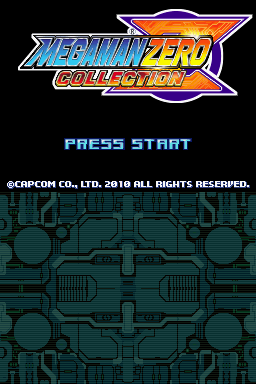
Mega Man Zero Collection (USA)
0 49 2
Mega Man Zero Collection (USA) is a set of classic action-platformers originally made for the Nintendo DS, now playable right in your browser. This collection gathers four tough titles featuring the hero Zero, offering a compact dose of retro side-scrolling action that fans and newcomers alike can enjoy. The games focus on tight controls, fast combat, and a variety of upgrades, all wrapped in a futuristic look that has defined the Mega Man series for years.
Why Mega Man Zero Collection Is Worth Playing
This Nintendo DS classic stands out with its crisp sprite work and colorful visuals that stay true to the original’s anime-inspired style. The atmosphere balances high-energy fights with quiet moments of exploration, giving players a sense of progress as they unlock new abilities and weapons. The gameplay is tough but fair, requiring precision and quick reflexes, which encourages players to keep practicing and improve. Even after all these years, the game still feels fresh, with enough variety in level design and mechanics to keep things interesting through multiple playthroughs.
What makes Mega Man Zero Collection appealing today is how it combines a sense of nostalgia with a real challenge. The soundtrack complements the visuals, adding to the tension during boss fights and platforming sections. Even though it’s rooted in the Nintendo DS era, the mechanics hold up well, offering a satisfying experience for those willing to learn its nuances. Plus, with four titles in one package, players get a substantial journey that tests both patience and skill, fitting well for fans of retro action games or those looking for a real challenge.
Tips to Get Ahead
If you’re just starting out or want to get better, here are some practical tips:
- Learn enemy patterns; patience helps avoid damage and find the right moments to attack.
- Try different weapon upgrades to see which work best against different bosses or levels.
- Use your energy and special weapon charges wisely—save them for tough enemies or bosses.
- Explore levels thoroughly; you might find hidden upgrades or shortcuts.
- Practice your timing with jumps and dashes to avoid mistakes during tricky platform sections.
- Take your time going through levels; rushing can lead to unnecessary hits and poor positioning.
Things to Know Before You Start
Question?
How challenging is Mega Man Zero Collection for newcomers?
Answer.
The game is known for its difficulty, especially during boss fights and later levels. It rewards patience and accuracy, so casual players might find it tough at first, but sticking with it can lead to progress.
Question?
How long does a typical session last in Mega Man Zero Collection?
Answer.
Play sessions can be quick, around 15-20 minutes, or longer if you prefer to focus. It’s best suited for players who have some time to learn its mechanics and enjoy a challenge.
Question?
Is Mega Man Zero Collection suitable for all ages?
Answer.
It’s mainly aimed at players comfortable with tough platformers. The content is appropriate for older children and teens, but the difficulty might frustrate younger kids or casual players unfamiliar with retro styles.
Jump in and Try It
Now that you know what to expect, give Mega Man Zero Collection a shot. Its sharp visuals, tough gameplay, and nostalgic feel make it a good pick for fans of classic action-platformers. Since it runs right in your browser, you can start playing without any fuss. Whether you’re revisiting the series or trying it for the first time, it offers a satisfying challenge worth your time.
Related games: you can also try Kirby – Mass Attack (Europe) (En,Fr,De,Es,It) and Iron Man (USA) (En,Fr,Es), or browse all other games in the Nintendo DS category.
How to Play Mega Man Zero Collection (USA)?
Navigate levels, defeat enemies and bosses, and upgrade Zero's abilities to progress through challenging stages and unlock new weapons in this action-platformer.
Game Controls
Arrow keys move Zero; Z and X are action buttons; Enter pauses or selects.
You may be interested in:
-
 Nintendo DS
♥ 1
Casper’s Scare School – Classroom Capers (USA)
Nintendo DS
♥ 1
Casper’s Scare School – Classroom Capers (USA) -
 Nintendo DS
♥ 1
Zunou Nouryoku Koujou Machine – Touch de Zunoo DS (Japan)
Nintendo DS
♥ 1
Zunou Nouryoku Koujou Machine – Touch de Zunoo DS (Japan) -
 Nintendo DS
♥ 1
Zunou ni Asekaku Game Series! Vol. 1 – Cool 104 Joker & Setline (Japan)
Nintendo DS
♥ 1
Zunou ni Asekaku Game Series! Vol. 1 – Cool 104 Joker & Setline (Japan) -
 Nintendo DS
♥ 9
Zuma’s Revenge (USA)
Nintendo DS
♥ 9
Zuma’s Revenge (USA) -
 Nintendo DS
♥ 1
Zubo (USA) (En,Fr,Es)
Nintendo DS
♥ 1
Zubo (USA) (En,Fr,Es) -
 Nintendo DS
♥ 1
Zubo (Europe) (En,Fr,De,Es,It,Nl,Sv)
Nintendo DS
♥ 1
Zubo (Europe) (En,Fr,De,Es,It,Nl,Sv) -
 Nintendo DS
♥ 1
Zorro – Quest for Justice (USA) (En,Fr,De,Es,It)
Nintendo DS
♥ 1
Zorro – Quest for Justice (USA) (En,Fr,De,Es,It) -
 Nintendo DS
♥ 1
Zorro – Quest for Justice (Europe) (En,Fr,De,Es,It)
Nintendo DS
♥ 1
Zorro – Quest for Justice (Europe) (En,Fr,De,Es,It)
Comments (0)
No comments yet. Be the first to comment!