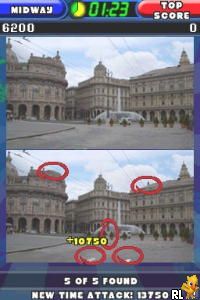
More TouchMaster (Europe) (En,Fr,De,Es,It)
0 1 0
More TouchMaster (Europe) (En,Fr,De,Es,It) is a classic Nintendo DS game that brings together a collection of simple yet engaging mini-games designed for quick sessions and casual play. It’s a great choice for anyone who enjoys puzzle and skill challenges that can be completed in a few minutes. The gameplay is straightforward, making it accessible for players of all ages and skill levels, especially those who want a relaxing way to pass the time without complicated controls or long commitments.
Getting Into More TouchMaster
The main idea behind More TouchMaster is completing a series of small, touch-based puzzles and challenges. Each mini-game introduces a different mechanic, like matching shapes, connecting dots, or tapping targets within a time limit. Players choose from a menu of mini-games, each with its own goals and difficulty levels. During a session, you can switch between challenges or focus on just a few to improve your scores or unlock additional content.
The game relies on quick reflexes and pattern recognition. Usually, you pick a mini-game, follow simple instructions, and try to finish the challenge before time runs out. It’s designed for short bursts of play, making it perfect for quick entertainment between other tasks or just casual gaming. Progress is often tracked through high scores or completion percentages, which encourages replaying to beat personal records.
Standout Features
Visually, More TouchMaster keeps things simple with clean, colorful graphics that clearly differentiate each mini-game. The interface is touch-friendly, making it easy to navigate on the Nintendo DS’s dual screens. Rather than flashy visual effects, the focus is on clarity and ease of play, helping to keep the game accessible and straightforward.
Progression involves unlocking new mini-games and achieving higher scores. This encourages players to replay challenges, sharpen their skills, and explore all the content. The variety of mini-games offers enough diversity to keep things interesting over multiple sessions. Since the challenges are short and bite-sized, it’s easy to pick up and put down without losing your place.
Strategy and Tips
To get the most out of More TouchMaster, try to understand each mini-game’s mechanics quickly. Practice each challenge to boost your reaction times and accuracy. Managing your time during each task can help you maximize your scores.
- Start with easier mini-games to learn the mechanics before moving on to harder ones.
- Pay attention to visual cues and patterns—they can help you respond faster.
- Stay calm and focused; rushing can lead to mistakes.
- Replay challenges to find the best strategies and unlock achievements.
- If available, use the pause function to plan your next move, especially in timed challenges.
Quick Questions
How do I get started with More TouchMaster?
Select a mini-game from the menu and follow the on-screen instructions. It’s designed to be quick and easy to jump into, perfect for casual play.
What’s a common mistake beginners make?
Rushing without reading the instructions or understanding how each mini-game works can lead to unnecessary errors. Taking a moment to familiarize yourself can improve your results.
Does More TouchMaster work well on mobile or touch devices?
Since it’s a Nintendo DS game emulated in your browser, it’s optimized for touch controls and runs smoothly on devices with a touchscreen or mouse, making it easy to play anywhere for a quick session.
More TouchMaster offers quick, accessible fun with a variety of mini-games suited for short, casual sessions. Its straightforward style makes it easy to pick up and enjoy, whether you’re new to touch-based puzzle games or just want a relaxing challenge.
Related games: you can also try Catz (Japan) and Imagine – Modern Dancer (Europe) (En,Fr,De,Es,It), or browse all other games in the Nintendo DS category.
How to Play More TouchMaster (Europe) (En,Fr,De,Es,It)?
Select a mini-game, follow the on-screen instructions, and complete the challenge before time runs out to earn points and unlock new content. Switch between games to improve scores and unlock more challenges.
Game Controls
Arrow keys navigate; Enter or space confirm; other keys perform specific actions depending on the mini-game.
You may be interested in:
-
 Nintendo DS
♥ 1
Casper’s Scare School – Classroom Capers (USA)
Nintendo DS
♥ 1
Casper’s Scare School – Classroom Capers (USA) -
 Nintendo DS
♥ 1
Zunou Nouryoku Koujou Machine – Touch de Zunoo DS (Japan)
Nintendo DS
♥ 1
Zunou Nouryoku Koujou Machine – Touch de Zunoo DS (Japan) -
 Nintendo DS
♥ 1
Zunou ni Asekaku Game Series! Vol. 1 – Cool 104 Joker & Setline (Japan)
Nintendo DS
♥ 1
Zunou ni Asekaku Game Series! Vol. 1 – Cool 104 Joker & Setline (Japan) -
 Nintendo DS
♥ 9
Zuma’s Revenge (USA)
Nintendo DS
♥ 9
Zuma’s Revenge (USA) -
 Nintendo DS
♥ 1
Zubo (USA) (En,Fr,Es)
Nintendo DS
♥ 1
Zubo (USA) (En,Fr,Es) -
 Nintendo DS
♥ 1
Zubo (Europe) (En,Fr,De,Es,It,Nl,Sv)
Nintendo DS
♥ 1
Zubo (Europe) (En,Fr,De,Es,It,Nl,Sv) -
 Nintendo DS
♥ 1
Zorro – Quest for Justice (USA) (En,Fr,De,Es,It)
Nintendo DS
♥ 1
Zorro – Quest for Justice (USA) (En,Fr,De,Es,It) -
 Nintendo DS
♥ 1
Zorro – Quest for Justice (Europe) (En,Fr,De,Es,It)
Nintendo DS
♥ 1
Zorro – Quest for Justice (Europe) (En,Fr,De,Es,It)
Comments (0)
No comments yet. Be the first to comment!