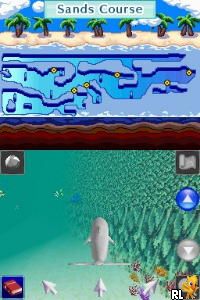
My Pet Dolphin 2 (Europe) (En,Fr,De,Es,It)
0 1 0
My Pet Dolphin 2 (Europe) (En,Fr,De,Es,It) is a charming Nintendo DS classic that lets players care for and interact with a virtual dolphin. Perfect for casual gamers and animal lovers alike, this game focuses on nurturing and simple mini-games rather than complex mechanics. Its straightforward approach makes it accessible for all ages and fits well into short gaming sessions, offering a relaxing experience directly in your browser without any downloads.
Getting Into My Pet Dolphin 2
The main idea of My Pet Dolphin 2 is caring for your virtual dolphin through different activities. You start by choosing your dolphin’s name and customizing how it looks, then move on to daily routines like feeding, bathing, and playing. The game features a series of mini-games and interactive routines to keep things interesting without feeling overwhelming.
Most sessions involve keeping your dolphin happy and healthy. You can participate in mini-games that simulate training, teach tricks, or explore various environments. The game runs in real-time, so your dolphin’s needs change as you play. Its simple layout makes it easy to jump in quickly or spend more time caring for your aquatic friend.
Standout Features
Visually, My Pet Dolphin 2 has colorful, cartoon-style graphics that create a friendly, welcoming vibe. The animations are smooth and expressive, making each interaction feel lively and rewarding. The game’s progress depends on how much attention you give your dolphin, unlocking new activities and accessories along the way, which encourages revisiting the game.
Replay value comes from the variety of mini-games and customization options. Since you can dress up your dolphin and equip it with different items, it’s fun to experiment with different looks and routines. Its simple mechanics make it easy to pick up and put down, but the ongoing goal of keeping your dolphin happy keeps you coming back. The design supports short, casual sessions that still feel satisfying over time.
Strategy and Tips
Getting the most out of the game involves balancing your dolphin’s needs with available activities. Here are some practical tips:
- Feed your dolphin regularly to keep its energy up.
- Play mini-games daily to boost happiness and earn rewards.
- Use customization options to personalize your dolphin, which can motivate you to care for it often.
- Pay attention to your dolphin’s signals—if it seems restless or sad, try different activities to lift its mood.
- Explore all the environments and routines to keep gameplay varied.
- Watch your progress; unlocking new accessories and features encourages you to keep playing.
Quick Questions
How do I start caring for my dolphin?
The game has simple tutorials that guide you through feeding, bathing, and playing. Follow these to get comfortable with the basics.
What’s a common mistake beginners make?
New players often forget to feed or play with their dolphin regularly, which can make it unhappy. Taking consistent care makes the game more enjoyable.
Can I play My Pet Dolphin 2 on mobile or touch devices?
Since it runs in your browser, you can play on mobile devices with a touchscreen. It’s easy to access without downloads or installations.
My Pet Dolphin 2 provides a gentle, engaging experience for anyone interested in caring for a virtual pet. Its simple mechanics and colorful graphics make it easy to enjoy in short bursts, and the variety of activities keeps things fresh. Playing directly in your browser means you can care for your dolphin anytime with just a few clicks, making it a fun choice for casual gaming whenever you want.
Related games: you can also try Maru Goukaku Shikaku Dasshu! – Gyouseishoshi Shiken (Japan) and Geuryeora, Touch! – SpongeBob Nemobaji (Korea), or browse all other games in the Nintendo DS category.
How to Play My Pet Dolphin 2 (Europe) (En,Fr,De,Es,It)?
Care for your dolphin by feeding, bathing, and playing mini-games to keep it happy and healthy. Customize its look and explore different activities to enjoy and unlock new features.
Game Controls
Arrow keys for navigation; other keys for actions, similar to a Nintendo DS controller.
You may be interested in:
-
 Nintendo DS
♥ 1
Casper’s Scare School – Classroom Capers (USA)
Nintendo DS
♥ 1
Casper’s Scare School – Classroom Capers (USA) -
 Nintendo DS
♥ 1
Zunou Nouryoku Koujou Machine – Touch de Zunoo DS (Japan)
Nintendo DS
♥ 1
Zunou Nouryoku Koujou Machine – Touch de Zunoo DS (Japan) -
 Nintendo DS
♥ 1
Zunou ni Asekaku Game Series! Vol. 1 – Cool 104 Joker & Setline (Japan)
Nintendo DS
♥ 1
Zunou ni Asekaku Game Series! Vol. 1 – Cool 104 Joker & Setline (Japan) -
 Nintendo DS
♥ 9
Zuma’s Revenge (USA)
Nintendo DS
♥ 9
Zuma’s Revenge (USA) -
 Nintendo DS
♥ 1
Zubo (USA) (En,Fr,Es)
Nintendo DS
♥ 1
Zubo (USA) (En,Fr,Es) -
 Nintendo DS
♥ 1
Zubo (Europe) (En,Fr,De,Es,It,Nl,Sv)
Nintendo DS
♥ 1
Zubo (Europe) (En,Fr,De,Es,It,Nl,Sv) -
 Nintendo DS
♥ 1
Zorro – Quest for Justice (USA) (En,Fr,De,Es,It)
Nintendo DS
♥ 1
Zorro – Quest for Justice (USA) (En,Fr,De,Es,It) -
 Nintendo DS
♥ 1
Zorro – Quest for Justice (Europe) (En,Fr,De,Es,It)
Nintendo DS
♥ 1
Zorro – Quest for Justice (Europe) (En,Fr,De,Es,It)
Comments (0)
No comments yet. Be the first to comment!