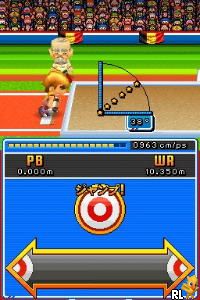
New International Hyper Sports DS (Japan)
0 1 0
New International Hyper Sports DS (Japan) is a classic Nintendo DS game that brings the arcade-style competition of the original series to your browser. If you enjoyed quick mini-games and fast-paced sports challenges on the DS, this emulated version provides a simple way to revisit the action. It’s designed for players who like testing their reflexes and competing for high scores, all playable directly in your browser without any downloads.
Getting Into New International Hyper Sports DS
The gameplay centers on short, focused sports mini-games that challenge your timing and accuracy. Each event has a clear goal, like hitting targets, timing jumps, or pressing buttons quickly, making it accessible yet engaging. You select an event and try to beat your high score or challenge a friend locally if multiplayer is available. The menu is straightforward and guides you easily through each activity, so you can jump right into the fun.
A typical session involves choosing a sport, completing the mini-game, and then seeing how you did. The game encourages quick play, with each event lasting only a minute or two. This setup makes it perfect for casual play—whether you want a quick burst of fun or to improve your scores. If multiplayer is supported, you can compete with friends side by side, trying to best each other’s results. The controls are simple, using the DS’s buttons, which translate nicely to keyboard controls in the emulator.
Standout Features
The visuals are clean and simple, capturing the look of the original arcade style. Bright colors and basic animations keep the focus on gameplay without unnecessary distraction. The clear design makes it easy to see what’s happening on-screen during fast mini-games, which is helpful when reactions need to be quick. Everything is straightforward enough that you can jump in without confusion.
Progress depends on making high scores, with each event giving you a chance to improve. There’s no complex story or unlockables, but trying to beat your previous best or competing with friends keeps the game interesting. The variety of mini-games offers enough diversity to keep things fresh across multiple sessions, and the quick gameplay fits well with casual or nostalgic arcade moments.
Strategy and Tips
To get the most out of New International Hyper Sports DS, focus on understanding the timing and mechanics of each mini-game. Here are some tips:
- Get a feel for the timing — accuracy often matters more than speed.
- Practice each mini-game to memorize patterns and responses.
- Watch for visual cues that tell you when to press buttons or react.
- Keep your fingers near the controls to react faster.
- If you’re stuck, try small adjustments—sometimes a slight change makes a big difference.
- Compete against your best scores or friends to stay motivated and keep improving.
Quick Questions
How do I get started with New International Hyper Sports DS?
Just load the game in your browser, pick an event, and start playing. It’s designed for quick access and instant fun.
What’s a common mistake beginners make?
Many underestimate the importance of timing, reacting too early or too late. Watching visual cues and practicing can help improve your rhythm.
Can I play this game on mobile or touch devices?
Yes, since it runs in your browser, you can play on touch screens. Using a keyboard or gamepad might give better control for some mini-games.
New International Hyper Sports DS offers a compact, competitive sports experience that’s easy to pick up. Its straightforward gameplay, quick sessions, and local multiplayer options make it a good choice for casual gaming right in your browser.
Related games: you can also try Mes Amis Disney (France) and C.O.P. – The Recruit (USA) (En,Fr,De,Es,It), or browse all other games in the Nintendo DS category.
How to Play New International Hyper Sports DS (Japan)?
Choose a mini-game, try to hit targets or press buttons quickly to beat your high score within a minute. Repeat to improve or compete with friends.
Game Controls
Arrow keys and Enter act as the game controls; specific actions are mapped to keyboard keys.
You may be interested in:
-
 Nintendo DS
♥ 1
Casper’s Scare School – Classroom Capers (USA)
Nintendo DS
♥ 1
Casper’s Scare School – Classroom Capers (USA) -
 Nintendo DS
♥ 1
Zunou Nouryoku Koujou Machine – Touch de Zunoo DS (Japan)
Nintendo DS
♥ 1
Zunou Nouryoku Koujou Machine – Touch de Zunoo DS (Japan) -
 Nintendo DS
♥ 1
Zunou ni Asekaku Game Series! Vol. 1 – Cool 104 Joker & Setline (Japan)
Nintendo DS
♥ 1
Zunou ni Asekaku Game Series! Vol. 1 – Cool 104 Joker & Setline (Japan) -
 Nintendo DS
♥ 9
Zuma’s Revenge (USA)
Nintendo DS
♥ 9
Zuma’s Revenge (USA) -
 Nintendo DS
♥ 1
Zubo (USA) (En,Fr,Es)
Nintendo DS
♥ 1
Zubo (USA) (En,Fr,Es) -
 Nintendo DS
♥ 1
Zubo (Europe) (En,Fr,De,Es,It,Nl,Sv)
Nintendo DS
♥ 1
Zubo (Europe) (En,Fr,De,Es,It,Nl,Sv) -
 Nintendo DS
♥ 1
Zorro – Quest for Justice (USA) (En,Fr,De,Es,It)
Nintendo DS
♥ 1
Zorro – Quest for Justice (USA) (En,Fr,De,Es,It) -
 Nintendo DS
♥ 1
Zorro – Quest for Justice (Europe) (En,Fr,De,Es,It)
Nintendo DS
♥ 1
Zorro – Quest for Justice (Europe) (En,Fr,De,Es,It)
Comments (0)
No comments yet. Be the first to comment!