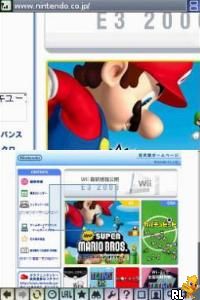
Nintendo DS Browser (Japan)
0 7 2
Nintendo DS Browser (Japan) offers a rare glimpse into handheld gaming history, bringing a nostalgic piece of the Nintendo DS era straight into your browser. It captures the simplicity and quirks of early 2000s tech, presenting an experience that reflects the device’s original interface and functions. If you’re curious about what early internet browsing was like on a portable gaming device, this emulated version lets you explore it without any downloads or setup. It’s a small window into the past, playable instantly with all its charm and imperfections intact.
Step Into the World of Nintendo DS Browser
The visuals mimic the monochrome-inspired look of the original device but add a bit of color and clarity typical of its time. The layout is straightforward, with a dual-screen setup—one showing the browser window and the other offering controls or navigation options. The sound is minimal, mostly clicks and simple cues, which adds to the nostalgic vibe of the device’s modest audio. The overall feel is quiet and practical, capturing early web browsing on a portable console—focused, simple, and a little rough around the edges.
Navigation can be done with a stylus or buttons on the original device, but in this browser version, you can use your mouse or keyboard. The interface stays true to the original, with small text and a limited color palette. It might be charming or a bit frustrating, depending on your patience for retro tech. Since everything runs directly in your browser, load times are quick, but the pace echoes early mobile browsing—slow and deliberate. Expect basic web pages, with some quirks in how they’re rendered, reminding you that this is a snapshot from a different digital age.
How the Gameplay Hooks You
This isn’t a game in the usual sense, but exploring the browser interface, visiting preloaded sites, or testing limited browsing functions is part of the experience. The pace is slow, emphasizing careful page loads and simple interactions, which can be relaxing or mildly frustrating. It’s more about patience and curiosity—seeing how the system handles early web design quirks. For those interested in vintage tech, it offers a look back at a time when mobile browsing was a novelty, not an everyday activity.
The process feels natural—clicking through a handful of sites or menu options, each session lasting a short while. It’s perfect for quick visits and appeals to anyone interested in digital history. The focus on basic features and retro aesthetics keeps it simple, more about appreciating a piece of technological history than mastering complex mechanics. You can access it anytime through your browser, making it a convenient way to experience this part of gaming and internet history.
Pro Tips for Nintendo DS Browser
Here are a few simple ways to get the most out of this classic:
- Use your mouse or arrow keys for navigation, mimicking the original stylus or buttons.
- Try visiting different web pages to see how the limited browser handles various layouts and media.
- Adjust the zoom or text size if things feel cramped or difficult to read.
- Take your time exploring—slow load times and simple controls encourage patience.
- If you want a more authentic feel, disable zoom features to match the original DS screen size.
Frequently Asked Questions
Can I play Nintendo DS Browser for long periods, or is it meant for quick visits?
It’s best suited for short sessions. The interface is simple and the pace slow, similar to the original handheld. Extended play might get dull, but it’s great for quick nostalgia moments.
Does Nintendo DS Browser have offline features or modes?
No, it’s mainly a browser simulation that loads web pages or preloaded sites within the emulator. It doesn’t support offline use or gaming—just browsing.
Is this version okay for people who don’t speak Japanese or aren’t familiar with early tech?
Yes, though some menus might be in Japanese, reflecting the original release region. Visual cues and the simple layout help most users navigate, even if they don’t understand the language.
Playing the Nintendo DS Browser emulator offers a look back at the early days of mobile internet, wrapped in the familiar design of a classic Nintendo device. Accessing it here means instant entry into a nostalgic corner of gaming history, all within your browser window.
Related games: you can also try Metal Slug 7 (Korea) and Metal Max 2 – Reloaded (Japan), or browse all other games in the Nintendo DS category.
How to Play Nintendo DS Browser (Japan)?
Navigate the browser interface, visit preloaded sites, and explore early web features. Take your time to understand the quirks of vintage mobile browsing in a simple, slow-paced experience.
Game Controls
Use your keyboard or mouse to click, type, and navigate as you would with a Nintendo DS stylus and buttons.
You may be interested in:
-
 Nintendo DS
♥ 1
Casper’s Scare School – Classroom Capers (USA)
Nintendo DS
♥ 1
Casper’s Scare School – Classroom Capers (USA) -
 Nintendo DS
♥ 1
Zunou Nouryoku Koujou Machine – Touch de Zunoo DS (Japan)
Nintendo DS
♥ 1
Zunou Nouryoku Koujou Machine – Touch de Zunoo DS (Japan) -
 Nintendo DS
♥ 1
Zunou ni Asekaku Game Series! Vol. 1 – Cool 104 Joker & Setline (Japan)
Nintendo DS
♥ 1
Zunou ni Asekaku Game Series! Vol. 1 – Cool 104 Joker & Setline (Japan) -
 Nintendo DS
♥ 9
Zuma’s Revenge (USA)
Nintendo DS
♥ 9
Zuma’s Revenge (USA) -
 Nintendo DS
♥ 1
Zubo (USA) (En,Fr,Es)
Nintendo DS
♥ 1
Zubo (USA) (En,Fr,Es) -
 Nintendo DS
♥ 1
Zubo (Europe) (En,Fr,De,Es,It,Nl,Sv)
Nintendo DS
♥ 1
Zubo (Europe) (En,Fr,De,Es,It,Nl,Sv) -
 Nintendo DS
♥ 1
Zorro – Quest for Justice (USA) (En,Fr,De,Es,It)
Nintendo DS
♥ 1
Zorro – Quest for Justice (USA) (En,Fr,De,Es,It) -
 Nintendo DS
♥ 1
Zorro – Quest for Justice (Europe) (En,Fr,De,Es,It)
Nintendo DS
♥ 1
Zorro – Quest for Justice (Europe) (En,Fr,De,Es,It)
Comments (0)
No comments yet. Be the first to comment!