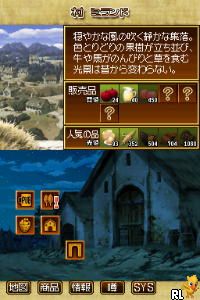
Ookami to Koushinryou – Boku to Holo no Ichinen (Japan)
0 1 0
Ookami to Koushinryou – Boku to Holo no Ichinen (Japan) is a classic Nintendo DS game that combines storytelling with thoughtful gameplay. As a title from the Nintendo DS era, it appeals to players who enjoy narrative-driven experiences paired with strategic mechanics. Playing this game through the browser means quick access to a nostalgic experience that runs smoothly without downloads or installations. It’s perfect for fans of retro titles or those curious about vintage handheld gaming.
Getting Into Ookami to Koushinryou – Boku to Holo no Ichinen
This Nintendo DS game revolves around a simple gameplay loop focused on exploration and decision-making. Players usually engage in short sessions, making choices that influence how the story unfolds. The core gameplay involves reading dialogue, managing in-game resources, and advancing through events that change based on your actions.
Most of the time, you’ll navigate menus, pick dialogue options, and make decisions that impact the ending. Since it’s a visual novel-style game, success depends on following the story closely and thinking about how your choices shape what happens next. It doesn’t require quick reflexes but rewards careful reading and planning, making it accessible to players with different levels of experience.
Standout Features
The visuals capture the charm of the Nintendo DS with clean, simple artwork that highlights character expressions and story scenes. The interface is clear, making it easy to follow dialogue and choices without confusion. Since the focus is on story, the visuals support storytelling rather than distract from it.
The game’s branching storylines encourage multiple playthroughs, as different choices lead to different endings and discoveries. This replay value means players often return to see how their decisions change the story, adding depth to the experience of this classic Nintendo DS title.
Strategy and Tips
If you’re just starting out, patience is key. Take your time reading dialogue before making choices, since early decisions can influence what happens later.
- Save often, if the game allows, so you can explore different paths without losing progress.
- Pay attention to character reactions—they often hint at the best choices to make.
- Explore all dialogue options to discover hidden story branches and endings.
- Don’t rush decision points; thinking carefully can lead to better outcomes.
- If you’re stuck, go back and try different options to open new paths.
Quick Questions
How do I get started with the game?
Just load it in your browser and follow the prompts to start reading and making choices. No need for complicated setups or downloads.
What’s a common mistake beginners make?
Many rush through dialogue or pick choices quickly without considering their impact on the story. Taking your time can reveal more details and make the experience richer.
Does it work well on mobile or touch devices?
Since it runs in the browser, it generally works fine on mobile devices with touch controls, making it easy to navigate menus and select dialogue options.
Exploring “ookami to koushinryou – boku to holo no ichinen” offers a straightforward narrative experience with engaging choices and replayability. Its simple interface and story-driven gameplay make it accessible and enjoyable for fans of visual novels or anyone interested in classic Nintendo DS titles available instantly in your browser.
Related games: you can also try FIFA Soccer 06 (USA) and Boku to Sim no Machi – Resort ni Genki o Torimodosou! (Japan), or browse all other games in the Nintendo DS category.
How to Play Ookami to Koushinryou – Boku to Holo no Ichinen (Japan)?
Read dialogue carefully, make choices to influence the story, and explore different options to unlock multiple endings. Save frequently and consider character hints to guide your decisions.
Game Controls
Arrow keys navigate menus; Enter selects options; other keys handle dialogue and choices.
You may be interested in:
-
 Nintendo DS
♥ 1
Casper’s Scare School – Classroom Capers (USA)
Nintendo DS
♥ 1
Casper’s Scare School – Classroom Capers (USA) -
 Nintendo DS
♥ 1
Zunou Nouryoku Koujou Machine – Touch de Zunoo DS (Japan)
Nintendo DS
♥ 1
Zunou Nouryoku Koujou Machine – Touch de Zunoo DS (Japan) -
 Nintendo DS
♥ 1
Zunou ni Asekaku Game Series! Vol. 1 – Cool 104 Joker & Setline (Japan)
Nintendo DS
♥ 1
Zunou ni Asekaku Game Series! Vol. 1 – Cool 104 Joker & Setline (Japan) -
 Nintendo DS
♥ 9
Zuma’s Revenge (USA)
Nintendo DS
♥ 9
Zuma’s Revenge (USA) -
 Nintendo DS
♥ 1
Zubo (USA) (En,Fr,Es)
Nintendo DS
♥ 1
Zubo (USA) (En,Fr,Es) -
 Nintendo DS
♥ 1
Zubo (Europe) (En,Fr,De,Es,It,Nl,Sv)
Nintendo DS
♥ 1
Zubo (Europe) (En,Fr,De,Es,It,Nl,Sv) -
 Nintendo DS
♥ 1
Zorro – Quest for Justice (USA) (En,Fr,De,Es,It)
Nintendo DS
♥ 1
Zorro – Quest for Justice (USA) (En,Fr,De,Es,It) -
 Nintendo DS
♥ 1
Zorro – Quest for Justice (Europe) (En,Fr,De,Es,It)
Nintendo DS
♥ 1
Zorro – Quest for Justice (Europe) (En,Fr,De,Es,It)
Comments (0)
No comments yet. Be the first to comment!