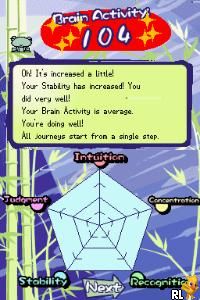
QuickSpot (USA)
0 1 0
QuickSpot (USA) is a classic Nintendo DS game that offers a simple yet engaging puzzle experience, perfect for casual players and puzzle fans alike. As a game from the Nintendo DS era, it features straightforward mechanics and quick sessions, making it ideal for short play periods or quick breaks. Since it runs directly in your browser through an emulator, you can enjoy it instantly without any downloads or installations, making it accessible for anyone interested in retro gaming.
Getting Into QuickSpot
The main gameplay of QuickSpot involves a visual search mechanic. The game shows players a series of images filled with many objects, and your task is to find a specific item or feature among them. Each level presents a new challenge, with the difficulty gradually increasing as more objects clutter the screen or the target becomes more subtle. The game usually plays out in timed rounds or with limited attempts, encouraging quick thinking and sharp observation skills.
A typical session involves reviewing a new image, scanning it carefully for the specified item, and clicking or tapping on it once you find it. The game keeps track of your progress and gives immediate feedback—correct finds move you on to the next challenge, while mistakes may require you to retry or lose points. This mechanic makes QuickSpot easy to pick up but tricky to master, especially as the images get more complex or crowded.
Standout Features
Visually, QuickSpot features clean, simple graphics typical of Nintendo DS titles, with a focus on clarity and easy recognition. The images are well-designed, with enough detail to challenge players without becoming overwhelming. As you advance, the game introduces more intricate images and more subtle targets, encouraging repeated attempts and improvement.
Replay value comes from the variety of puzzles and the goal to beat your previous best times or scores. Since each level is short and focused, players can jump in for quick sessions, trying to improve their speed or accuracy. The design promotes casual, frequent play, and the increasing difficulty offers a steady challenge for players at different skill levels.
Strategy and Tips
If you want to get better at QuickSpot, pay close attention to the details in each image and develop a quick scanning method. Don’t spend too long on any one area; instead, use a systematic approach to cover the entire picture quickly.
- Start with a broad scan to locate distinctive features of the target, then narrow your focus.
- Notice common visual cues like color, shape, or size that help distinguish the target from other objects.
- Practice regularly to improve your recognition speed, especially for more subtle targets.
- If you get stuck, take a short mental break and revisit the image with fresh eyes.
- Adjust your approach depending on the difficulty—more cluttered images may need slower, more deliberate scans.
Quick Questions
Is QuickSpot easy for beginners?
Yes, the game is simple to understand and can be enjoyed by players of all ages, especially those new to puzzle games.
How long does a typical session last?
Most levels are quick to complete, often just a few seconds to a minute, making it great for short gaming sessions.
Can I play QuickSpot on mobile or touch devices?
Since it runs in your browser, it usually supports touch controls, so you can play on smartphones or tablets without any trouble.
This browser-based version of QuickSpot offers a convenient way to enjoy a classic puzzle game whenever you like. Its simple design and quick gameplay make it perfect for casual play, and the increasing difficulty keeps it interesting over multiple tries. Give it a shot and see how fast your eyes can find the target before time runs out.
Related games: you can also try Bratz Ponyz (Europe) (En,Fr,De,Es,It,Da) and 4 Game Fun Pack – Monopoly + Boggle + Yahtzee + Battleship (Europe), or browse all other games in the Nintendo DS category.
How to Play QuickSpot (USA)?
Look at the images carefully and quickly find the specified object by clicking or tapping on it. Complete each challenge as fast and accurately as possible to improve your score.
Game Controls
Use the keyboard arrow keys to move the cursor; press Enter or Space to select.
You may be interested in:
-
 Nintendo DS
♥ 1
Casper’s Scare School – Classroom Capers (USA)
Nintendo DS
♥ 1
Casper’s Scare School – Classroom Capers (USA) -
 Nintendo DS
♥ 1
Zunou Nouryoku Koujou Machine – Touch de Zunoo DS (Japan)
Nintendo DS
♥ 1
Zunou Nouryoku Koujou Machine – Touch de Zunoo DS (Japan) -
 Nintendo DS
♥ 1
Zunou ni Asekaku Game Series! Vol. 1 – Cool 104 Joker & Setline (Japan)
Nintendo DS
♥ 1
Zunou ni Asekaku Game Series! Vol. 1 – Cool 104 Joker & Setline (Japan) -
 Nintendo DS
♥ 9
Zuma’s Revenge (USA)
Nintendo DS
♥ 9
Zuma’s Revenge (USA) -
 Nintendo DS
♥ 1
Zubo (USA) (En,Fr,Es)
Nintendo DS
♥ 1
Zubo (USA) (En,Fr,Es) -
 Nintendo DS
♥ 1
Zubo (Europe) (En,Fr,De,Es,It,Nl,Sv)
Nintendo DS
♥ 1
Zubo (Europe) (En,Fr,De,Es,It,Nl,Sv) -
 Nintendo DS
♥ 1
Zorro – Quest for Justice (USA) (En,Fr,De,Es,It)
Nintendo DS
♥ 1
Zorro – Quest for Justice (USA) (En,Fr,De,Es,It) -
 Nintendo DS
♥ 1
Zorro – Quest for Justice (Europe) (En,Fr,De,Es,It)
Nintendo DS
♥ 1
Zorro – Quest for Justice (Europe) (En,Fr,De,Es,It)
Comments (0)
No comments yet. Be the first to comment!