Rock Revolution (USA) (En,Fr,Es)
0 1 0
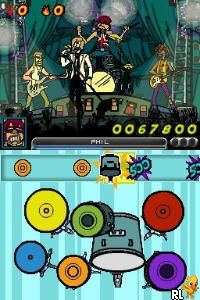
Rock Revolution (USA) (En,Fr,Es) is a classic Nintendo DS game that captures the lively feel of rhythm-based gameplay. As a music game from the handheld console era, it challenges players to keep time, coordinate their button presses, and get familiar with a variety of rock songs. Its simple approach makes it easy for players who want a casual experience or a test of their rhythm skills.
Rock Revolution: Gameplay Overview
The main idea is pressing buttons in sync with musical cues, similar to playing along with popular rock tracks. The game shows visual prompts that match notes or chords, and players need to press buttons at the right moment to score points. The gameplay encourages matching the rhythm, with players aiming for perfect timing to boost their score and keep streaks going.
This Nintendo DS game uses both screens — one for the note highway and another for extra information. The touch screen may be used for some mechanics, adding a tactile element. The game helps players develop a good sense of timing and musical rhythm, with the difficulty increasing as they progress through songs. It’s simple enough for newcomers but engaging enough for rhythm fans.
Modes, Levels and Progression
Rock Revolution features a variety of songs across different rock genres. As players complete songs, they unlock new tracks and harder levels. While it doesn’t have a story mode, the playlist offers enough content to keep players coming back for more.
Each level is based on a single song, with difficulty rising based on speed, note complexity, and timing precision. The game might include modes like practice or full song play, so players can focus on improving specific skills or challenge themselves. The mix of tracks and increasing difficulty makes for a well-balanced experience for different skill levels.
Winning Strategies
Staying consistent with your timing is key to scoring well in Rock Revolution. Watch the visual cues and try to anticipate notes ahead of time. Keeping a steady rhythm and avoiding rushed or delayed inputs will help you hit notes accurately and keep your streaks going.
- Repeat tricky sections to improve your timing and build muscle memory.
- Use practice modes to get comfortable with complex patterns and adjust your speed accordingly.
- Stay relaxed; tense fingers can cause mistimed presses.
- Pay close attention to the beat; many cues follow the rhythm, so tapping along helps boost your score.
- Use the visual indicators—early warnings for upcoming notes can help you prepare.
Common Questions About Rock Revolution
How does the difficulty change as I go further?
The game slowly ramps up the tempo and complexity of note sequences, challenging players to improve their timing and accuracy as they unlock more songs and higher difficulty levels.
Are there different game modes or just one way to play?
Most of the game focuses on playing individual tracks, but there are practice modes or difficulty settings to help players hone their skills or just enjoy casual play.
How much replay value is there?
With a variety of songs and increasing difficulty, the game invites players to replay tracks to improve their scores or unlock new content. Many rhythm game fans find it worth returning to multiple times.
Playing Rock Revolution in your browser gives you quick access to this piece of Nintendo DS history. Its straightforward gameplay and focus on rhythm make it a good choice for music game fans, offering a compact but fun rock experience you can enjoy anywhere.
Related games: you can also try Iron Man (Europe) (En,Fr,De,Es,It) and Peter Jackson's King Kong – The Official Game of the Movie (Europe) (En,Fr,De,Es,It,Nl,Sv,No,Da,Fi) (Rev 1), or browse all other games in the Nintendo DS category.
How to Play Rock Revolution (USA) (En,Fr,Es)?
Press the keyboard keys in sync with the visual cues to match the rhythm of the songs and score points. Keep your timing accurate to build streaks and unlock new tracks.
Game Controls
Arrow keys and other keyboard buttons act as the game controls; follow on-screen prompts for actions.
You may be interested in:
-
 Nintendo DS
♥ 1
Casper’s Scare School – Classroom Capers (USA)
Nintendo DS
♥ 1
Casper’s Scare School – Classroom Capers (USA) -
 Nintendo DS
♥ 1
Zunou Nouryoku Koujou Machine – Touch de Zunoo DS (Japan)
Nintendo DS
♥ 1
Zunou Nouryoku Koujou Machine – Touch de Zunoo DS (Japan) -
 Nintendo DS
♥ 1
Zunou ni Asekaku Game Series! Vol. 1 – Cool 104 Joker & Setline (Japan)
Nintendo DS
♥ 1
Zunou ni Asekaku Game Series! Vol. 1 – Cool 104 Joker & Setline (Japan) -
 Nintendo DS
♥ 9
Zuma’s Revenge (USA)
Nintendo DS
♥ 9
Zuma’s Revenge (USA) -
 Nintendo DS
♥ 1
Zubo (USA) (En,Fr,Es)
Nintendo DS
♥ 1
Zubo (USA) (En,Fr,Es) -
 Nintendo DS
♥ 1
Zubo (Europe) (En,Fr,De,Es,It,Nl,Sv)
Nintendo DS
♥ 1
Zubo (Europe) (En,Fr,De,Es,It,Nl,Sv) -
 Nintendo DS
♥ 1
Zorro – Quest for Justice (USA) (En,Fr,De,Es,It)
Nintendo DS
♥ 1
Zorro – Quest for Justice (USA) (En,Fr,De,Es,It) -
 Nintendo DS
♥ 1
Zorro – Quest for Justice (Europe) (En,Fr,De,Es,It)
Nintendo DS
♥ 1
Zorro – Quest for Justice (Europe) (En,Fr,De,Es,It)
Comments (0)
No comments yet. Be the first to comment!