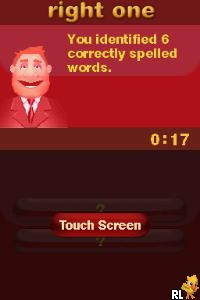
Spelling Challenges and More! (USA)
0 1 0
Spelling Challenges and More! (USA) is a straightforward Nintendo DS game that makes practicing spelling and vocabulary more engaging. It’s suitable for all ages, combining educational content with simple gameplay, whether you have a few minutes or want to spend more time improving your skills. Its easy-to-use design and focus on vocabulary make it a good pick for anyone looking to learn in a relaxed, no-frills way.
Getting Into Spelling Challenges and More!
The game features a series of spelling and vocabulary tasks that test your ability to recognize correct spellings and understand word meanings. When you start, you choose a mode, often ranging from beginner to more advanced levels, depending on your comfort with spelling. You might be asked to spell a word correctly, pick the right definition, or complete missing letters. The gameplay is simple and guides you through each step, so it’s easy to get started without needing a tutorial.
Each challenge involves a set of words or definitions, and your goal is to finish as many as you can within a time limit or a certain number of attempts. The game keeps track of your score and gives feedback after each question, helping reinforce what you’ve learned. As you go along, the difficulty can increase, with more complex words or less time to answer. You can play in short sessions for quick practice or spend more time gradually improving your skills. Since it runs right in your browser, there’s no need to download anything, making it a convenient way to sharpen your spelling anytime.
Standout Features
The visuals are simple but clear, with easy-to-read fonts that help you focus on the questions. The interface is clean and distraction-free, making it easy to concentrate. As you progress, levels or rounds unlock, encouraging you to beat your previous scores and challenge yourself with tougher words.
The variety of modes and difficulty levels adds replay value, allowing you to revisit the game to sharpen your spelling or try harder settings. Because it runs in your browser, you can play whenever you want without worrying about compatibility or storage. Its straightforward design keeps the focus on learning, making it useful for students, parents, or anyone wanting to boost their vocabulary efficiently.
Strategy and Tips
To get the most out of Spelling Challenges and More!, start by focusing on accuracy rather than speed to build confidence. Once you’re comfortable, try to improve your pace without making mistakes. When stuck, take a moment to analyze the word or definition before guessing. Playing regularly helps you spot common spelling patterns and improves your recall over time.
- Pay attention to common spelling rules and patterns; they can help with tricky words.
- If multiple choices are available, use elimination to narrow down your options.
- Learn from mistakes by reviewing words you get wrong often.
- Pick a mode that matches your current skill level, then gradually challenge yourself with harder ones.
- Practice for a few minutes each day to see steady progress in your spelling skills.
Quick Questions
How do I get started with the game?
Just load the page, and it’ll be ready to go in your browser—no downloads needed.
What’s a common mistake new players make?
Many rush through questions without reading carefully, which leads to mistakes that could be avoided with a moment of focus.
Can I play this on my mobile device or touchscreen?
Yes, it works well on smartphones and tablets, making it easy to play on a touchscreen browser.
Spelling Challenges and More! offers a simple way to practice spelling and vocabulary, with levels that suit different learners. Its clean design and browser-based play make it easy to get some quick, educational practice whenever you want.
Related games: you can also try Sakashou DS (Japan) and Bauernhof, Der (Germany), or browse all other games in the Nintendo DS category.
How to Play Spelling Challenges and More! (USA)?
Choose a mode, then spell words or select correct definitions within a time limit. Focus on accuracy first, then improve your speed to score higher and unlock more levels.
Game Controls
Use the keyboard to select answers and navigate; arrow keys or tab move, Enter confirms.
You may be interested in:
-
 Nintendo DS
♥ 1
Casper’s Scare School – Classroom Capers (USA)
Nintendo DS
♥ 1
Casper’s Scare School – Classroom Capers (USA) -
 Nintendo DS
♥ 1
Zunou Nouryoku Koujou Machine – Touch de Zunoo DS (Japan)
Nintendo DS
♥ 1
Zunou Nouryoku Koujou Machine – Touch de Zunoo DS (Japan) -
 Nintendo DS
♥ 1
Zunou ni Asekaku Game Series! Vol. 1 – Cool 104 Joker & Setline (Japan)
Nintendo DS
♥ 1
Zunou ni Asekaku Game Series! Vol. 1 – Cool 104 Joker & Setline (Japan) -
 Nintendo DS
♥ 9
Zuma’s Revenge (USA)
Nintendo DS
♥ 9
Zuma’s Revenge (USA) -
 Nintendo DS
♥ 1
Zubo (USA) (En,Fr,Es)
Nintendo DS
♥ 1
Zubo (USA) (En,Fr,Es) -
 Nintendo DS
♥ 1
Zubo (Europe) (En,Fr,De,Es,It,Nl,Sv)
Nintendo DS
♥ 1
Zubo (Europe) (En,Fr,De,Es,It,Nl,Sv) -
 Nintendo DS
♥ 1
Zorro – Quest for Justice (USA) (En,Fr,De,Es,It)
Nintendo DS
♥ 1
Zorro – Quest for Justice (USA) (En,Fr,De,Es,It) -
 Nintendo DS
♥ 1
Zorro – Quest for Justice (Europe) (En,Fr,De,Es,It)
Nintendo DS
♥ 1
Zorro – Quest for Justice (Europe) (En,Fr,De,Es,It)
Comments (0)
No comments yet. Be the first to comment!