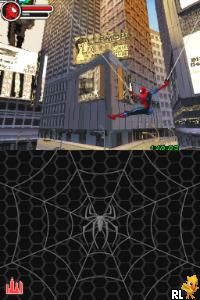
Spider-Man 3 (France)
0 15 2
Spider-Man 3 (France) is a classic Nintendo DS game that brings the web-slinging action of the famous superhero to a portable format. Its pixel art visuals and simple controls offer a nostalgic reminder of early 2000s handheld gaming, focusing on fast-paced missions and exploring the city. Designed for quick sessions, it offers a straightforward experience that appeals to fans of superhero stories and side-scrolling action. The game runs directly in your browser, so there’s no need to download or install anything, and it stays true to the charm of the Nintendo DS era.
Step Into the World of Spider-Man 3
The game takes you to a stylized version of New York City, rendered in colorful, pixelated graphics that echo the handheld console’s look. The city is filled with tall skyscrapers, bustling streets, and familiar landmarks, creating a sense of urban adventure. The soundtrack features energetic tunes that keep things lively, along with sound effects that highlight web-slinging and fighting. Although limited by the hardware, the visuals and audio work together to create a lively, if simplified, atmosphere rooted in the comic book origins of Spider-Man. The interface is minimal, keeping players focused on the action and navigation rather than menus.
How the Gameplay Hooks You
Spider-Man 3 offers a simple loop of moving through the city, fighting enemies, and completing missions. The pacing keeps you moving quickly from one task to the next, with clear objectives suited for short play sessions. The game emphasizes agility and timing, requiring you to dodge attacks and use web maneuvers to advance. Progress comes from clearing levels and facing tougher enemies, with a focus on smooth movement and quick reflexes. It’s ideal for players who enjoy fast-paced, arcade-style gameplay, and its short levels make for quick bursts of fun without long commitments.
Pro Tips for Spider-Man 3
To get the most out of this classic, try mastering the web-slinging early on. Use your webs to move quickly and avoid enemies. Pay attention to enemy patterns so you can dodge effectively. Collect power-ups scattered along the way to boost your health or improve your abilities. Take your time exploring levels—you might find helpful items or shortcuts. Practice your combat timing to defeat enemies efficiently and save health. Keep an eye on your health bar and time, and aim to complete objectives quickly.
- Use quick jumps and web swings to avoid enemies instead of fighting them for long.
- Look out for hidden paths or shortcuts to save time on retries.
- Adjust your approach based on where enemies are placed for smoother gameplay.
- Stay mobile; standing still makes you an easy target.
Frequently Asked Questions
Does the game feel repetitive after a while?
The gameplay stays consistent, but different levels and enemy types help keep things interesting for short sessions. Playing for a long time in one go might make it feel a bit repetitive.
Can I enjoy Spider-Man 3 in short bursts?
Definitely. Its level-based structure and quick missions make it easy to pick up and pause without losing progress, perfect for brief gaming sessions.
What kind of atmosphere should I expect from this game?
It offers a lighthearted, arcade-style vibe with simple graphics and lively sound effects that capture the feel of comic book action, without aiming for realism or deep storytelling.
Spider-Man 3 provides a compact, arcade-style adventure that captures the fun of web-slinging and city exploration. It’s easy to access and quick to enjoy, making it a good choice for fans seeking a nostalgic superhero game that runs right in their browser.
Related games: you can also try New Horizon – English Course 1 DS (Japan) and Chameleon – To Dye For! (USA), or browse all other games in the Nintendo DS category.
How to Play Spider-Man 3 (France)?
Swing through the city, fight enemies, and complete quick missions by dodging attacks and using web maneuvers to reach objectives efficiently.
Game Controls
Arrow keys control movement; action buttons are mapped to keyboard keys for web-slinging and fighting.
You may be interested in:
-
 Nintendo DS
♥ 1
Casper’s Scare School – Classroom Capers (USA)
Nintendo DS
♥ 1
Casper’s Scare School – Classroom Capers (USA) -
 Nintendo DS
♥ 1
Zunou Nouryoku Koujou Machine – Touch de Zunoo DS (Japan)
Nintendo DS
♥ 1
Zunou Nouryoku Koujou Machine – Touch de Zunoo DS (Japan) -
 Nintendo DS
♥ 1
Zunou ni Asekaku Game Series! Vol. 1 – Cool 104 Joker & Setline (Japan)
Nintendo DS
♥ 1
Zunou ni Asekaku Game Series! Vol. 1 – Cool 104 Joker & Setline (Japan) -
 Nintendo DS
♥ 9
Zuma’s Revenge (USA)
Nintendo DS
♥ 9
Zuma’s Revenge (USA) -
 Nintendo DS
♥ 1
Zubo (USA) (En,Fr,Es)
Nintendo DS
♥ 1
Zubo (USA) (En,Fr,Es) -
 Nintendo DS
♥ 1
Zubo (Europe) (En,Fr,De,Es,It,Nl,Sv)
Nintendo DS
♥ 1
Zubo (Europe) (En,Fr,De,Es,It,Nl,Sv) -
 Nintendo DS
♥ 1
Zorro – Quest for Justice (USA) (En,Fr,De,Es,It)
Nintendo DS
♥ 1
Zorro – Quest for Justice (USA) (En,Fr,De,Es,It) -
 Nintendo DS
♥ 1
Zorro – Quest for Justice (Europe) (En,Fr,De,Es,It)
Nintendo DS
♥ 1
Zorro – Quest for Justice (Europe) (En,Fr,De,Es,It)
Comments (0)
No comments yet. Be the first to comment!