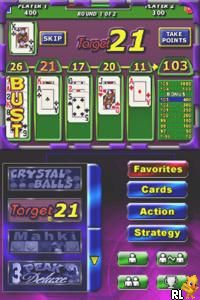
TouchMaster (Europe) (En,Fr,De,Es,It)
0 1 0
TouchMaster (Europe) (En,Fr,De,Es,It) is a classic Nintendo DS game that’s easy to pick up and play. It features a range of mini-games based on touch puzzles and challenges, making it suitable for players of all ages. Its simple mechanics and casual gameplay make it great for quick sessions or longer gaming marathons. As a Nintendo DS favorite, it captures the charm of handheld puzzle games from that era and is now available to play instantly in your browser without any downloads.
What Is TouchMaster?
TouchMaster is a collection of touch-based mini-games that test reactions, pattern recognition, and quick thinking. The main idea is to use your finger or cursor to interact with items on the screen and complete various objectives. The interface is clean and straightforward, with controls that are easy to understand. The variety of games means no two rounds are the same, keeping things interesting and engaging.
This game is perfect if you’re after light, casual fun without any complicated rules. Each mini-game lasts just a few minutes, making it ideal for quick breaks or extended play. The overall feeling is relaxed and accessible, rewarding fast reflexes and strategic moves. It’s a nostalgic nod to the puzzle collections of the Nintendo DS era, now playable right in your browser.
What Keeps You Coming Back
With multiple mini-games and different mechanics, the game stays fresh. Some challenges get harder or are timed, encouraging you to try again and beat your high scores. Your progress and scores are tracked, giving you goals to aim for. Unlockable achievements and different game modes add variety, so each session can feel a little different.
TouchMaster also has a laid-back vibe. Its quick rounds let you jump in and out without feeling tied down, but the challenge to improve your scores makes you want to keep playing. Its simple design and variety of modes suit anyone who enjoys sharpening their reflexes or just wants a relaxing puzzle game in their browser.
Handy Tips
Here are a few simple tips to get the best out of TouchMaster:
- Pay attention to the pattern before acting; recognizing it quickly helps your reaction.
- Watch visual cues that tell you when to act, especially in timed challenges.
- Practice each mini-game to get a feel for its mechanics and avoid common mistakes.
- Take breaks if you need to reset your focus.
- Identify which games you find easier and focus on improving your scores there first.
- Keep track of your progress to set goals for each session.
Player FAQ
Is TouchMaster easy for young children?
Yes, its simple touch controls and straightforward mini-games make it accessible for younger players, though some challenges may suit older kids and adults better.
Do I need an internet connection to play?
No, since it runs directly in your browser on this site, it works offline once loaded, so you can play anytime without an internet connection.
Is TouchMaster suitable for players with limited mobility or disabilities?
The minimal touch controls are generally accessible, but players with specific needs should consider how well the mechanics suit their capabilities.
TouchMaster offers easy-to-pick-up fun for all ages. Its variety of mini-games and simple mechanics make it easy to enjoy without prior experience. Since it plays directly in your browser, you can jump in whenever you like. It’s a casual puzzle collection that keeps your fingers busy and your mind sharp, all in a nostalgic Nintendo DS style you can enjoy right now. Give it a try and see how many high scores you can score!
Related games: you can also try Table Game Spirits (Japan) and Jumble Madness (USA), or browse all other games in the Nintendo DS category.
How to Play TouchMaster (Europe) (En,Fr,De,Es,It)?
Use your mouse or finger to tap on items and complete mini-game objectives. Quickly recognize patterns, react fast, and aim for high scores across different challenges.
Game Controls
Arrow keys or mouse to select and interact; action buttons mapped to keyboard keys.
You may be interested in:
-
 Nintendo DS
♥ 1
Casper’s Scare School – Classroom Capers (USA)
Nintendo DS
♥ 1
Casper’s Scare School – Classroom Capers (USA) -
 Nintendo DS
♥ 1
Zunou Nouryoku Koujou Machine – Touch de Zunoo DS (Japan)
Nintendo DS
♥ 1
Zunou Nouryoku Koujou Machine – Touch de Zunoo DS (Japan) -
 Nintendo DS
♥ 1
Zunou ni Asekaku Game Series! Vol. 1 – Cool 104 Joker & Setline (Japan)
Nintendo DS
♥ 1
Zunou ni Asekaku Game Series! Vol. 1 – Cool 104 Joker & Setline (Japan) -
 Nintendo DS
♥ 9
Zuma’s Revenge (USA)
Nintendo DS
♥ 9
Zuma’s Revenge (USA) -
 Nintendo DS
♥ 1
Zubo (USA) (En,Fr,Es)
Nintendo DS
♥ 1
Zubo (USA) (En,Fr,Es) -
 Nintendo DS
♥ 1
Zubo (Europe) (En,Fr,De,Es,It,Nl,Sv)
Nintendo DS
♥ 1
Zubo (Europe) (En,Fr,De,Es,It,Nl,Sv) -
 Nintendo DS
♥ 1
Zorro – Quest for Justice (USA) (En,Fr,De,Es,It)
Nintendo DS
♥ 1
Zorro – Quest for Justice (USA) (En,Fr,De,Es,It) -
 Nintendo DS
♥ 1
Zorro – Quest for Justice (Europe) (En,Fr,De,Es,It)
Nintendo DS
♥ 1
Zorro – Quest for Justice (Europe) (En,Fr,De,Es,It)
Comments (0)
No comments yet. Be the first to comment!