TouchMaster (USA)
0 1 0
TouchMaster (USA) is a classic Nintendo DS game that features a collection of simple yet addictive touch-based puzzles. Designed for players who enjoy casual gameplay with an emphasis on quick reflexes and recognizing patterns, this title offers a variety of mini-games that challenge your speed and accuracy. If you’re after a straightforward game that’s easy to pick up during short breaks, TouchMaster brings that experience directly in your browser, giving you a nostalgic Nintendo DS challenge without any downloads.
Getting Into TouchMaster
At its core, TouchMaster is a set of mini-games that focus on using the touchscreen to complete tasks as fast as possible. Each game presents a different challenge, like tapping specific objects, following sequences, or clearing screens of targets within a time limit. When you choose a game mode, you jump into fast-paced sessions where your goal is to beat your best time or score. The game encourages you to improve over multiple rounds, unlocking new mini-games as you succeed.
Gameplay usually involves selecting a mini-game from the main menu and then paying attention to the on-screen instructions and patterns. The game tracks how well you do, giving immediate feedback on your speed and accuracy. It’s perfect for quick, engaging sessions, making it a good choice for casual players or anyone looking for a quick challenge without a steep learning curve. The variety of mini-games keeps things fresh, so no two sessions feel exactly the same.
Standout Features
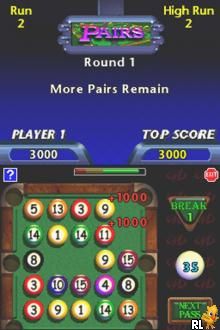
Visually, TouchMaster keeps things simple with clear graphics and touch targets that work well with the Nintendo DS’s stylus. The minimalist style helps you focus on gameplay rather than flashy visuals. As you go along, the game gradually introduces harder challenges, requiring faster reflexes and better precision, which keeps the experience interesting and rewarding.
The progression system adds replay value, pushing players to improve their scores and unlock more mini-games. Since each game has its own scoring and timing mechanics, there’s plenty of room for you to compete against your own bests or challenge friends. Its straightforward design and variety encourage repeat play, making it a good choice for quick bursts of touch-based fun.
Strategy and Tips
To get the most out of TouchMaster, try to focus on both accuracy and speed. Practicing the tougher mini-games repeatedly can help build muscle memory, making reactions faster in future rounds.
- Start with the easier mini-games to get familiar with the mechanics before tackling the tougher challenges.
- Pay attention to patterns and timing cues, especially in games that involve following sequences.
- Use your stylus or finger with consistent pressure for better precision, especially on smaller targets.
- If you’re stuck on a mini-game, take short breaks to reset your focus and avoid frustration.
- Try to anticipate moves in pattern-based mini-games instead of reacting solely on instinct.
Quick Questions
How do I get started with TouchMaster?
Just pick a mini-game from the main menu and follow the instructions on the screen to start playing.
What’s a common mistake beginners make?
Many tend to rush without focusing enough on accuracy, which can hurt their scores. Prioritizing precision helps improve overall performance.
Can I play TouchMaster comfortably on mobile or touchscreen devices?
Yes, since it’s designed for touch input, it works well on mobile browsers with a finger or stylus. The interface stays responsive and easy to use without extra setup.
TouchMaster provides simple, touch-based puzzle fun that’s perfect for quick gaming sessions. Its straightforward gameplay and variety of mini-games make it a reliable choice for casual players wanting a nostalgic Nintendo DS challenge right in their browser.
Related games: you can also try Beyblade Metal Fusion – Cyber Pegasus (Europe) and Labyrinth (Europe) (En,Fr,De,Es,It), or browse all other games in the Nintendo DS category.
How to Play TouchMaster (USA)?
Select a mini-game, follow on-screen instructions to tap or follow patterns quickly and accurately, aiming to beat your best score or time in each round.
Game Controls
Arrow keys and Enter act as the controller; use keyboard to navigate and select.
You may be interested in:
-
 Nintendo DS
♥ 1
Casper’s Scare School – Classroom Capers (USA)
Nintendo DS
♥ 1
Casper’s Scare School – Classroom Capers (USA) -
 Nintendo DS
♥ 1
Zunou Nouryoku Koujou Machine – Touch de Zunoo DS (Japan)
Nintendo DS
♥ 1
Zunou Nouryoku Koujou Machine – Touch de Zunoo DS (Japan) -
 Nintendo DS
♥ 1
Zunou ni Asekaku Game Series! Vol. 1 – Cool 104 Joker & Setline (Japan)
Nintendo DS
♥ 1
Zunou ni Asekaku Game Series! Vol. 1 – Cool 104 Joker & Setline (Japan) -
 Nintendo DS
♥ 9
Zuma’s Revenge (USA)
Nintendo DS
♥ 9
Zuma’s Revenge (USA) -
 Nintendo DS
♥ 1
Zubo (USA) (En,Fr,Es)
Nintendo DS
♥ 1
Zubo (USA) (En,Fr,Es) -
 Nintendo DS
♥ 1
Zubo (Europe) (En,Fr,De,Es,It,Nl,Sv)
Nintendo DS
♥ 1
Zubo (Europe) (En,Fr,De,Es,It,Nl,Sv) -
 Nintendo DS
♥ 1
Zorro – Quest for Justice (USA) (En,Fr,De,Es,It)
Nintendo DS
♥ 1
Zorro – Quest for Justice (USA) (En,Fr,De,Es,It) -
 Nintendo DS
♥ 1
Zorro – Quest for Justice (Europe) (En,Fr,De,Es,It)
Nintendo DS
♥ 1
Zorro – Quest for Justice (Europe) (En,Fr,De,Es,It)
Comments (0)
No comments yet. Be the first to comment!