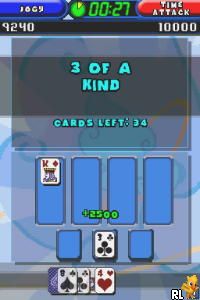
TouchMaster 2 (USA) (En,Fr)
0 1 0
TouchMaster 2 (USA) (En,Fr) is a classic Nintendo DS game that features a collection of casual, touch-based puzzle and skill games designed for quick, engaging sessions. Its simple mechanics and variety of mini-games appeal to players looking for light entertainment that makes good use of the DS’s touchscreen capabilities. As a product from the Nintendo DS era, it highlights the device’s emphasis on intuitive controls and accessible gameplay, making it popular among fans of puzzles and arcade-style challenges.
TouchMaster 2: Gameplay Overview
The main idea behind TouchMaster 2 is a series of mini-games where players tap, swipe, or drag on the touchscreen to complete specific tasks. Each game is a self-contained challenge, often involving matching objects, popping bubbles, or guiding items through obstacles. The gameplay relies on quick reflexes and precise touches, so it’s easy to pick up but takes practice to get better at higher levels.
Players move through different mini-games, each with its own mechanics and goals. The design encourages quick decision-making, with many challenges meant to be completed in a short time. This setup makes it easy to play in short bursts, and getting better at each mini-game can lead to higher scores and improved performance overall. The core loop is simple: choose a game, complete the challenge, and aim for a high score or faster finish.
Modes, Levels and Progression
TouchMaster 2 offers a variety of mini-games, each with several levels or stages that grow more difficult. While it doesn’t have a traditional story or narrative mode, the different challenges keep things interesting as players unlock new mini-games or harder settings by completing levels. This encourages continued playing and improvement.
The game keeps things fresh through scoring and time challenges. As players get better, they can aim for higher scores, quicker finishes, or perfect runs. Though it lacks extensive storylines or unlockable characters, the variety of mini-games and scoring options give enough motivation to keep practicing and mastering each challenge.
Winning Strategies
Focus on speed and accuracy, trying to finish challenges with as few mistakes as possible to boost your score. Learning how each mini-game works will help you react faster and be more efficient.
- Watch for patterns or recurring obstacles to better anticipate moves, especially in timing-based mini-games.
- Practice tougher mini-games separately to build muscle memory and become more familiar with the mechanics.
- Be careful with your touches; rushing can lead to errors, so aim for precision.
- Complete levels quickly whenever possible, since faster times usually mean higher scores.
- Play levels multiple times to improve your performance and beat your previous best scores.
Common Questions About TouchMaster 2
How does the difficulty change across the mini-games?
Early levels tend to be simpler or act as tutorials, while later ones introduce faster speeds, more obstacles, or complex mechanics. The progression encourages players to improve their skills as the challenge ramps up.
Are there different modes, or just a collection of mini-games?
Mostly, it’s a set of mini-games you can play individually. Some have multiple difficulty settings or levels, but there’s no traditional story mode. The replay value comes from trying to beat your high scores or master each game.
How long does it usually take to finish all the challenges?
Since the game is made up of short mini-games, how long it takes depends on how many you try. Getting good at all of them and reaching high scores can take several hours, especially if you aim for perfection.
TouchMaster 2 offers straightforward, varied gameplay that makes good use of the Nintendo DS’s touch controls. Its mini-games provide quick entertainment with enough depth to keep players coming back. Playing it through your browser makes it easy to access this classic game without needing downloads or setup.
Related games: you can also try Bratz Ponyz 2 (USA) (En,Fr,Es) and Luminous Arc (Europe), or browse all other games in the Nintendo DS category.
How to Play TouchMaster 2 (USA) (En,Fr)?
Tap, swipe, or drag on the screen to complete mini-games quickly and accurately. Aim for high scores by finishing challenges faster and with fewer mistakes.
Game Controls
Arrow keys for navigation; space or Enter to select and confirm actions.
You may be interested in:
-
 Nintendo DS
♥ 1
Casper’s Scare School – Classroom Capers (USA)
Nintendo DS
♥ 1
Casper’s Scare School – Classroom Capers (USA) -
 Nintendo DS
♥ 1
Zunou Nouryoku Koujou Machine – Touch de Zunoo DS (Japan)
Nintendo DS
♥ 1
Zunou Nouryoku Koujou Machine – Touch de Zunoo DS (Japan) -
 Nintendo DS
♥ 1
Zunou ni Asekaku Game Series! Vol. 1 – Cool 104 Joker & Setline (Japan)
Nintendo DS
♥ 1
Zunou ni Asekaku Game Series! Vol. 1 – Cool 104 Joker & Setline (Japan) -
 Nintendo DS
♥ 9
Zuma’s Revenge (USA)
Nintendo DS
♥ 9
Zuma’s Revenge (USA) -
 Nintendo DS
♥ 1
Zubo (USA) (En,Fr,Es)
Nintendo DS
♥ 1
Zubo (USA) (En,Fr,Es) -
 Nintendo DS
♥ 1
Zubo (Europe) (En,Fr,De,Es,It,Nl,Sv)
Nintendo DS
♥ 1
Zubo (Europe) (En,Fr,De,Es,It,Nl,Sv) -
 Nintendo DS
♥ 1
Zorro – Quest for Justice (USA) (En,Fr,De,Es,It)
Nintendo DS
♥ 1
Zorro – Quest for Justice (USA) (En,Fr,De,Es,It) -
 Nintendo DS
♥ 1
Zorro – Quest for Justice (Europe) (En,Fr,De,Es,It)
Nintendo DS
♥ 1
Zorro – Quest for Justice (Europe) (En,Fr,De,Es,It)
Comments (0)
No comments yet. Be the first to comment!