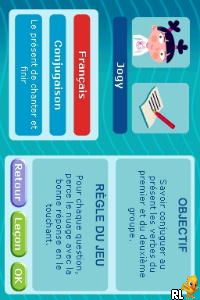
Tout Savoir CE1 – L’Essentiel du Programme (France)
0 1 0
Tout Savoir CE1 – L’Essentiel du Programme (France) is a typical Nintendo DS game aimed at helping young students with their early primary education in France. It’s a learning tool that combines interactive exercises with a simple interface. The focus on basic skills makes it a handy resource for kids working through the CE1 curriculum, providing a digital alternative to traditional classroom activities.
Tout Savoir CE1 – L’Essentiel du Programme: Gameplay Overview
As a Nintendo DS title, Tout Savoir CE1 – L’Essentiel du Programme uses the dual screens to display exercises clearly and accessibly. The game includes activities covering core subjects like math, reading, and writing, broken into small tasks suitable for young learners. Players choose different subjects and use the stylus and touchscreen to navigate through tasks, making it easy for children to interact with the game.
The main gameplay involves completing exercises to move through different skill levels. Each challenge helps reinforce learning through practice, with quick feedback and rewards like unlocking new exercises or levels. The game encourages repetition and accuracy, helping players improve their skills by practicing regularly while keeping the interface simple and distraction-free.
Modes, Levels and Progression
The game is designed for one player and divides its content into levels that follow the typical CE1 curriculum. These levels focus on various subjects, so players can work on areas where they want to improve or explore new topics. The difficulty gradually increases, from basic recognition and counting to more complex tasks involving reading comprehension and problem-solving.
There are no multiple modes or multiplayer options, but each subject offers different exercises, giving young learners a variety of tasks. Progression depends on completing exercises to unlock the next levels, which helps build a sense of achievement and keeps practice consistent. This structure supports skill development over time, aligning with early primary education standards.
Winning Strategies
Start with the basics before moving on to more difficult exercises to build a strong foundation. Use the immediate feedback to understand mistakes and improve. Repeat exercises where performance is weak to reinforce learning. Keep practice sessions short and regular to stay engaged without overwhelming the child. Follow instructions and hints during activities to maximize understanding. Repeating exercises helps retain skills and progress smoothly through levels.
Common Questions About Tout Savoir CE1 – L’Essentiel du Programme
How does the difficulty change as you go?
The exercises start simple, like basic addition or letter recognition, then gradually include more challenging tasks such as reading comprehension and problem-solving, matching what’s expected in CE1.
Are there different modes or just a straight path?
The game mainly follows a straightforward sequence focused on subject-specific exercises. While it doesn’t have multiple modes, it offers a wide range of activities within each subject, making for a well-rounded experience.
Can you replay exercises for practice?
Yes. The game encourages practicing again by allowing players to revisit exercises to improve their scores and skills. Its variety of tasks and increasing difficulty keep the practice engaging for early learners.
If you’re after a straightforward educational tool that matches the French CE1 curriculum, tout savoir ce1 – l’essentiel du programme is a solid option. Its clear structure helps reinforce key skills in a familiar format, now playable directly in your browser.
Related games: you can also try Petz – My Monkey Family (Europe) (En,Fr,De,Es,It,Nl,Sv,No,Da) and Populous DS (Japan), or browse all other games in the Nintendo DS category.
How to Play Tout Savoir CE1 – L’Essentiel du Programme (France)?
Choose a subject, complete interactive exercises using the keyboard to practice math, reading, and writing skills, and progress through levels by finishing tasks accurately.
Game Controls
Arrow keys move the cursor; Enter confirms selections and actions.
You may be interested in:
-
 Nintendo DS
♥ 1
Casper’s Scare School – Classroom Capers (USA)
Nintendo DS
♥ 1
Casper’s Scare School – Classroom Capers (USA) -
 Nintendo DS
♥ 1
Zunou Nouryoku Koujou Machine – Touch de Zunoo DS (Japan)
Nintendo DS
♥ 1
Zunou Nouryoku Koujou Machine – Touch de Zunoo DS (Japan) -
 Nintendo DS
♥ 1
Zunou ni Asekaku Game Series! Vol. 1 – Cool 104 Joker & Setline (Japan)
Nintendo DS
♥ 1
Zunou ni Asekaku Game Series! Vol. 1 – Cool 104 Joker & Setline (Japan) -
 Nintendo DS
♥ 9
Zuma’s Revenge (USA)
Nintendo DS
♥ 9
Zuma’s Revenge (USA) -
 Nintendo DS
♥ 1
Zubo (USA) (En,Fr,Es)
Nintendo DS
♥ 1
Zubo (USA) (En,Fr,Es) -
 Nintendo DS
♥ 1
Zubo (Europe) (En,Fr,De,Es,It,Nl,Sv)
Nintendo DS
♥ 1
Zubo (Europe) (En,Fr,De,Es,It,Nl,Sv) -
 Nintendo DS
♥ 1
Zorro – Quest for Justice (USA) (En,Fr,De,Es,It)
Nintendo DS
♥ 1
Zorro – Quest for Justice (USA) (En,Fr,De,Es,It) -
 Nintendo DS
♥ 1
Zorro – Quest for Justice (Europe) (En,Fr,De,Es,It)
Nintendo DS
♥ 1
Zorro – Quest for Justice (Europe) (En,Fr,De,Es,It)
Comments (0)
No comments yet. Be the first to comment!