U-Can – Penji Training DS (Japan)
0 1 0
U-Can – Penji Training DS (Japan) is a classic Nintendo DS game aimed at helping you improve your handwriting through a series of training exercises. It offers a simple way to work on penmanship, all within the portable, dual-screen design of the Nintendo DS. Its straightforward setup makes it appealing for those interested in language and writing practice, especially if you enjoyed traditional handwriting drills but prefer a digital option.
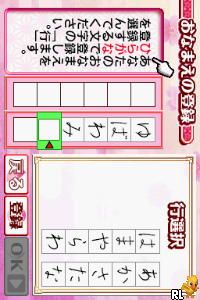
This game uses the DS’s dual screens to simulate writing exercises that resemble real-world pen training. The visuals are minimal but functional—instructions or examples appear on the top screen, while the bottom serves as a blank space for practice. The atmosphere is calm and focused, encouraging steady, deliberate practice without distractions. Many find satisfaction in tracking their progress over time, making it a good choice for anyone wanting a low-pressure, educational experience that fits into short or longer practice sessions.
Why U-Can – Penji Training DS Is Worth Playing
This title from the Nintendo DS era stands out for its simple approach to handwriting training. It avoids gimmicks and flashy graphics, focusing instead on a clean, easy-to-navigate interface. Menus are straightforward, with clear instructions that make it accessible for players of all ages. The dual-screen setup adds a layer of interactivity, as you can see models or guides on the top while practicing on the bottom—creating a more engaging experience than just writing on paper.
The visuals are sparse but effective, emphasizing clarity over style. This minimalist approach helps keep your attention on your handwriting instead of unnecessary details. The calm, relaxed vibe makes it suitable for casual users wanting to improve their skills gradually or for more dedicated learners seeking consistency. Returning players often appreciate the steady feedback and sense of achievement after completing exercises, which keeps motivation going.
Tips to Get Ahead
Getting the most from U-Can – Penji Training DS involves regular practice. Here are some helpful suggestions:
- Practice daily, even for a few minutes—repetition helps build muscle memory.
- Carefully follow the model characters or guides before trying to write on your own.
- Make use of the practice space on the lower screen, focusing on accuracy rather than speed.
- Check your progress over time to spot characters or strokes that could use improvement.
- If your handwriting feels inconsistent or tiring, try adjusting your grip or posture.
- Be patient; consistent effort leads to better handwriting over time.
Things to Know Before You Start
Is U-Can – Penji Training DS suitable for all skill levels?
Yes, the game is friendly for beginners and can also help more experienced writers refine their handwriting. It’s designed to support gradual improvement rather than instant mastery.
How long is a typical session with U-Can – Penji Training DS?
The length depends on what you want to achieve. Short sessions of 10-15 minutes work well, but if you’re aiming for serious practice, you can spend a few hours focusing on your handwriting.
Will I need to understand Japanese to play U-Can – Penji Training DS?
Most of the interface and instructions are in Japanese, so some familiarity with basic characters or a translation app might help. Still, the exercises are visual, so you can often follow along without knowing the language fully.
Pick up this classic Nintendo DS game and start practicing your handwriting with U-Can – Penji Training DS. It offers a simple, practical way to improve your penmanship directly on your device.
Related games: you can also try Mijn Dierenpraktijk (Netherlands) (En,Nl) and Spider-Man – Allie ou Ennemi (France), or browse all other games in the Nintendo DS category.
How to Play U-Can – Penji Training DS (Japan)?
Follow the instructions on the top screen and practice writing characters on the bottom screen to improve your handwriting over time.
Game Controls
Arrow keys for navigation; Enter to confirm; on-screen buttons mapped to keyboard keys.
You may be interested in:
-
 Nintendo DS
♥ 1
Casper’s Scare School – Classroom Capers (USA)
Nintendo DS
♥ 1
Casper’s Scare School – Classroom Capers (USA) -
 Nintendo DS
♥ 1
Zunou Nouryoku Koujou Machine – Touch de Zunoo DS (Japan)
Nintendo DS
♥ 1
Zunou Nouryoku Koujou Machine – Touch de Zunoo DS (Japan) -
 Nintendo DS
♥ 1
Zunou ni Asekaku Game Series! Vol. 1 – Cool 104 Joker & Setline (Japan)
Nintendo DS
♥ 1
Zunou ni Asekaku Game Series! Vol. 1 – Cool 104 Joker & Setline (Japan) -
 Nintendo DS
♥ 9
Zuma’s Revenge (USA)
Nintendo DS
♥ 9
Zuma’s Revenge (USA) -
 Nintendo DS
♥ 1
Zubo (USA) (En,Fr,Es)
Nintendo DS
♥ 1
Zubo (USA) (En,Fr,Es) -
 Nintendo DS
♥ 1
Zubo (Europe) (En,Fr,De,Es,It,Nl,Sv)
Nintendo DS
♥ 1
Zubo (Europe) (En,Fr,De,Es,It,Nl,Sv) -
 Nintendo DS
♥ 1
Zorro – Quest for Justice (USA) (En,Fr,De,Es,It)
Nintendo DS
♥ 1
Zorro – Quest for Justice (USA) (En,Fr,De,Es,It) -
 Nintendo DS
♥ 1
Zorro – Quest for Justice (Europe) (En,Fr,De,Es,It)
Nintendo DS
♥ 1
Zorro – Quest for Justice (Europe) (En,Fr,De,Es,It)
Comments (0)
No comments yet. Be the first to comment!