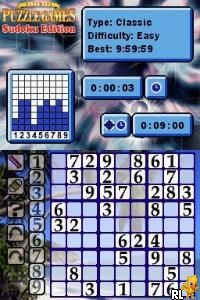
Ultimate Puzzle Games – Sudoku Edition (USA)
0 1 0
Ultimate Puzzle Games – Sudoku Edition (USA) is a classic Nintendo DS puzzle game that provides a simple yet engaging experience for sudoku fans. It’s perfect for those who like to solve logic puzzles on the move. This digital version of the popular number placement game is designed to be easy to pick up and play. Running on the Nintendo DS, it uses the familiar dual-screen setup and touch controls, making it a convenient option for handheld puzzle fun.
Getting Into Ultimate Puzzle Games – Sudoku Edition
In this game, you work through traditional sudoku puzzles that range from easy to hard. You start by choosing a difficulty level, then use the stylus or touchscreen to fill in the grid. The main goal is to place numbers 1 through 9 so that each row, column, and 3×3 box contains no duplicates. The game focuses on a single mode, offering a calm puzzle-solving experience. You can pause and pick up where you left off anytime, which makes it suitable for quick breaks or longer sessions.
As you go, the game presents different puzzles that challenge your logic and pattern recognition. Features like error highlighting and auto-check help beginners, while experienced players can turn these off for more difficulty. There are no timers or leaderboards, so you can enjoy the puzzles at your own pace. Completing puzzles unlocks tougher levels, encouraging continued practice and mastery of solving patterns.
Standout Features
The visuals are simple and clean, with crisp lines and clear numbers on the sudoku grid. The interface takes advantage of the Nintendo DS’s dual screens, with the puzzle on one and number options on the other, which makes navigation straightforward. The game’s progression system is easy to follow—new puzzles become available as you finish others, providing consistent challenges.
The variety of difficulty levels and no time limits add replay value, letting you practice or relax without pressure. The straightforward design means you can jump into any puzzle quickly, and different difficulty settings make it accessible for both newcomers and seasoned sudoku players. Since puzzles are generated fresh each time, no two games are exactly the same, keeping things interesting over multiple sessions.
Strategy and Tips
Start with easier puzzles to build confidence before moving to more difficult ones. Fill in the obvious numbers first, then use elimination to narrow down options in more complex sections.
- Use the auto-check feature to catch mistakes early, but turn it off if you want a tougher challenge.
- Focus on nearly complete rows, columns, or boxes to quickly finish missing numbers.
- If the game allows, keep small notes of potential numbers to help organize your thoughts.
- Switch your focus between different parts of the grid to find easier placements and avoid getting stuck.
- Practice regularly to recognize common sudoku patterns and improve your solving speed.
Quick Questions
How do I start a new puzzle?
Choose a difficulty level from the main menu, and the game will generate a new sudoku puzzle for you to solve.
What is a common mistake beginners make?
Trying to fill in many numbers at once without double-checking for conflicts often leads to errors that are tough to fix later.
Can I play this on mobile or touch devices?
Yes. Since it runs in your browser with touch support, you can play it on mobile devices that support browser-based emulators, making it easy to play anywhere.
Ultimate Puzzle Games – Sudoku Edition offers a straightforward puzzle experience rooted in the Nintendo DS era. Its focus on clean gameplay and accessible features makes it suitable for both casual players and sudoku enthusiasts who want a reliable digital version available in your browser.
Related games: you can also try Godzilla Unleashed – Double Smash (USA) and Real Adventures – Pet Vet (Europe) (En,Fr), or browse all other games in the Nintendo DS category.
How to Play Ultimate Puzzle Games – Sudoku Edition (USA)?
Choose a difficulty, then use the keyboard or mouse to fill in numbers 1-9 on the grid, ensuring each row, column, and box has no duplicates. Complete puzzles to unlock harder levels and improve your skills.
Game Controls
Arrow keys or mouse to select cells; number keys to input numbers; space or enter to confirm.
You may be interested in:
-
 Nintendo DS
♥ 1
Casper’s Scare School – Classroom Capers (USA)
Nintendo DS
♥ 1
Casper’s Scare School – Classroom Capers (USA) -
 Nintendo DS
♥ 1
Zunou Nouryoku Koujou Machine – Touch de Zunoo DS (Japan)
Nintendo DS
♥ 1
Zunou Nouryoku Koujou Machine – Touch de Zunoo DS (Japan) -
 Nintendo DS
♥ 1
Zunou ni Asekaku Game Series! Vol. 1 – Cool 104 Joker & Setline (Japan)
Nintendo DS
♥ 1
Zunou ni Asekaku Game Series! Vol. 1 – Cool 104 Joker & Setline (Japan) -
 Nintendo DS
♥ 9
Zuma’s Revenge (USA)
Nintendo DS
♥ 9
Zuma’s Revenge (USA) -
 Nintendo DS
♥ 1
Zubo (USA) (En,Fr,Es)
Nintendo DS
♥ 1
Zubo (USA) (En,Fr,Es) -
 Nintendo DS
♥ 1
Zubo (Europe) (En,Fr,De,Es,It,Nl,Sv)
Nintendo DS
♥ 1
Zubo (Europe) (En,Fr,De,Es,It,Nl,Sv) -
 Nintendo DS
♥ 1
Zorro – Quest for Justice (USA) (En,Fr,De,Es,It)
Nintendo DS
♥ 1
Zorro – Quest for Justice (USA) (En,Fr,De,Es,It) -
 Nintendo DS
♥ 1
Zorro – Quest for Justice (Europe) (En,Fr,De,Es,It)
Nintendo DS
♥ 1
Zorro – Quest for Justice (Europe) (En,Fr,De,Es,It)
Comments (0)
No comments yet. Be the first to comment!