WordJong (USA)
0 1 0
WordJong (USA) is a classic Nintendo DS game that combines the familiar mechanics of mahjong with a casual puzzle twist. This game offers a straightforward experience that appeals to players who enjoy relaxing, tile-matching challenges. If you like thoughtful puzzles and want a game that’s easy to pick up and play in short sessions, WordJong provides a solid option, all playable directly in your browser without needing any downloads.
Getting Into WordJong
The main gameplay of WordJong involves matching pairs of tiles to clear the board. The game shows a grid of tiles, each with symbols or characters, and your goal is to find and select matching pairs that are free on at least one side. When you pick a pair, the tiles disappear, revealing more options underneath or around them. The mechanics are simple, but the challenge is in planning your moves so you don’t block tiles or run out of matches.
Most sessions start with a full grid, and the game offers a few hints or reshuffles if you get stuck. There are different difficulty levels or modes that change the speed or complexity of the puzzle. The pace is gentle, rewarding patience and strategic matching as the grid clears gradually. You can go for quick wins or spend more time on tougher layouts, making it suitable for both casual players and those looking for a more involved challenge.
Standout Features
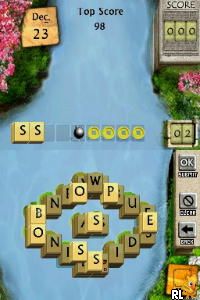
This classic on the Nintendo DS has clean, simple visuals that resemble traditional mahjong tiles, with clear symbols and a minimalistic background. The interface is intuitive, with easy tap controls that work well on touch screens and browsers alike. Progression is straightforward: complete levels and unlock new ones or higher difficulty settings, giving a sense of achievement without complicated mechanics.
Replay value comes from the variety of puzzles and difficulty modes. Each session can be quick or longer, more involved. The straightforward design keeps it accessible, and the increasing difficulty encourages players to sharpen their matching skills over time. Variations in tile layouts and hidden features add some unpredictability, keeping the game interesting even after multiple plays.
Strategy and Tips
Starting with easier puzzles helps build confidence and understanding of the mechanics. Focus on matching tiles that will open up the most options for future moves. Take your time to scan the board—rushing can lead to dead ends.
- Match tiles that free up options in the center or along the edges to avoid blocking yourself later.
- Use hints sparingly to learn which tiles are safe matches, especially on tougher levels.
- Reshuffle the tiles only if no moves are left, after trying to find matches manually.
- Keep an eye on tiles with only one match left and plan your moves accordingly.
- Clear the edges first, since they tend to lock in tiles over time.
Quick Questions
How do I get started if I’ve never played before?
The game begins with simple puzzles that help you learn matching mechanics; just tap tiles with your cursor or finger to select pairs.
What’s a common mistake beginners make?
Trying to match tiles without thinking ahead can lead to dead ends; always consider future moves before confirming a match.
Can I play WordJong on mobile or touch devices?
Yes, since it runs in your browser, it works well on touch screens, making it easy to enjoy the game on any device.
WordJong offers a relaxing yet engaging puzzle experience perfect for quick breaks or longer sessions. Its simple mechanics and clean design make it a good choice for fans of classic mahjong-style games looking for a casual challenge you can enjoy right in your browser.
Related games: you can also try Gintama – Gintama Quest – Gin-san ga Tenshoku shitari Sekai o Sukuttari (Japan) and Elf Bowling 1 & 2 (USA), or browse all other games in the Nintendo DS category.
How to Play WordJong (USA)?
Match and remove pairs of free tiles to clear the board before running out of options. Plan your moves carefully to avoid blocking tiles and maximize matches.
Game Controls
Arrow keys for navigation; Enter or space to select tiles.
You may be interested in:
-
 Nintendo DS
♥ 1
Casper’s Scare School – Classroom Capers (USA)
Nintendo DS
♥ 1
Casper’s Scare School – Classroom Capers (USA) -
 Nintendo DS
♥ 1
Zunou Nouryoku Koujou Machine – Touch de Zunoo DS (Japan)
Nintendo DS
♥ 1
Zunou Nouryoku Koujou Machine – Touch de Zunoo DS (Japan) -
 Nintendo DS
♥ 1
Zunou ni Asekaku Game Series! Vol. 1 – Cool 104 Joker & Setline (Japan)
Nintendo DS
♥ 1
Zunou ni Asekaku Game Series! Vol. 1 – Cool 104 Joker & Setline (Japan) -
 Nintendo DS
♥ 9
Zuma’s Revenge (USA)
Nintendo DS
♥ 9
Zuma’s Revenge (USA) -
 Nintendo DS
♥ 1
Zubo (USA) (En,Fr,Es)
Nintendo DS
♥ 1
Zubo (USA) (En,Fr,Es) -
 Nintendo DS
♥ 1
Zubo (Europe) (En,Fr,De,Es,It,Nl,Sv)
Nintendo DS
♥ 1
Zubo (Europe) (En,Fr,De,Es,It,Nl,Sv) -
 Nintendo DS
♥ 1
Zorro – Quest for Justice (USA) (En,Fr,De,Es,It)
Nintendo DS
♥ 1
Zorro – Quest for Justice (USA) (En,Fr,De,Es,It) -
 Nintendo DS
♥ 1
Zorro – Quest for Justice (Europe) (En,Fr,De,Es,It)
Nintendo DS
♥ 1
Zorro – Quest for Justice (Europe) (En,Fr,De,Es,It)
Comments (0)
No comments yet. Be the first to comment!