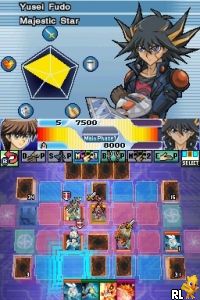
Yu-Gi-Oh! 5D’s – World Championship 2010 – Reverse of Arcadia (USA) (En,Ja,Fr,De,Es,It)
0 24 1
Yu-Gi-Oh! 5D’s – World Championship 2010 – Reverse of Arcadia (USA) (En,Ja,Fr,De,Es,It) is a classic Nintendo DS game that has been adapted for your browser, letting you enjoy the card dueling action without any downloads. Fans of Yu-Gi-Oh! or those who like strategic card battles will find it familiar, especially if they enjoy the anime’s duel mechanics and character-driven stories. It captures the essence of the DS era with its straightforward yet engaging gameplay, making it a good pick for both newcomers and longtime fans craving a nostalgic experience.
Getting Into Yu-Gi-Oh! 5D’s – World Championship 2010 – Reverse of Arcadia
This game provides a traditional Yu-Gi-Oh! duel experience where you build decks and face off against computer-controlled opponents. The main gameplay involves summoning monsters, activating spell and trap cards, and planning your moves to bring your opponent’s life points down to zero. You start by choosing a duel mode, selecting or customizing a deck, and then play through matches that unfold turn by turn. There’s a campaign mode where you face different duelists, or you can duel freely to practice specific strategies. Since it runs instantly in your browser, sessions are simple: plan your moves, watch the animations, and adjust your tactics as you go.
Standout Features
A big part of its appeal is how accurately it replicates the DS’s duel system, with clear visuals for cards and animations that bring back the handheld experience. The interface is clean and easy to navigate, so new players can get the hang of it quickly. You unlock new decks and duelists as you progress, which encourages trying different battles to sharpen your skills and expand your collection. The variety of opponents and deck types makes replaying interesting, pushing you to experiment with different strategies and card combinations. Because it’s browser-based, you can jump into a game anytime without needing to install anything.
Strategy and Tips
Winning often depends on understanding your deck’s strengths and trying to anticipate what your opponent might do. Here are some tips:
- Mix monsters, spells, and traps in your deck to handle different situations.
- Watch what cards your opponent plays and try to guess their next move.
- Use trap cards to defend during risky turns and protect your life points.
- Hold onto your strongest cards for critical moments rather than playing them right away.
- Try different duel formats to see which strategies work best against various opponents.
Quick Questions
How do I start a duel in this game?
Choose a duel mode from the main menu, pick your deck, then select an opponent to begin.
What’s a common mistake for beginners?
Many new players tend to summon powerful monsters too early, leaving themselves open to traps or counterattacks. It’s better to play carefully and be patient.
Can I play this on my mobile or tablet?
Since it runs in your browser, it should work on touch devices, though gameplay is often smoother with a mouse and keyboard. It’s mainly designed for desktop browsers but works on most modern mobile browsers too.
Playing Yu-Gi-Oh! 5D’s – World Championship 2010 – Reverse of Arcadia in your browser gives you a straightforward way to enjoy classic duels. Its faithful recreation of the Nintendo DS experience makes it a good choice for fans looking for a strategic card game that’s easy to pick up and replay whenever you want.
Related games: you can also try Moemon Heart of Gold and Kodomo no Tame no Yomi Kikase – Ehon de Asobou 4-kan (Japan), or browse all other games in the Nintendo DS category.
How to Play Yu-Gi-Oh! 5D’s – World Championship 2010 – Reverse of Arcadia (USA) (En,Ja,Fr,De,Es,It)?
Build a deck, summon monsters, and use spells and traps to reduce your opponent's life points to zero through turn-based card battles.
Game Controls
Use keyboard keys to select cards and confirm actions, with arrow keys or similar for navigation.
You may be interested in:
-
 Nintendo DS
♥ 1
Casper’s Scare School – Classroom Capers (USA)
Nintendo DS
♥ 1
Casper’s Scare School – Classroom Capers (USA) -
 Nintendo DS
♥ 1
Zunou Nouryoku Koujou Machine – Touch de Zunoo DS (Japan)
Nintendo DS
♥ 1
Zunou Nouryoku Koujou Machine – Touch de Zunoo DS (Japan) -
 Nintendo DS
♥ 1
Zunou ni Asekaku Game Series! Vol. 1 – Cool 104 Joker & Setline (Japan)
Nintendo DS
♥ 1
Zunou ni Asekaku Game Series! Vol. 1 – Cool 104 Joker & Setline (Japan) -
 Nintendo DS
♥ 9
Zuma’s Revenge (USA)
Nintendo DS
♥ 9
Zuma’s Revenge (USA) -
 Nintendo DS
♥ 1
Zubo (USA) (En,Fr,Es)
Nintendo DS
♥ 1
Zubo (USA) (En,Fr,Es) -
 Nintendo DS
♥ 1
Zubo (Europe) (En,Fr,De,Es,It,Nl,Sv)
Nintendo DS
♥ 1
Zubo (Europe) (En,Fr,De,Es,It,Nl,Sv) -
 Nintendo DS
♥ 1
Zorro – Quest for Justice (USA) (En,Fr,De,Es,It)
Nintendo DS
♥ 1
Zorro – Quest for Justice (USA) (En,Fr,De,Es,It) -
 Nintendo DS
♥ 1
Zorro – Quest for Justice (Europe) (En,Fr,De,Es,It)
Nintendo DS
♥ 1
Zorro – Quest for Justice (Europe) (En,Fr,De,Es,It)
Comments (0)
No comments yet. Be the first to comment!